If you’ve ever tried to get a quote for a 3D rendering project and ended up more confused than when you started, you’re not alone. Pricing in this industry can feel opaque — one studio quotes you $200 for a still image, another quotes $2,000, and you have no idea what’s actually driving that difference. Understanding the 3D Rendering Cost Breakdown: What Affects Price and How to Budget for Your Project in 2026 isn’t just useful for your wallet — it helps you become a better client, communicate your needs more clearly, and ultimately get better results. In this post, I’m going to walk you through exactly how we think about pricing at 360render.com, and what you should be asking any rendering studio before you sign off on a project.
The short answer is: rendering price depends on complexity, and complexity lives in multiple places simultaneously. It’s in the geometry of the model, the number of materials, the lighting environment, the resolution, the number of revisions, and the turnaround time. Each of these variables stacks on top of the others. When clients understand this, they stop asking “how much does a render cost?” and start asking the right questions instead.
The Biggest Variable: 3D Modeling
Before any rendering happens, a 3D model has to exist. This is where most clients underestimate costs — or get surprised by them. Modeling is labor-intensive, highly skilled work, and the time required scales directly with the complexity of the product or space.
We’ve worked with clients across a wide spectrum here. On one end, we had GP-Implants, a dental implant company that came to us with exceptionally clean, well-structured CAD files. Because their models were already production-ready, we could move almost directly into texturing and rendering. That translates into significant savings — modeling costs were minimal because we didn’t have to rebuild geometry from scratch. When a client brings good source files, it genuinely changes the scope of the project.
On the other end, one of our mattress clients came to us with no 3D assets whatsoever — not even a sketch in digital form. Building a detailed mattress model with accurate fabric simulation, stitching, quilting patterns, and edge detailing takes real time. Our rate for this kind of work is $30 per hour, and the total hours depend entirely on how complex the product is. A basic foam mattress takes far less time than one with tufting, multiple fabric zones, and removable cover details.
Then there are products that fall in between. VMI Sports, a supplements brand, needed renders of a standard cylindrical supplement bottle. Because the base geometry of a cylindrical bottle is simple and we’ve built similar assets before, the modeling cost for them was nothing — we absorbed it as part of the project. Simple, clean product forms like that don’t justify a separate modeling line item.
The takeaway: if you already have CAD or 3D files, bring them. Even imperfect files can save hours of modeling time. If you don’t have anything, budget for modeling separately from rendering.
Scene Complexity: Lighting, Environment, and Props
Once the model exists, the next cost driver is the scene itself. A product render on a clean white background with a single studio light setup is fast to build. A lifestyle scene — the same product sitting on a marble countertop, in a kitchen, with natural light pouring through a window and secondary props scattered around — is a completely different undertaking.
Every prop in a scene is either purchased from a library (which has its own cost) or built from scratch. Every surface needs materials — and good materials take time to set up properly. Lighting in an interior scene involves bouncing light, controlling indirect illumination, and managing how different surfaces interact with each other. None of this is automatic. It all requires a skilled artist making deliberate decisions.
For architectural visualization specifically, this is why a single exterior render of a building can cost more than a product image of the same building’s signage. You’re not paying for one render — you’re paying for the full scene construction.
3D Rendering Cost Breakdown: What Affects Price and How to Budget for Your Project in 2026 — Resolution and Output Format
Resolution matters, and not just aesthetically. Higher resolution renders take longer to compute. A still image at 1080p renders in a fraction of the time that the same scene takes at 4K or 8K. If you’re using renders for social media thumbnails, you probably don’t need 8K files. If you’re printing them at poster size or using them in a presentation on a 4K display, you do.
Output format also plays a role. A single hero shot is one deliverable. A 360-degree product spin with 36 frames is 36 separate renders. An animated walkthrough of an interior space, even a short 30-second clip, involves rendering hundreds of frames and then compositing them into a video. Animation pricing works on a different scale entirely from still images.
Transparency layers, multiple file formats, or raw render passes (for post-production flexibility) all add time and therefore cost. Be specific about what you actually need when briefing a studio.
Revisions, Timelines, and Rush Fees
Revisions are probably the most misunderstood part of rendering budgets. Most studios include a set number of revision rounds in their quotes. The problem is that clients often treat revisions as open-ended iteration — and that’s where projects go over budget.
A revision round that involves changing a color or adjusting a camera angle is fast. A revision round that involves replacing the entire floor material, repositioning the hero product, and rethinking the lighting direction is much closer to starting over. These aren’t the same thing, and studios that work professionally will distinguish between minor changes and major rework.
Timeline is a real cost factor too. If you need a render in 48 hours that would normally take five business days, the studio has to reshuffle its pipeline, potentially pull artists off other projects, and run compute overnight. Rush fees exist because rush work has real operational costs. If you can give a studio two to three weeks of lead time, you’ll almost always get better pricing than if you need something immediately.
What Clients Consistently Get Wrong
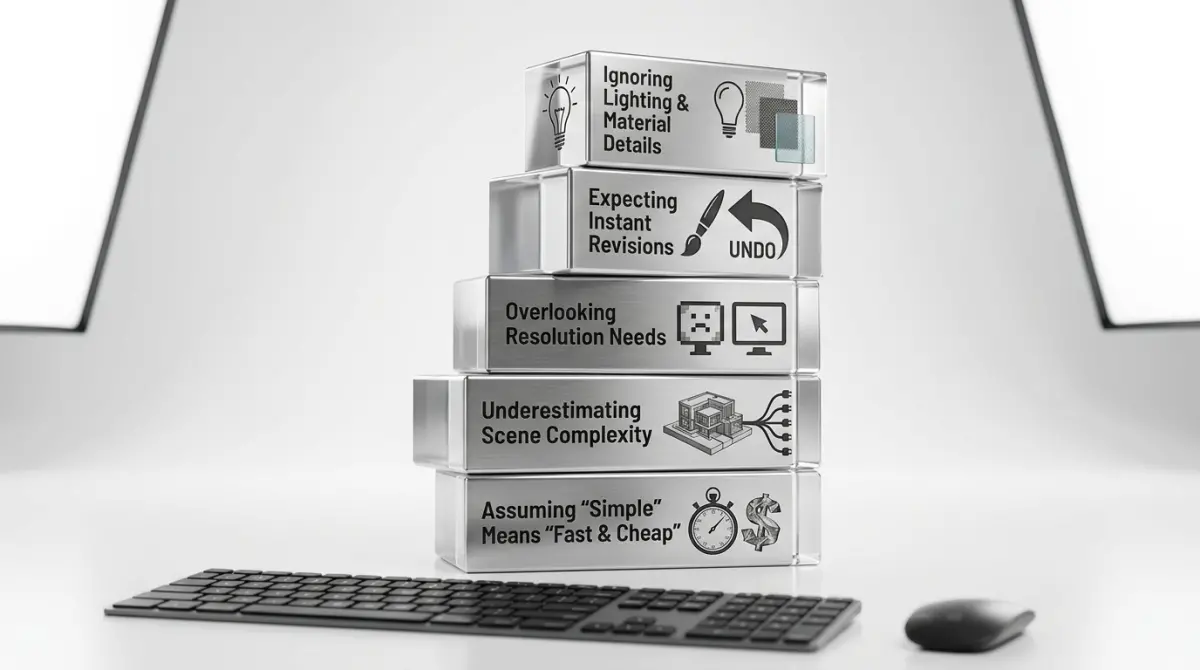
After working with clients across architecture, product design, e-commerce, and medical devices, a few patterns come up again and again.
Undervaluing the brief. Clients who show up with a clear brief — reference images, exact dimensions, preferred camera angles, material specs — get better results and lower costs than clients who leave everything open to interpretation. Vague briefs lead to back-and-forth, which leads to extra revision rounds, which costs everyone time and money.
Conflating rendering with photography. 3D rendering isn’t a shortcut — it’s a different discipline. It takes real skill and real time. Clients who treat it like a quick fix for not having a photo shoot often end up frustrated when they learn what quality actually requires.
Not thinking about usage rights. If you need renders for a global campaign versus a local brochure, that may affect licensing on stock assets used within the scene. It’s worth asking upfront.
Forgetting post-production. Compositing, color grading, adding text overlays, resizing for multiple formats — this work happens after rendering and is often quoted separately. Factor it in.
How to Build a Realistic Budget in 2026
Start with your deliverables. List every output you need: how many images, at what resolution, for what platform. Do you need video? Do you need multiple colorways of the same product? Do you have 3D files already, or does the studio need to build everything from scratch?
Once you have that list, have an honest conversation with your studio about what’s feasible within your budget. A good studio will tell you where to spend and where you can cut without killing quality. Sometimes it’s better to do fewer images at high quality than many images at lower quality. Sometimes a lifestyle composite — rendering the product in isolation and compositing it onto a lifestyle background — delivers most of the visual impact at a fraction of the cost of a fully built lifestyle scene.
If you’re a product-based e-commerce brand, our product 3D rendering services are designed specifically for your workflow and output requirements. If you’re working on architectural visualization, our architectural visualization services cover everything from exterior stills to full interior walkthroughs. Interior designers looking for photorealistic space previews can explore our interior rendering services built for presentation and client approval workflows.
The goal of this post isn’t to make rendering sound complicated — it’s to help you walk into a studio conversation knowing what drives cost and how to structure your project so you get real value for every rupee or dollar you spend. Good rendering work pays for itself in faster approvals, stronger client trust, and marketing assets that actually perform. The key is knowing what you’re buying.
Ready to get a clear, honest quote for your project? Reach out to us at 360render.com and let’s talk through your specific needs — no surprises, no vague estimates.
Frequently Asked Questions
How much does 3D rendering cost on average in 2026?
3D rendering costs in 2026 typically range from $50 to $600 per image for architectural visualization, while complex product rendering or animations can run from $500 to $10,000 or more depending on scope. Freelancers generally charge less than studios, with hourly rates spanning $25 to $150, and project-based pricing varying significantly by complexity, deadline urgency, and level of photorealism required. Getting multiple quotes and providing detailed briefs upfront is the best way to receive accurate estimates for your specific project.
What are the biggest factors that affect 3D rendering pricing?
The primary cost drivers in 3D rendering include scene complexity, level of photorealism, number of revisions, turnaround time, and whether you hire a freelancer versus a professional studio. High-polygon models, custom textures, advanced lighting setups, and animated sequences all increase both render time and labor costs substantially. Additionally, licensing fees for specialized software, post-production compositing, and the experience level of the artist can push prices significantly higher.
Is it cheaper to hire a freelance 3D artist or a rendering studio in 2026?
Freelance 3D artists are generally 30 to 60 percent more affordable than established rendering studios, making them ideal for smaller projects, tight budgets, or single still images. However, studios offer dedicated project management, faster turnaround through team collaboration, higher consistency across large image sets, and greater accountability for commercial or high-stakes deliverables. Your best choice depends on project scale, deadline pressure, and how much quality assurance and client support you need throughout the process.
How can I reduce 3D rendering costs without sacrificing quality?
You can lower costs by preparing thorough reference materials and detailed briefs before the project starts, which minimizes expensive revision rounds that often account for 20 to 40 percent of total project fees. Choosing a slightly longer deadline also reduces rush fees, and batching multiple images or angles into a single project quote typically unlocks volume discounts from most studios and freelancers. Opting for still images over animations and limiting the number of unique camera angles are additional strategies that can trim your budget while maintaining professional-grade output.
How should I budget for a 3D rendering project in 2026 if I have never hired a renderer before?
First-time clients should request itemized quotes that break down costs by modeling, texturing, lighting, rendering, and post-production so you understand exactly where your money goes and can identify areas to cut if needed. Set aside a contingency budget of 15 to 20 percent above your initial estimate to cover unexpected revision requests, scope changes, or licensing costs that may arise mid-project. Researching industry benchmarks, reviewing portfolios in your specific niche, and starting with a smaller test project are practical steps to calibrate expectations before committing to a large rendering budget.