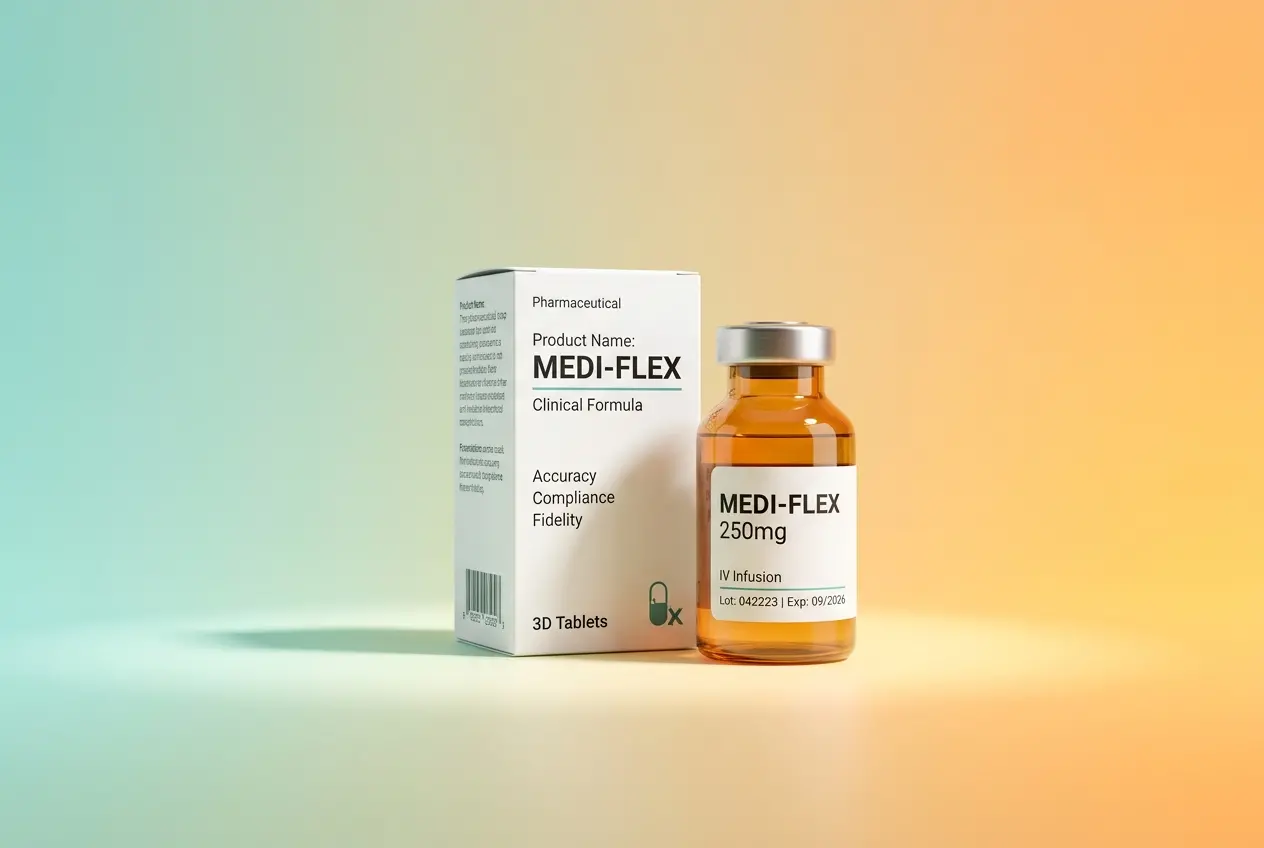
Pharmaceutical packaging sits at the intersection of precision engineering, regulatory obligation, and consumer safety. When brands approach us for 3D CGI Product Rendering for Pharmaceutical Packaging: Label Accuracy, Regulatory Compliance and Material Fidelity, the conversation almost always starts the same way — they need visuals that look photorealistic but also need to be legally defensible. That’s a tighter brief than most product categories demand, and it changes how we approach every single asset we produce. Unlike a cosmetic bottle or a consumer electronics render where a slightly stylised label is acceptable, pharmaceutical packaging leaves almost no room for creative interpretation. The label text must be accurate, the hierarchy must reflect real print specifications, and the materials must behave like their real-world counterparts.
We work with pharmaceutical manufacturers, contract packaging organisations, and healthcare marketing teams across the globe. What we’ve noticed is that the demand for CGI in this sector has grown sharply — not just for marketing imagery but for regulatory submissions, e-commerce listings, internal presentations, and clinical trial documentation. The irony is that many teams still treat pharmaceutical renders the same way they’d treat a shampoo bottle render. That’s where things go wrong. The workflow, the sign-off process, the data inputs — all of it needs to be calibrated differently when drugs, dosages, and compliance are involved.
Why 3D CGI Product Rendering for Pharmaceutical Packaging Demands a Different Workflow
Standard product rendering follows a fairly linear path: receive the brief, model the product, texture it, light it, render it. For pharmaceutical packaging, that flow has additional checkpoints embedded throughout. Before we even open our 3D software, we need the final approved artwork file — not a draft, not a near-final version, the approved one. Labels on blister packs, folding cartons, vials, and ampoules carry information that regulatory bodies in different markets scrutinise closely. Active ingredient names, dosage strengths, batch number placeholders, expiry date fields, barcode zones, and country-specific safety icons all need to be present and correctly positioned.
A common mistake we see is clients sending us a preliminary dieline with placeholder text and expecting us to render first, then update the label later. That works fine for a soft drink can. It doesn’t work for a product where the label content may affect the legal status of the asset. We always ask for the print-ready artwork file — typically a high-resolution PDF or vector file in the correct colour profile — before we begin texturing. This protects both the client and us.
The other major difference is the approval chain. Pharmaceutical companies have regulatory affairs teams, medical writers, and legal reviewers who all need to sign off on any visual representation of the product. Building extra revision rounds into the timeline isn’t optional — it’s structural. We factor that in upfront so project timelines reflect reality rather than optimism.
Label Accuracy: More Than Just Making It Look Nice

When we talk about label accuracy in CGI, we mean something very specific. The label must faithfully reproduce the typography, point size hierarchy, colour values, and spatial relationships from the source artwork. This sounds obvious but becomes technically demanding when you’re wrapping a flat label file around a curved surface like a bottle or vial.
UV mapping is the technical process that controls how a 2D texture wraps onto a 3D surface. A poorly executed UV map will cause text to stretch, squish, or distort in ways that change how information reads. On a pharmaceutical label, that could mean a dosage figure appears larger or smaller than it actually is, or a warning symbol loses its proportional integrity. We use cylindrical or custom UV projections depending on the geometry and always check the label at a 1:1 scale reference before rendering.
Beyond the UV work, we also deal with print finish accurately. Pharmaceutical labels frequently use spot varnish, embossed text, foil stamping for anti-counterfeiting, and tactile warning triangles for the visually impaired. These aren’t decorative choices — they’re often regulatory requirements in certain markets. Replicating them in CGI requires specific shader work. A foil-stamped area needs a layered material that combines specular sharpness, anisotropic reflection, and slight surface noise to behave the way real foil does under different lighting conditions. We don’t just slap a chrome texture on it and call it done.
Handling Multi-Language Labels and Regional Variants
Pharmaceutical products sold globally often carry multi-language labels or have region-specific artwork variants. A single product might need label variants for the EU, GCC markets, Southeast Asia, and North America — all with different regulatory text requirements, different language stacks, and different mandatory symbols. In our studio, we handle this by building the 3D model once and creating separate material/texture sets for each regional variant. The geometry doesn’t change; only the label assets do. This keeps production efficient while maintaining the accuracy each variant demands.
Regulatory Compliance in Visual Representation

This is where pharmaceutical rendering diverges most sharply from general product CGI. Regulatory compliance in the context of 3D rendering doesn’t mean your renders need FDA approval. It means the visual assets cannot misrepresent the product in any way that would be misleading or non-compliant with advertising and labelling standards.
For example, showing a tablet inside a blister pack with a slightly different colour than the actual approved product colour can cause issues if those renders appear in regulatory dossiers or pre-approval marketing materials. We’ve had clients explain that colour accuracy in renders used for regulatory submissions must align with the approved product specification. That puts colour management front and centre in the workflow. We work in linear colour space throughout our rendering pipeline and deliver files with the correct colour profile for the intended use — typically sRGB for web and screen, Adobe RGB or CMYK-converted files for print.
There’s also the question of what the render shows versus what the product actually does. Pharmaceutical advertising standards in most markets are strict about implied claims made through imagery. A render showing a medicine bottle with a particular lifestyle context can trigger regulatory scrutiny even if the label itself is accurate. This is the marketing team’s responsibility primarily, but as the rendering studio we flag these concerns when we see them.
Material Fidelity: Getting the Substrate Right
Pharmaceutical packaging uses a specific set of materials, and each one has distinct visual behaviour that needs to be reproduced accurately in CGI. Getting this wrong doesn’t just look bad — it misrepresents the product and can affect purchasing decisions or brand trust.
| Packaging Type | Common Materials | Key Rendering Challenges |
|---|---|---|
| Blister Pack | PVC/PVDC film, aluminium foil backing | Translucency of the dome, subtle foil texture on backing |
| Glass Vial / Ampoule | Borosilicate glass, rubber stopper, aluminium crimp cap | Internal refraction, liquid surface tension if filled, stopper texture |
| Folding Carton | SBS board, spot UV laminate | Paper surface micro-texture, varnish gloss zones |
| Plastic Bottle | HDPE, PET, PP | Sub-surface scatter in translucent grades, surface haze in HDPE |
| Sachets / Pouches | Aluminium laminate, polyester film | Surface crinkle maps, specular variation across flex lines |
Glass vials are probably the most technically demanding. Pharmaceutical-grade borosilicate glass has a particular refractive index and internal transmission quality that’s different from ordinary glass. When the vial contains a liquid — a vaccine, an injectable solution — we also need to model the meniscus correctly, handle sub-surface light behaviour through the liquid column, and show the rubber stopper with the right degree of compression and surface texture. These aren’t details you can approximate with a generic glass shader. We build physically based materials using measured reference data wherever possible.
HDPE bottles present a different challenge. They often have a slight surface haze from the moulding process, and in certain colour grades they’re partially translucent. A render that shows an HDPE bottle as fully opaque plastic with a clean gloss finish doesn’t look right to anyone who’s handled pharmaceutical packaging. We use a combination of volumetric scatter and surface roughness maps to capture that characteristic look.
What Clients Often Get Wrong
We see a handful of recurring problems when pharmaceutical clients come to us for CGI.
Sending low-resolution artwork files. Label text at pharmaceutical level detail needs high-resolution vector or at minimum 300dpi raster input. A label file that’s sized for screen use will produce blurry text in a close-up render, and blurry text on a pharmaceutical label is a serious problem.
Not involving regulatory affairs early. We’ve had projects where the render was nearly complete when the regulatory team flagged that certain mandatory symbols were missing from the label artwork. The fix required going back to the artwork, getting it re-approved through internal channels, and then re-texturing the 3D model. That’s avoidable if the right stakeholders are involved before the render brief is issued.
Treating renders as placeholder assets. Some teams assume they can use a “good enough” render for initial review and swap in a more accurate one later. With pharmaceutical packaging, the first render you share internally tends to set expectations and get circulated further than intended. We recommend getting it right from the first deliverable.
Ignoring pack orientation and dosage direction. Packaging for oral dosage forms, injectables, and topical applications often has a functional orientation — the label is designed to be read in a specific position. Renders that show the product in an awkward or ambiguous angle can confuse reviewers or create compliance questions. We always confirm primary viewing angles with the client before rendering.
If you’re working on pharmaceutical packaging visuals — whether for regulatory submissions, e-commerce, or launch campaigns — and you need renders that are technically accurate, label-faithful, and material-precise, our team at 360render.com is ready to discuss your brief. We understand the stakes in this category and we build our workflow around them.
Frequently Asked Questions
How accurate are 3D CGI renderings for pharmaceutical packaging labels compared to physical photography?
3D CGI renderings can achieve near-photorealistic accuracy for pharmaceutical packaging labels, replicating fine text, barcodes, serialization codes, and regulatory symbols with pixel-perfect precision when built from approved artwork files. Unlike traditional photography, CGI allows instant updates to label content without reprinting physical samples, making it ideal for packages undergoing regulatory review. Leading studios use vector-based label mapping techniques that ensure even the smallest required legal text remains legible and compliant in the final render.
Can 3D CGI pharmaceutical packaging renders be used in regulatory submissions and FDA-compliant marketing materials?
3D CGI renders can be used in marketing, e-commerce, and pre-launch materials, but for formal FDA or EMA regulatory submissions, only approved physical packaging samples or validated printed artworks are typically accepted as official documentation. However, CGI is widely used in internal review workflows to accelerate label approval cycles before physical production begins. Always consult your regulatory affairs team to confirm acceptable formats for any specific submission or compliance documentation.
How does 3D CGI rendering handle complex pharmaceutical packaging materials like foil laminates, blister packs, and frosted glass vials?
Advanced 3D CGI rendering uses physically based rendering (PBR) workflows that accurately simulate complex material properties such as the subsurface scattering of frosted glass, the anisotropic reflections of aluminum foil laminates, and the translucency of blister pack films. Material libraries built specifically for pharmaceutical packaging allow studios to match real-world substrates with high fidelity, ensuring stakeholders see a realistic representation before production tooling is committed. Proper material fidelity also helps brand teams evaluate how packaging will appear under different retail or clinical lighting conditions.
What file formats and label artwork inputs are needed to create regulatory-compliant pharmaceutical packaging CGI renders?
Studios typically require print-ready artwork files in vector formats such as PDF, AI, or EPS to ensure all label text, icons, QR codes, and regulatory markings are rendered at full resolution without any pixelation. Pantone or CMYK color specifications should accompany artwork files so the CGI team can accurately calibrate colors within the rendering environment and match physical printed output. Providing dieline templates and structural packaging CAD files alongside label artwork gives the 3D artist the precise geometry needed to map labels accurately onto packaging forms.
How can 3D CGI product rendering reduce pharmaceutical packaging development costs and time to market?
3D CGI eliminates the need for costly physical prototypes during early-stage packaging design reviews, allowing brands to visualize and iterate on label designs, structural formats, and material choices without manufacturing samples at each revision stage. This can compress packaging development timelines by weeks or even months, particularly for multi-SKU product lines where producing individual physical mockups for each variant would be prohibitively expensive. CGI assets also have long-term value, serving multiple commercial uses including e-commerce imagery, sales presentations, and training materials from a single production investment.