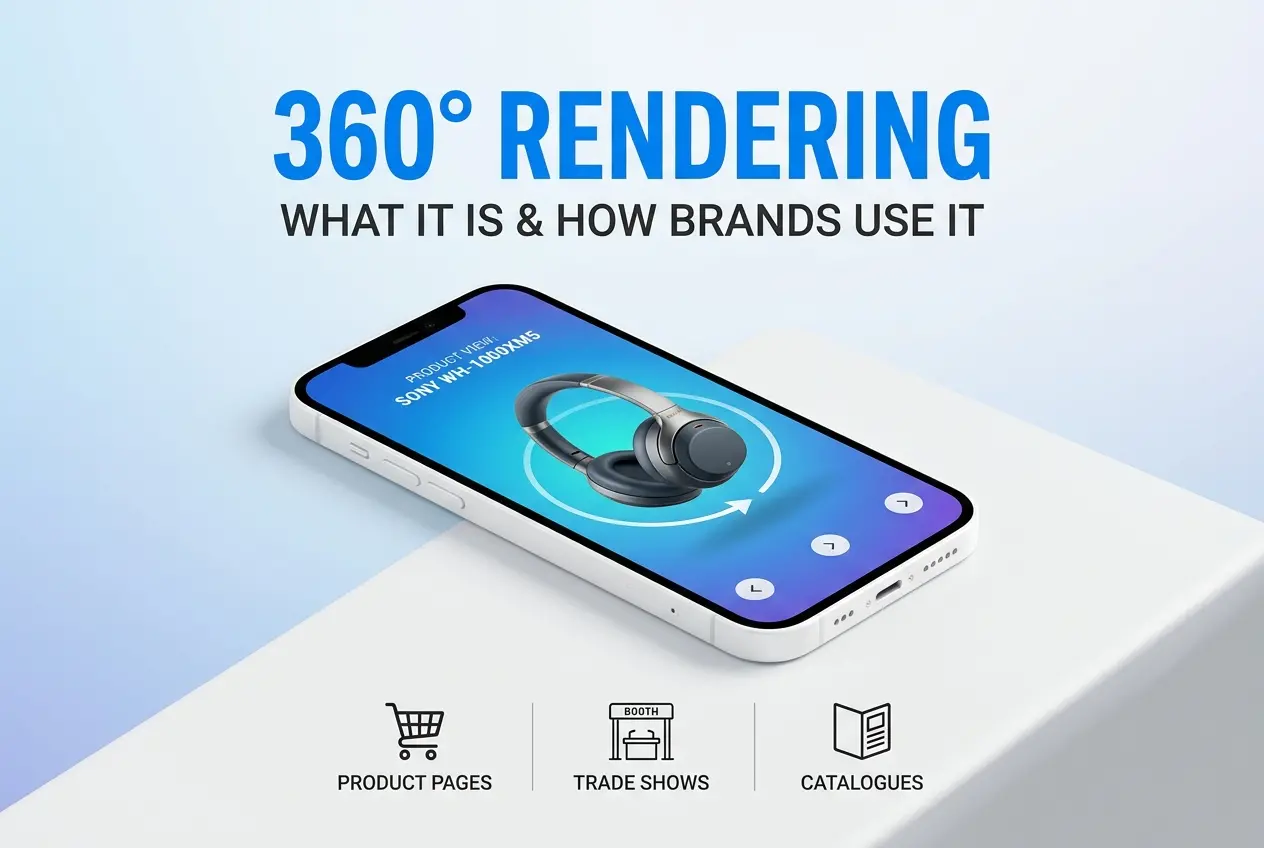
A client emailed us last month asking if we could “make one of those spinny product things” they’d seen on a competitor’s website. That’s 360 rendering in a nutshell — though there’s a lot more craft in it than “spinny product thing” suggests. What Is 360 Rendering and How Do Brands Use It for Product Pages, Trade Shows and Catalogues? is a question we get from product managers, marketing teams, and e-commerce owners almost weekly, usually right after they’ve noticed how much longer visitors linger on a competitor’s listing that has one.
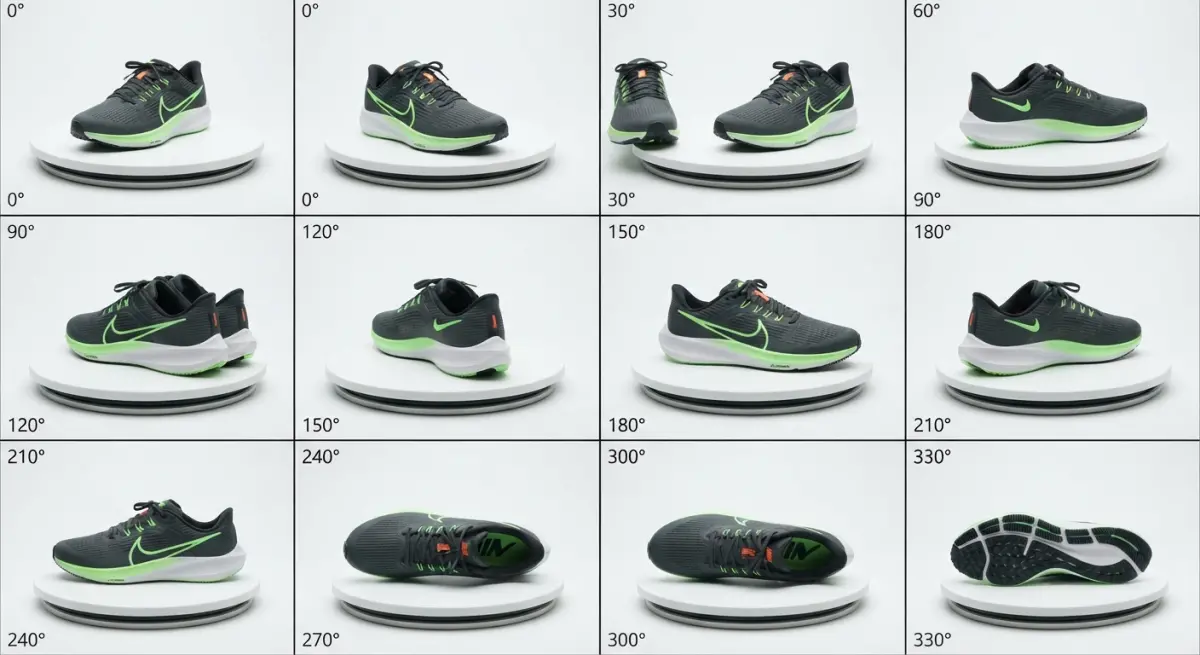
At its core, 360 rendering is the process of generating a sequence of computer-generated images of a product from evenly spaced angles — typically 24, 36, or 72 frames covering a full rotation — and stitching them into an interactive viewer. The customer clicks, drags, or swipes, and the product spins on screen as if it were sitting on a turntable in front of them. Except nobody photographed a turntable. Every frame is rendered from a 3D model, which changes the economics and the flexibility of the whole exercise in ways that matter a lot once you scale past a handful of products.
We’ve built these for furniture brands, appliance makers, jewelry sellers, and industrial equipment manufacturers, and the questions are always the same: how is this different from photography, what does it actually take to produce, and where does it get used beyond the product page. Let’s get into it properly.
What Is 360 Rendering and How Do Brands Use It for Product Pages, Trade Shows and Catalogues, Technically Speaking
Traditional 360 product photography involves a physical turntable, a fixed camera, and consistent lighting, capturing dozens of real photos of a physical unit. 360 rendering replaces the physical object with a 3D model — built from CAD files, scanned geometry, or modeled from reference photos and spec sheets — and replaces the camera with a virtual one that orbits the model in software.
The render engine calculates each frame with the same lighting rig, the same material shaders, and the same camera path every single time. There’s no flicker between frames from bulb temperature drift, no dust on the lens, no slight wobble because someone bumped the turntable on frame 14. Consistency is basically free once the scene is set up correctly, whereas in photography it’s something you fight for.
The output is still a set of static images — a JPG or WebP sequence — loaded into a lightweight JavaScript viewer on the page. The “3D” part is entirely in how the images were made, not in what the customer interacts with. That distinction confuses people, so it’s worth saying plainly: the end user is not manipulating a 3D model in their browser (that would be a WebGL viewer, a different and heavier technology). They’re flipping through pre-rendered stills fast enough that it reads as continuous rotation.
Why Brands Choose Rendering Over Photographing a Real 360 Spin
The obvious reason is that a lot of products don’t exist yet when the marketing team needs the spin. A furniture brand launching a new sofa configuration needs the product page live before the upholstery run is finished. An appliance company wants trade show visuals while the injection-molded housing is still in tooling. Rendering solves the timing problem because the 3D model can be lit and rotated the moment it’s finished, months before a physical sample exists.
The second reason is variant scaling. If a chair comes in twelve fabric options, photographing twelve physical 360 sequences means twelve photoshoots, twelve turntables sessions, twelve rounds of lighting setup and retouching. With rendering, you build one high-quality 3D model and swap the material — the fabric texture, the leg finish, the metal coating — then re-render the sequence. The geometry, lighting, and camera path stay identical, so the twelve variants look perfectly matched on the page, which almost never happens with physical reshoots because lighting conditions drift across sessions.
Third is control over presentation. You can render a product against pure white for the e-commerce listing, then re-render the same asset in a lifestyle scene, an exploded technical view, or a cutaway showing internal components, without touching the physical product again. This is where 3D product rendering earns its keep beyond the spin — the same base model feeds catalogue shots, hero images, and animations from one modeling investment.
Where Brands Actually Deploy 360 Rendering
Product Pages
This is the most common use, and the mechanics are straightforward: the interactive viewer sits where a static hero image would normally go, and shoppers drag to rotate. For furniture, footwear, watches, and electronics, this matters because customers genuinely want to check the back, the sides, the sole, the clasp — angles a single photo can’t show without forcing them to click through a gallery. A well-built 360 spin often reduces the number of “does this have X feature” support emails, simply because the answer is visible if the customer bothers to rotate the product.
Trade Shows
At trade shows, 360 renders get looped on large displays or embedded in touchscreen kiosks at the booth. A manufacturer showing a piece of industrial equipment that’s too large, too expensive, or too early in production to ship to a convention center can still let attendees “walk around” it on a screen. We’ve rendered equipment with removable panels animated open, showing internals that would be impossible to demonstrate live on a show floor without disassembling actual machinery in front of a crowd.
Catalogues and B2B Sales Decks
Print and PDF catalogues can’t embed an interactive spin, obviously, but brands pull specific frames from the same rendered sequence — a three-quarter angle, a front elevation, a rear detail — for print layouts. This keeps every SKU in the catalogue looking like it was shot in the same studio on the same day, even if the catalogue spans two hundred products developed over three years. Sales teams also use the frame sequences as flip-through GIFs in email pitches and PowerPoint decks, which photography-based workflows rarely support without extra production.
What Actually Goes Into Producing One
People assume 360 rendering is just “render more angles,” but the pipeline has specific technical demands that differ from a single hero shot.
| Stage | What It Involves | Why It Matters |
|---|---|---|
| Model preparation | Clean topology, correct scale, UV unwrapping for texture accuracy | Errors that are invisible from one angle often show up from another |
| Lighting rig setup | HDRI environment or studio lighting, locked and tested at multiple angles | Lighting must read correctly from all 24-72 camera positions, not just the “hero” angle |
| Camera path | Even angular spacing, consistent height and focal length | Uneven spacing causes visible jumps or stutters during rotation |
| Batch rendering | Rendering each frame at final resolution | Render time scales directly with frame count, so this is the heaviest computational stage |
| Post-processing | Color matching across frames, background cleanup, compression | Even tiny exposure shifts between frames create a flicker effect on rotation |
| Viewer integration | Sequence upload into a 360 viewer plugin or custom script | File size and loading behavior directly affect page speed and bounce rate |
The lighting stage is where inexperienced teams stumble most. A single hero shot can be lit to flatter one angle and hide problem areas. A 360 sequence has nowhere to hide — every angle has to look intentional, which means the lighting rig needs to be tested and adjusted across the full rotation before final rendering begins, not after.
Where Clients Get This Wrong
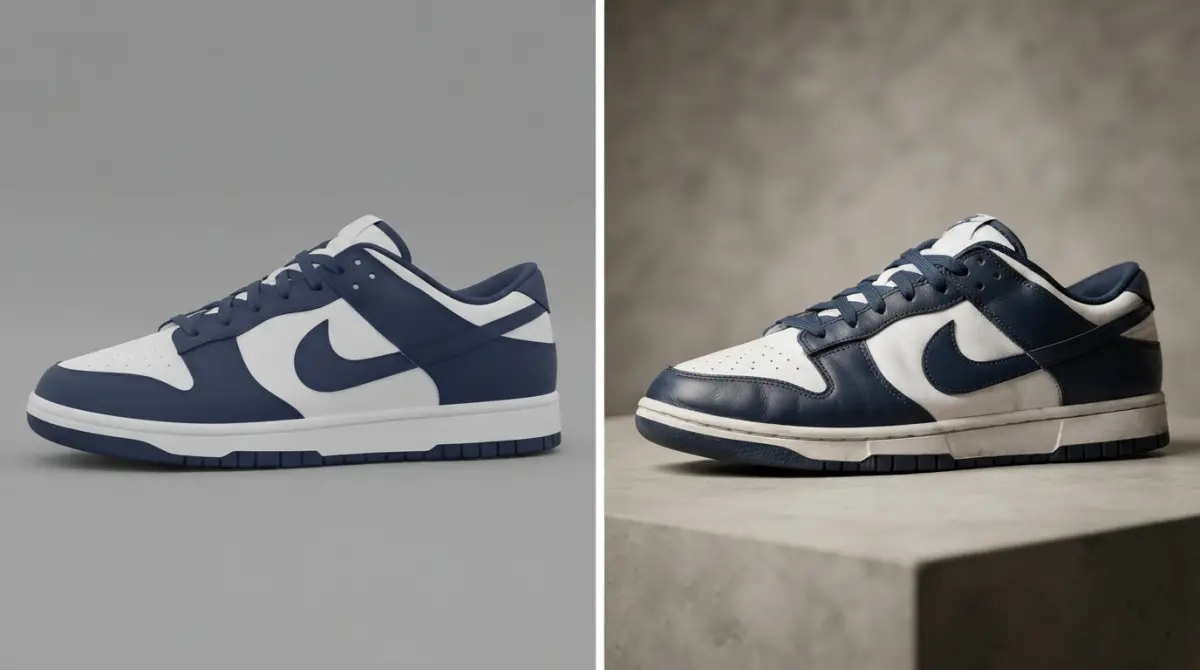
The most common mistake is treating 360 rendering as an afterthought tacked onto a hero shot project, when the two actually need different lighting priorities. A hero image can use dramatic, directional lighting for mood. A 360 spin needs more even, wraparound lighting so the product doesn’t have a “good side” and a “bad side” — otherwise the rotation looks inconsistent, almost like the lighting itself is moving.
The second mistake is under-speccing frame count to save cost. Too few frames — say, twelve instead of thirty-six — makes the rotation look choppy, almost like a flipbook rather than a smooth spin, and undermines the whole premise of the feature. On the flip side, some clients over-order frames for products that don’t need that granularity, inflating render time and file size without a visible quality gain for something like a simple, symmetric object.
Third, and this one costs money later: not asking whether the 3D model will be reused. A model built only for one static angle often has messy backface geometry or missing detail on unseen sides, which is fine for a single render but falls apart the moment you need a full rotation or an exploded view for a trade show animation. It’s almost always cheaper to build the model correctly once than to patch it retroactively for a second use case.
Getting It Right the First Time
The brands that get the most mileage out of 360 rendering treat the 3D model as a reusable asset from day one, not a single-purpose file. They plan for the product page spin, the catalogue frames, and the trade show loop in the same brief, so the modeling, texturing, and lighting decisions serve all three outputs instead of being redone for each. That’s really the whole advantage of rendering over photography — one well-built asset, many outputs, consistent quality across every one of them.
If you’re weighing whether your next product launch needs a 360 spin, a catalogue refresh, or both, it’s worth talking through the specifics with people who build these pipelines daily. Get in touch with our team through our 3D rendering services contact page and we’ll walk you through what your product actually needs, not just what looks impressive in a demo.
Frequently Asked Questions
What is 360 rendering and how does it differ from a regular product photo?
360 rendering is a 3D visualization technique that creates a sequence of computer-generated images showing a product from every angle, allowing viewers to rotate and inspect it interactively. Unlike a static photo, it uses 3D models instead of physical photography, making it easier to update colors, materials, or features without reshooting. This gives brands a flexible, cost-effective way to showcase products realistically online.
How do brands use 360 rendering on ecommerce product pages?
Brands embed 360 rendering as interactive spin viewers on product pages, letting shoppers drag and rotate items to examine details, textures, and functionality before buying. This reduces uncertainty and returns since customers can virtually inspect a product as if holding it in person. Many retailers also use it to display color or configuration variants without producing separate photoshoots for each option.
Why is 360 rendering useful for trade show displays and presentations?
At trade shows, 360 rendering allows brands to showcase products digitally on screens or kiosks when shipping physical samples is costly or impractical. Visitors can explore intricate product details, rotate large machinery, or preview items still in development, creating an engaging, memorable booth experience. It also helps sales teams demonstrate multiple product variations quickly in a compact digital format.
How can 360 rendering improve digital and print catalogues?
In catalogues, 360 rendering provides high-quality still frames captured from any angle, ensuring consistent lighting, styling, and background across an entire product line. Brands can generate dozens of angles from a single 3D model, cutting photography costs while maintaining visual consistency for large catalogues. Digital catalogues can even embed interactive 360 viewers, letting customers rotate products directly within the document.
Is 360 rendering more cost-effective than traditional product photography?
Yes, once a 3D model is created, brands can generate unlimited angles, lighting setups, and variants without additional photoshoots, studio time, or physical samples. This is especially valuable for products with many colorways or configurations, since traditional photography would require reshooting each variation individually. Over time, the reusable 3D asset lowers long-term production costs across web, print, and marketing channels.