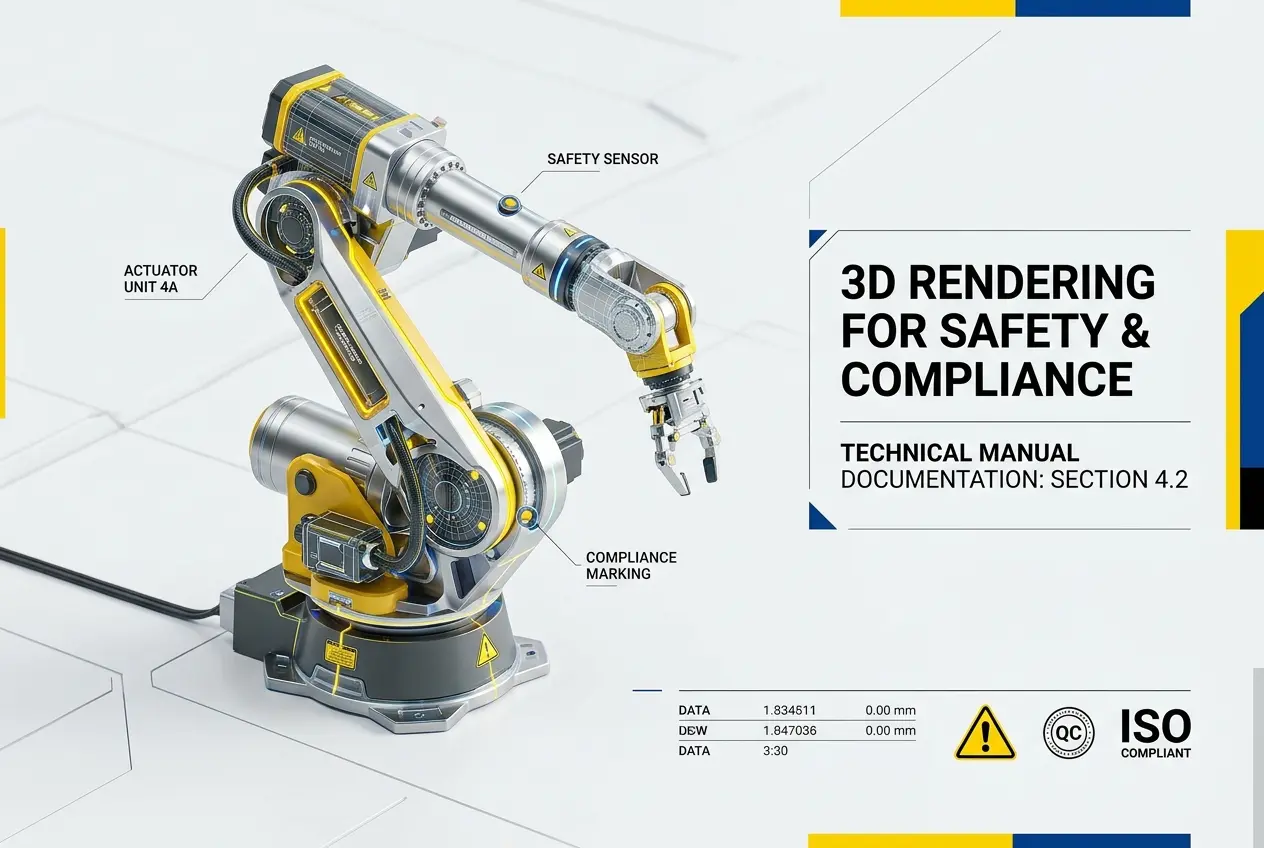
When manufacturers hand a safety manual to a field technician or submit compliance documentation to a regulatory body, the quality of the visuals inside that document matters more than most people realize. This is exactly where 3D Industrial Rendering for Safety and Compliance Documentation: How Manufacturers Use CGI in Technical Manuals becomes a serious operational tool rather than a visual luxury. We work with manufacturers, OEM suppliers, and industrial equipment companies who have discovered that a well-rendered 3D illustration communicates procedural steps, hazard zones, and assembly sequences with a clarity that photography and hand-drawn diagrams simply cannot match. The stakes are real — a misunderstood safety instruction can result in equipment damage, injury, or a failed regulatory audit.
Traditional technical documentation relied heavily on photographs or 2D line drawings. Both have inherent limitations. Photographs capture one physical state of a machine — they can’t show internal components, highlight specific zones, or strip away panels to reveal what’s underneath without physically destroying or disassembling the product. Line drawings are flexible but time-consuming to update and require specialized technical illustrators. CGI sits squarely in between: it pulls from the same CAD data the engineering team already has, and it can produce any view, any configuration, any level of exploded detail on demand.
In our studio, we’ve seen this workflow adopted across heavy machinery, industrial HVAC systems, electrical switchgear, and even complex consumer appliances. The common thread is always the same — the engineering team has detailed CAD models, and the technical writing team needs visual documentation that keeps pace with product revisions without a complete photo reshoot every time a component changes.
Why CGI Outperforms Photography in Technical and Safety Manuals
Let’s be direct about what photography can’t do in an industrial documentation context. A camera sees surfaces. It captures reflections, ambient shadows, and the visual noise of a factory floor. When you’re trying to show a maintenance technician exactly which valve to close before servicing a hydraulic line, that visual noise is the enemy of clear communication.
3D rendering gives the documentation team control over every visual variable. You can render a complex pump assembly against a clean white background, apply a translucent shader to the outer casing so the internal flow path is visible, and use color-coded highlights to mark the isolation points — all from the same base model. The technician reading that manual sees exactly what they need to see, with nothing competing for their attention.
There’s also the revision problem. Industrial equipment goes through design changes constantly, sometimes minor, sometimes significant. With photography, every change potentially means a new photo session — new lighting setup, new background, new props. With a 3D model, a geometry update from the engineering team propagates across every render in the documentation set. We’ve had clients who maintain living CAD libraries precisely because they know their documentation will stay current without repeated production costs.
How 3D Industrial Rendering for Safety and Compliance Documentation Actually Gets Made
The workflow starts with CAD data. Most industrial clients come to us with SolidWorks, CATIA, Inventor, or STEP files. We import these into our rendering pipeline, clean up the geometry, and assign materials that are accurate but also visually optimized for technical communication — not photorealistic sheen, but clear, readable surfaces that distinguish one component from another.
From there, the brief from the technical writing team drives everything. They’ll specify what each illustration needs to communicate: a warning zone around a rotating part, the correct torque sequence for a bolt pattern, the step-by-step removal of a component. We build the scene around that communication goal.
Here’s a breakdown of the common render types used in industrial technical documentation:
| Render Type | Primary Use Case | Technical Advantage |
|---|---|---|
| Exploded View | Assembly/disassembly sequences | Shows part relationships without physical teardown |
| Cutaway/Section View | Internal component access, fluid paths | Reveals hidden geometry impossible to photograph |
| Ghost/X-Ray Render | Component location within housing | Maintains context while showing internal parts |
| Highlighted Zone Render | Safety warnings, hazard areas | Color-coding draws attention precisely where needed |
| Step Sequence Animation | Procedural training, safety procedures | Motion communicates sequence more clearly than static frames |
The technical writing team then layers callouts, part numbers, and warning text over these renders in their documentation software. The render provides the visual foundation; the text provides the procedural instruction. When both are well-executed, you get documentation that genuinely reduces error rates in the field.
Compliance Documentation: The Specific Demands of Regulatory Submissions
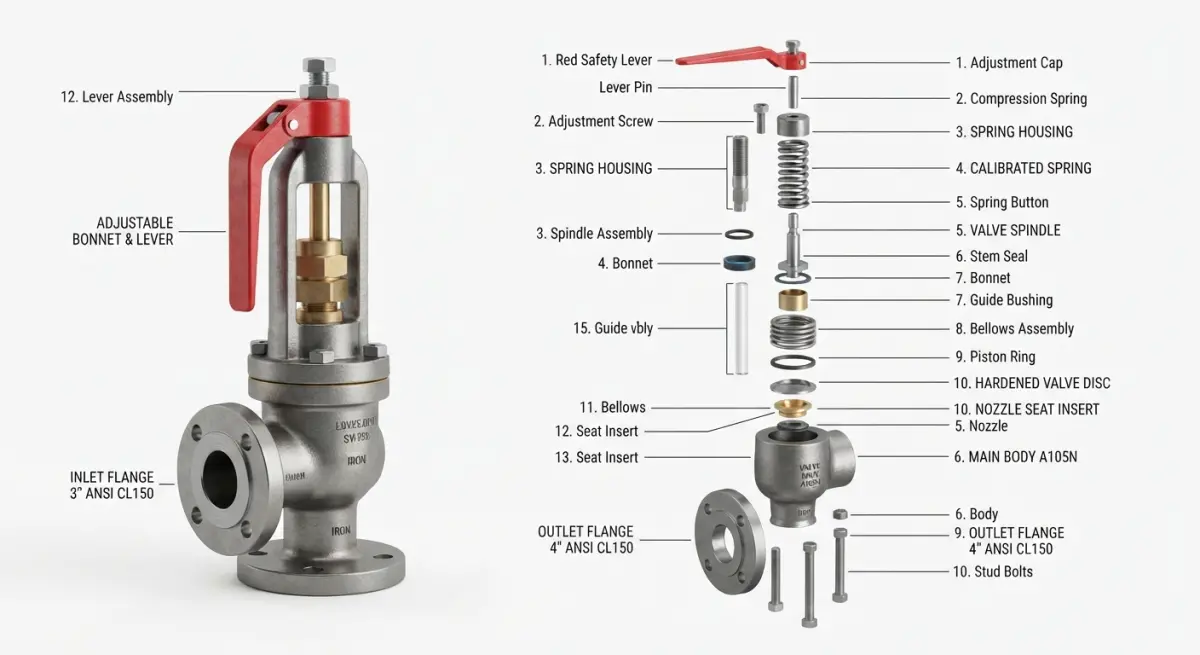
Safety compliance documentation for regulatory bodies — whether CE marking in Europe, BIS certification in India, OSHA-related documentation in the US, or ISO standard adherence — has specific requirements that go beyond general clarity. These documents need to demonstrate that hazards have been identified, mitigated by design, and communicated to end users.
CGI is particularly well-suited here because it can be produced before a physical prototype exists. This is a significant advantage during the product development phase. A manufacturer developing a new piece of industrial equipment can generate compliant safety documentation for preliminary regulatory review while the physical product is still being refined. The renders can show guarding arrangements, warning label placements, emergency stop access points, and minimum clearance zones — all derived directly from the engineering CAD model.
We’ve also helped clients produce documentation sets that need to be localized for multiple markets. The base 3D renders remain constant; only the callout text, warning symbols, and language change. This is dramatically more cost-effective than running multiple photo shoots for different market documentation versions. If you want to understand how this kind of work connects to broader product documentation strategies, our product rendering services page covers the range of applications in more detail.
What Clients Get Wrong When Commissioning Industrial CGI for Documentation
The most common mistake is treating 3D renders for technical documentation the same way as renders for marketing. They are fundamentally different briefs. Marketing renders optimize for desire — dramatic lighting, rich materials, environmental context. Documentation renders optimize for comprehension — neutral lighting, flat readable surfaces, maximum geometric clarity.
We’ve received briefs where the client wanted “photorealistic, impressive-looking” renders for their technical manual. The result looked great but failed as documentation — too much specular highlight on polished metal surfaces made part edges ambiguous, dramatic shadows obscured component detail, and the atmospheric depth that makes a marketing render feel luxurious made the technical illustration feel unclear.
The other frequent problem is insufficient CAD data quality. Documentation-grade rendering requires accurate, complete geometry — every fastener, every port, every label surface. When clients come with simplified marketing CAD models that have been stripped down for weight, we often need to invest time in geometry reconstruction before the documentation render work can begin. This adds time and cost that clients don’t anticipate. Starting with full engineering CAD, not a simplified marketing mesh, is the right foundation.
A third issue is scope underestimation. A typical technical manual for a complex piece of equipment might require dozens of individual illustrations — each showing a different configuration, step, or view angle. Clients sometimes budget for a handful of hero renders and are surprised at the actual illustration count their technical writers need. The best approach is to have the technical writing team draft the full documentation structure with placeholder notes for every required illustration before the render brief is finalized. This gives us an accurate scope and gives the client an accurate budget.
Animation and Interactive 3D in Modern Safety Documentation
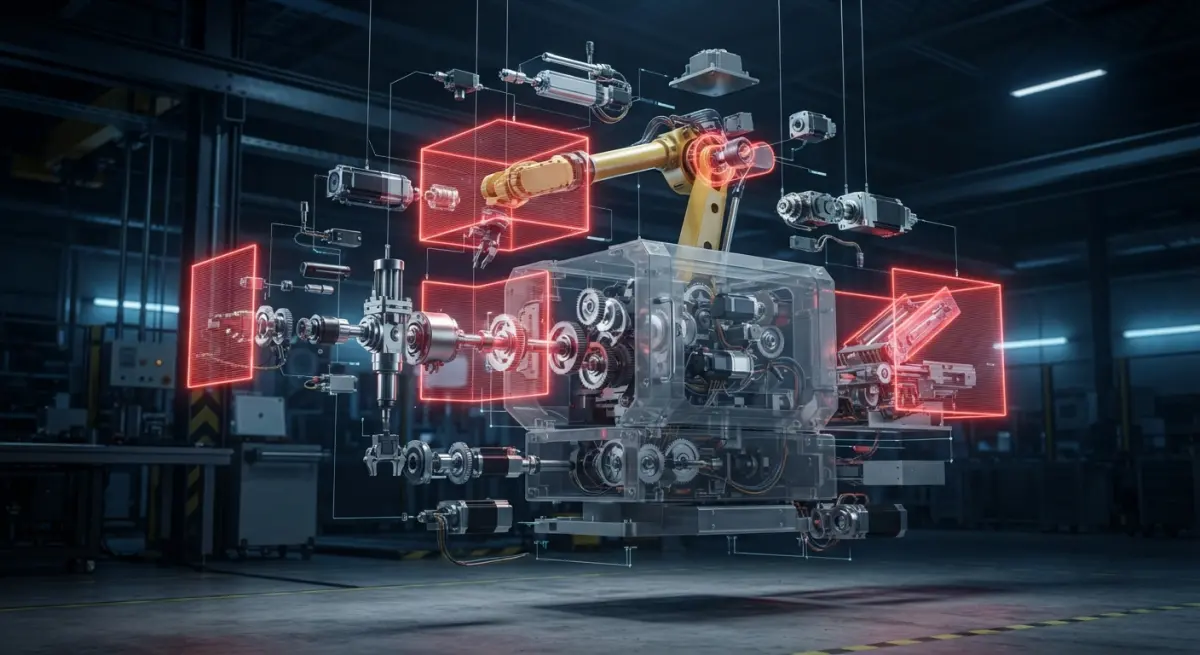
Static renders remain the standard for printed and PDF-based manuals, but a growing number of manufacturers are moving toward interactive 3D documentation and animated safety guides. These are delivered as web-based applications, embedded in tablet-ready PDF formats, or integrated into training software platforms.
An animated procedure guide can show a maintenance sequence in real time — the technician watches the component move rather than interpreting a series of static frames. For complex procedures with multiple simultaneous steps, animation removes the ambiguity that even excellent static illustration can leave. Our 3D animation services are increasingly being used in exactly this context — not for product marketing videos, but for operational and safety training content.
Interactive 3D, where the user can rotate the model, peel away layers, and select components to read associated documentation, is the direction the industry is heading for digital-native technical manuals. The underlying asset is the same 3D model used for all other documentation outputs — it’s a matter of format and delivery rather than a completely separate production effort.
Working With a Rendering Partner on Industrial Documentation Projects
Industrial documentation projects are long-form engagements. They’re not a single render request — they’re an ongoing collaboration between the rendering studio, the engineering team, and the technical writing department. The most successful projects we’ve been part of had a clear point of contact on the client side who understood both the engineering constraints and the documentation requirements.
Version control matters enormously. When a component changes mid-project, we need to know exactly which renders are affected and what the updated geometry looks like. Establishing a clear asset management protocol at the start of the project — how files are named, how revisions are communicated, what constitutes a final approved illustration — saves significant time and cost downstream.
If you’re a manufacturer looking to bring your technical documentation up to the standard your compliance obligations and field teams actually require, the conversation starts with what you have: your CAD library, your documentation structure, and your target markets. From there, we can scope a production workflow that works within your product development cycle.
Reach out to our team through our project inquiry page and let’s talk through what your documentation actually needs.
Frequently Asked Questions
What is 3D industrial rendering and how is it used in safety and compliance documentation?
3D industrial rendering is the process of creating photorealistic or technical digital images of machinery, equipment, and industrial environments using computer-generated imagery (CGI). Manufacturers use these renders in safety and compliance documentation to clearly illustrate hazard zones, lockout/tagout procedures, and regulatory-required warnings with a level of visual precision that traditional photography cannot always achieve. This approach allows technical writers and compliance teams to depict scenarios that may be too dangerous, expensive, or logistically difficult to photograph in a real production environment.
How does CGI in technical manuals improve worker safety compared to traditional photography or hand-drawn diagrams?
CGI allows manufacturers to create exploded views, cross-sections, and annotated step-by-step visuals that show internal components and safety-critical procedures from angles physically impossible to capture with a camera. Unlike hand-drawn diagrams, 3D renders maintain photorealistic accuracy and can be updated instantly when equipment designs change, ensuring compliance documentation always reflects the current product version. Studies in industrial training show that detailed visual instructions reduce operator errors and improve compliance with safety protocols by making complex procedures easier to understand at a glance.
What industries most commonly use 3D industrial rendering for compliance and technical documentation?
Heavy manufacturing, automotive, aerospace, oil and gas, and medical device industries are among the most frequent adopters of 3D industrial rendering for compliance documentation. These sectors face strict regulatory requirements from bodies such as OSHA, ISO, and the FDA, which demand clear, accurate visual communication of safety procedures and equipment specifications. The complexity and scale of machinery in these industries also makes CGI the most practical solution for producing consistent, high-quality visuals across large technical manual libraries.
How much does it cost to produce 3D industrial renders for a technical safety manual, and is it cost-effective long-term?
The cost of 3D industrial rendering for technical documentation typically ranges from a few hundred to several thousand dollars per image depending on complexity, level of detail, and the studio or freelancer hired. However, manufacturers often find that the long-term return on investment is significant, since 3D assets can be reused, modified, and repurposed across multiple documents, training materials, and marketing content without requiring new photography sessions or physical setups. When factoring in reduced printing costs from clearer instructions that minimize costly errors, recalls, and workplace incidents, the investment in CGI frequently pays for itself quickly.
Can 3D industrial renders be used to meet specific regulatory standards like ISO 20607 or OSHA documentation requirements?
Yes, 3D industrial renders can be specifically designed to align with regulatory standards such as ISO 20607, which governs safety of machinery and instruction handbook requirements, as well as OSHA standards that mandate clear hazard communication and procedural documentation. Technical illustrators and CGI artists working in the industrial sector are often familiar with these standards and can produce renders with standardized color coding, ISO-compliant safety symbols, and dimensionally accurate representations required for regulatory approval. Working with renders that are built from actual CAD data further ensures dimensional accuracy, which is often a prerequisite for passing compliance audits in regulated industries.