If you’ve ever spun a product around on a website — rotating it left, right, zooming into the details — you’ve already experienced what is 360 virtual rendering and how it works for products. At its core, it’s a technique that uses 3D modeling and computer-generated imagery to create an interactive, fully rotatable view of a product. Instead of a static photo taken from one angle, you get a complete visual experience. Customers can examine every surface, every curve, every detail — just like they would if they were holding the item in their hands. It’s not magic. It’s carefully crafted digital craftsmanship.
For businesses selling physical products — furniture, electronics, footwear, automotive parts, luxury goods — this technology has quietly become one of the most powerful tools available. Shoppers today expect more than flat images. They want to feel confident before they click “buy.” A 360 virtual render gives them that confidence. It fills the gap between seeing a product online and actually touching it in a store. The result? Fewer returns, higher conversion rates, and a shopping experience that actually builds trust.
So how does the whole process actually work? And why are so many product brands switching from traditional photography to digital rendering? Let’s break it down step by step.
The Core Technology Behind 360 Virtual Rendering
Everything starts with a 3D model. Artists and technical designers build a digital replica of your product using specialized software like Autodesk Maya, Blender, or Cinema 4D. This isn’t a rough sketch — it’s an incredibly detailed geometric representation of the real object, with accurate dimensions, proportions, and structural details built in from the start.
Once the base model exists, textures and materials are applied. This is where things get interesting. A material in 3D rendering describes how a surface interacts with light. Is the surface matte or glossy? Does it reflect its environment? Is it rough like raw wood or smooth like polished steel? Texture maps — essentially detailed image files — are layered onto the geometry to simulate the look and feel of real-world materials. This process is called shading, and getting it right makes the difference between a render that looks photorealistic and one that looks like a video game from 2005.
Next comes lighting. Professional 3D artists set up virtual light sources that mimic real studio environments, natural daylight, or specific environments relevant to the product’s use. Lighting affects everything — shadows, highlights, reflections, and depth. Get it wrong, and even a beautiful model looks flat and fake. Get it right, and viewers genuinely cannot tell the difference from a photograph.
From Still Renders to Full 360 Interactivity
Here’s where the “360” part comes in. Once a photorealistic 3D model is ready, the rendering software captures it from dozens — sometimes hundreds — of angles. Imagine setting the product on a turntable and photographing it every few degrees as it rotates. That’s essentially what’s happening digitally. Each frame is rendered individually, capturing a slightly different viewpoint.
These individual frames are then compiled into a sequence that can be embedded into a website or app. When a user clicks and drags the product on screen, they’re essentially flipping through this image sequence — but so quickly and smoothly that it feels like real-time rotation. Some implementations use WebGL technology to render the 3D model interactively in real-time directly in the browser, which allows even more dynamic control, including zooming and lighting adjustments.
The final result is what consumers see: a product that responds naturally to their cursor or fingertip, rotating on demand. It feels intuitive because it mimics how we naturally interact with physical objects. Pick something up, turn it around, look at the back — it’s a deeply human behavior, and 360 virtual rendering brings that behavior to the digital world.
Why Brands Are Moving Away From Traditional Product Photography
Traditional photography is expensive, logistically complicated, and surprisingly inflexible. You need physical prototypes, a studio, professional lighting equipment, a photographer, post-production editing, and then you have to do it all over again if the product design changes or you need a new colorway.
With 3D rendering, you change a texture file — and you have a brand new color option rendered in hours. Need to show the product in five different finishes? Same model, different materials applied. Want a lifestyle image with the product in a kitchen, a living room, and an outdoor setting? Build the environments once, place the model inside, and render. No location fees. No set builds. No waiting on physical inventory to exist before you can start marketing.
Brands that work with a professional 3D rendering agency often find they can bring products to market faster, maintain visual consistency across all platforms, and actually reduce long-term creative production costs. The upfront investment in a high-quality 3D model pays dividends every time that asset is reused.
What Products Work Best With 360 Virtual Rendering?
Technically, any physical product can be rendered in 3D. But some categories see especially strong results.
Furniture and Home Decor
Furniture is notoriously difficult to photograph well. Pieces are large, awkward to move, and often need to be shown in context to make sense. A 360 render of a sofa lets customers examine the stitching on the armrests, the leg design, and the fabric texture from every angle. Pair that with a lifestyle render showing it in a well-designed living room, and you’ve got a compelling product presentation that no traditional photoshoot can easily replicate.
Consumer Electronics
Electronics often have subtle design details that matter to buyers — port placements, button layouts, surface finishes. A 360 interactive view lets tech-savvy shoppers inspect every millimeter. It also solves a major challenge: electronics look better in renders than in photos because renders eliminate distracting reflections and glare without looking artificially retouched.
Automotive and Industrial Parts
Whether it’s a custom wheel rim or a precision-engineered component, 360 rendering gives buyers an accurate, professional view of complex geometry that’s nearly impossible to capture well with traditional photography.
Luxury Goods and Jewelry
Detail is everything in luxury. The way light catches a diamond facet or glints off a polished watch case — these micro-details are what justify premium pricing. A well-executed 360 render can actually showcase these details more effectively than photography because you control exactly how light behaves in the scene.
The Production Process: What to Expect When You Work With a Rendering Studio
If you’re considering 360 virtual rendering for your products, it helps to understand what the actual workflow looks like so you can plan accordingly.
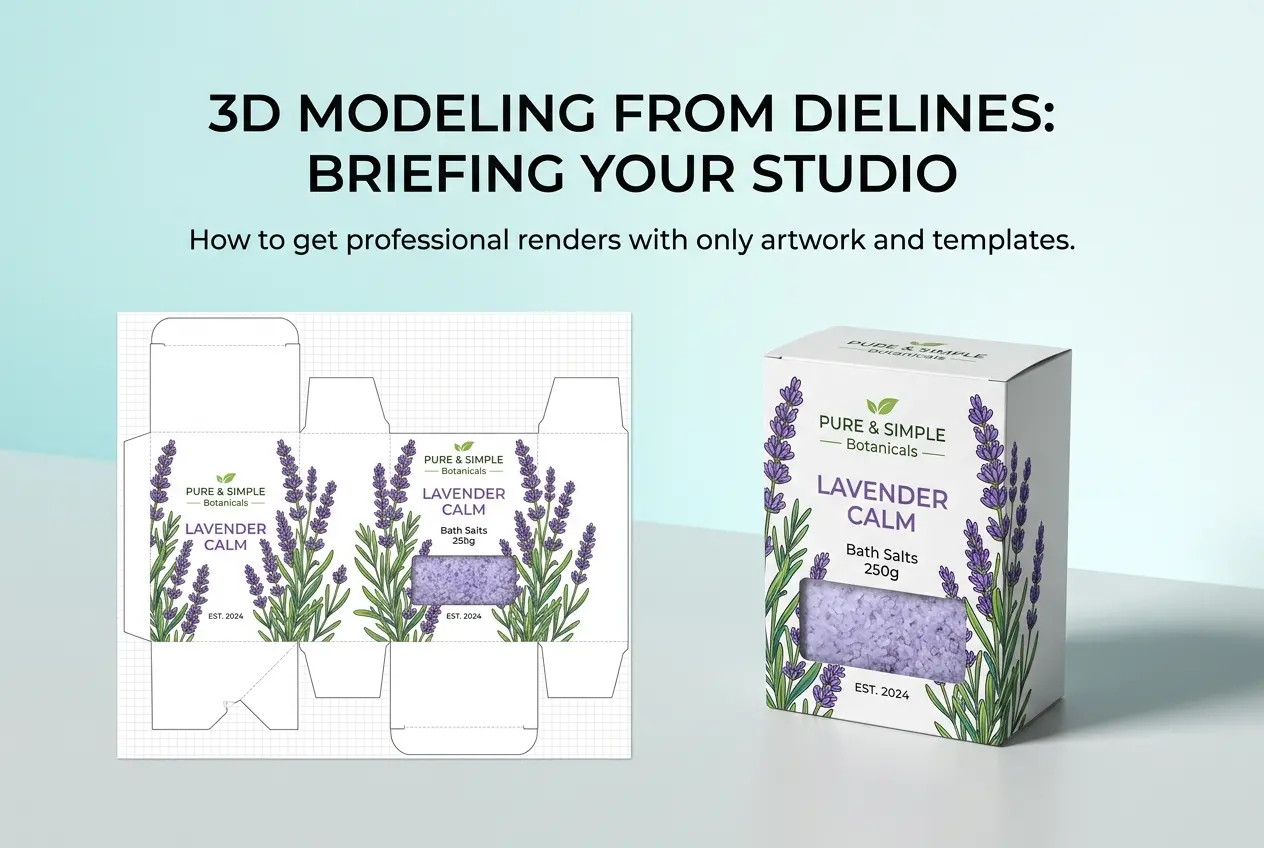
Step 1 — Asset Collection: The studio will need reference materials. This typically means CAD files, technical drawings, physical samples, or high-resolution photographs from multiple angles. The more accurate your reference materials, the more accurate the final model.
Step 2 — 3D Modeling: Artists build the model to spec. For complex products, this stage can take several days. For simpler objects, it might be done in hours. At this stage, accuracy matters more than appearance.
Step 3 — Texturing and Material Setup: This is where the product starts to look real. Artists apply material properties — reflectivity, roughness, color, transparency — and map out any surface details like logos, seams, or engravings.
Step 4 — Lighting and Environment Setup: The virtual lighting environment is configured to match the intended mood and purpose. A product for an e-commerce white background needs different lighting than one destined for a lifestyle campaign.
Step 5 — Rendering: The software renders each frame of the 360 rotation. This is computationally intensive work, which is why professional studios use render farms — networks of powerful computers that distribute the workload.
Step 6 — Post-Processing and Delivery: Final frames are color-graded, any imperfections are corrected, and the image sequence is compiled into the delivery format your team needs — whether that’s a web-ready 360 viewer, a video file, or individual still frames.
Practical Tips for Getting the Most From 360 Product Renders
If you’re planning your first 360 virtual rendering project, a few practical considerations will save you time and money.
Start with a hero product. Don’t try to render your entire catalog at once. Pick your bestselling or most visually complex product and use it to establish a workflow and visual style. Then scale from there.
Provide as much reference material as possible. The quality of your final render depends heavily on the quality of your input. CAD files are ideal. Physical samples sent to the studio are the next best thing. Photographs alone can work, but they leave more room for interpretation.
Think about where the renders will live. A 360 spin for an e-commerce product detail page has different technical requirements than a 360 render embedded in an AR experience. Discuss your intended use cases with the studio upfront so deliverables are optimized correctly.
Plan for variants early. If you have multiple colors, sizes, or configurations of a product, build that into the initial modeling phase. Switching a texture is far cheaper than remodeling geometry.
Don’t neglect mobile. The majority of e-commerce browsing happens on phones. Make sure your 360 viewer is tested and optimized for touch interaction, not just desktop mouse controls.
Understanding what is 360 virtual rendering and how it works for products is just the first step — execution is what actually drives results. Choosing the right studio partner, providing great reference materials, and thinking through your deployment strategy will determine whether you get renders that genuinely improve your sales metrics or just look nice in isolation.
Ready to Bring Your Products to Life in 360?
The brands winning online today aren’t relying on flat, lifeless product shots. They’re investing in rich, interactive visual experiences that give shoppers the confidence to buy. If you’re ready to see what professional 360 rendering can do for your products, the team at 360render.com specializes in exactly this kind of work. From furniture and consumer goods to industrial components and luxury items, we build product renders that convert.
Get in touch with us at 360render.com’s contact page to discuss your project, get a quote, or just ask questions. There’s no commitment required — just a conversation about what you’re trying to achieve and how we can help you get there.
Frequently Asked Questions
What is 360 virtual rendering and how is it different from regular product photography?
360 virtual rendering is a computer-generated imaging technique that creates interactive, rotatable views of a product using 3D modeling software rather than physical cameras. Unlike traditional product photography, which captures static images from fixed angles, 360 virtual rendering allows customers to spin, rotate, and inspect a product from every angle in a fully digital environment. This eliminates the need for physical prototypes or expensive photo shoots, making it especially valuable during early product development stages.
How does the 360 virtual rendering process work step by step?
The process begins with creating a detailed 3D model of the product using software like Blender, Cinema 4D, or Autodesk Maya, followed by applying realistic textures, materials, and lighting through a technique called shading and rendering. Once the model is complete, it is rendered from dozens or hundreds of sequential angles to produce a series of high-resolution frames that are then stitched together into an interactive viewer. The final output is typically embedded on a website using JavaScript-based tools that allow users to drag and rotate the product seamlessly in real time.
What industries benefit most from using 360 virtual product rendering?
Industries with complex, detailed, or customizable products benefit the most, including automotive, consumer electronics, furniture, footwear, jewelry, and e-commerce retail. For example, automotive brands use 360 rendering to let customers explore car interiors and exteriors before a vehicle is even manufactured, while furniture companies use it to show products in multiple color and fabric variations. Any industry where visual detail and customer confidence directly impact purchasing decisions can see significant advantages from this technology.
How much does 360 virtual product rendering cost compared to traditional photography?
The upfront cost of 360 virtual rendering can range from a few hundred to several thousand dollars per product depending on complexity, level of detail, and the studio or software used, but it often proves more cost-effective over time. Unlike traditional photography, a 3D rendered asset can be reused indefinitely to generate new angles, color variants, animations, or marketing materials without additional shoots. Businesses that frequently update product lines or launch multiple SKUs typically find that the long-term savings in photography, logistics, and reshooting costs far outweigh the initial investment.
Does 360 virtual rendering improve conversion rates and online sales performance?
Yes, multiple studies and e-commerce reports have shown that interactive 360-degree product views can increase conversion rates by 20% to 40% compared to standard static images. Shoppers who can interact with a product digitally feel more confident in their purchase decision because they can examine details, check proportions, and reduce uncertainty about what they are buying. Reduced return rates are another measurable benefit, as customers arrive with more accurate expectations of the product’s appearance and design.
Also read: How to Convert 2D Floor Plan to 3d Model