Trying to get a client excited about a space that doesn’t exist yet is one of the hardest parts of interior design. Mood boards help. Material samples help. But nothing quite does the job like showing someone a photorealistic image of their future living room, complete with the right light at the right time of day. That’s the whole point of 3D rendering software for interior design — it closes the gap between imagination and reality, fast. And as client expectations continue to rise heading into 2026, choosing the right tool has never mattered more.
But here’s what nobody tells you upfront: the software market for rendering is genuinely crowded, and not every tool is built for interior work. Some are architected for large-scale commercial builds. Others are product visualization tools dressed up as interior rendering platforms. Finding the right fit means understanding your workflow, your project types, and honestly, how much time you’re willing to spend learning a new piece of software.
This guide breaks down the main contenders — what they do well, where they fall short, and how to think through which one actually suits your practice. No hype, just a practical look at the options available to interior designers working at every level.
The Industry Standards: What Professional Studios Actually Use
3ds Max + V-Ray
This combination has dominated professional interior visualization for years, and it hasn’t lost its edge. Autodesk’s 3ds Max gives you deep modelling control, and V-Ray’s physically accurate renderer handles lighting, reflections, and material behaviour with a level of realism that’s genuinely hard to match. When a studio needs to produce residential interior rendering or commercial interior rendering at the highest quality, this is often the stack they’re working with.
The trade-off is accessibility. This isn’t software you pick up in a week. The learning curve is real, and the subscription costs add up. But for studios with the team and the time investment behind them, the output quality is among the best in the industry. If you’re doing high-end hospitality interiors or luxury residential work where every detail matters, 3ds Max + V-Ray is worth taking seriously.
SketchUp + Enscape or Lumion
SketchUp has been the interior designer’s entry point into 3D modelling for a long time — and for good reason. It’s fast to learn, intuitive to work in, and handles spatial layouts well. On its own, it doesn’t produce photorealistic output. But pair it with Enscape or Lumion, and the story changes considerably.
Enscape in particular has become a favourite among interior designers because of its real-time rendering capability. You adjust a light source or swap a material, and the render updates instantly. No waiting around. For client walkthroughs and concept sign-offs, this workflow is fast and practical. It also integrates naturally with 360 virtual tours and panoramas, which is something clients increasingly expect to see — especially on higher-value projects. Lumion is similarly capable but tends to shine a bit more in exterior and landscape contexts, though it handles interiors well enough for most purposes.
Mid-Range Tools That Deliver Serious Results
Corona Renderer
Corona has built a loyal following among designers who want V-Ray-level quality without quite as steep a learning curve. It integrates with 3ds Max and Cinema 4D, and its physically-based rendering engine is particularly good at handling natural light — the kind of soft, diffused daylight that comes through large windows and fills a room in a way that feels real rather than artificial.
Setting up materials in Corona is notably more straightforward than in some competing renderers. For designers who want to focus on the creative decision-making rather than spending half a day tweaking render parameters, that matters. It’s a smart choice for mid-size studios doing consistent residential and light commercial work.
Blender (Cycles and EEVEE)
Free, open source, and more capable than many people realise. Blender’s Cycles renderer has matured significantly and can produce results that hold up against paid competitors on the right hardware. EEVEE, its real-time viewport renderer, trades some accuracy for speed — useful for early-stage design explorations where you need quick visual feedback rather than final-quality output.
The honest barrier with Blender is the interface. It behaves differently from most other 3D applications, and that takes adjustment. But for studios watching software budgets carefully, the investment in learning time genuinely pays off. The quality ceiling is high enough that skilled artists regularly produce professional work with it. If you’re curious about what hardware you need to run it properly, it’s worth looking at the best graphics cards for 3D rendering in 2026 before committing to a setup.
Purpose-Built Tools Worth Adding to Your Shortlist
D5 Render
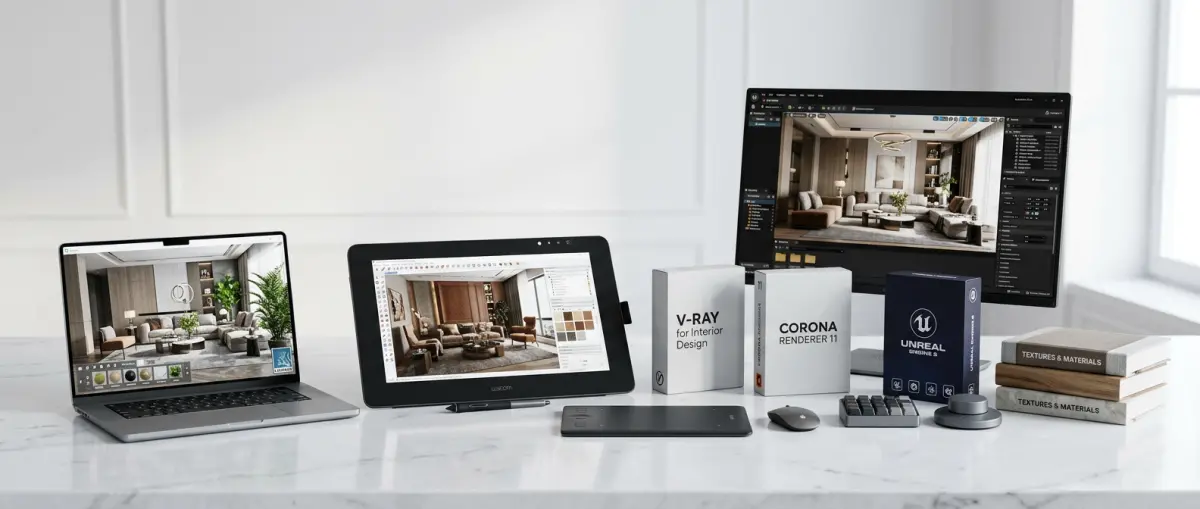
D5 has emerged as one of the more interesting options for independent designers and smaller studios. It supports real-time ray tracing, imports from SketchUp, Revit, Rhino, and 3ds Max, and comes with a solid built-in asset library that saves time when furnishing interior scenes. The interface is approachable, and the output quality is genuinely strong for the price point.
Where D5 starts to show its limits is on extremely complex scenes or very specific material behaviour — the kind of fine-tuned control that 3ds Max + V-Ray gives you. But for the volume of work most independent designers produce, it more than holds its own.
Revit + Chaos Vantage
For designers working on larger commercial or multi-unit residential projects where Revit is already part of the BIM workflow, Chaos Vantage offers a compelling upgrade. It connects directly to your Revit model and delivers GPU-accelerated real-time ray tracing without requiring a full scene rebuild. The creative flexibility is more limited compared to artist-focused tools, but when project accuracy and coordination matter as much as visual polish, it’s a practical pairing.
Best 3D Rendering Software for Interior Design: How to Actually Choose
Reading software comparisons is one thing. Making the right decision for your specific situation is another. Here are the questions worth asking before you commit:
- What types of projects do you work on most? Residential living spaces, boutique hospitality, large commercial offices — each has different visual requirements. A tool that’s brilliant for cosy apartment interiors might struggle with a hotel lobby at scale.
- How much learning time can you realistically invest? Powerful doesn’t always mean right for right now. If you have client deadlines in four weeks, a faster-learning tool with slightly lower ceiling might serve you better than a high-complexity platform you haven’t mastered yet.
- What do your clients actually ask to see? Still images, animated walkthroughs, 360 views, and interactive presentations each require different output capabilities. It’s worth mapping client needs before choosing a platform — not just picking whatever looks impressive in demo videos.
- Does your hardware support it? Real-time rendering and GPU ray tracing are demanding. Running these tools on underpowered hardware kills productivity faster than almost anything else. Sort out your hardware situation before committing to software.
- Have you considered outsourcing complex work? Many interior designers find that partnering with a specialist studio for demanding projects makes more sense than maintaining a full in-house rendering setup. If you’re weighing this up, the comparison between 3D render service vs in-house rendering which makes more sense for your business is genuinely worth reading before you make any big decisions.
Practical Tips for Getting Better Results, Whatever Software You Use
Here’s something the software marketing never mentions: the tool is only part of the equation. A talented artist working in a mid-range renderer will consistently outperform a less experienced person using industry-standard software. Lighting instincts, composition, material accuracy — these are craft skills that develop over time, independent of platform.
A few things that actually move the needle:
- Spend more time on lighting than you think you need to. Interior renders live or die on lighting. Natural light direction, artificial light temperature, and how light bounces off surfaces — getting these right matters more than any software feature.
- Use high-quality material assets. Cheap or generic textures will make even a technically competent render look flat. Invest in good material libraries, or build your own over time.
- Match the camera setup to real photography. Interior photographers don’t shoot with 10mm wide-angle lenses from the corner of a room. Your render camera shouldn’t either. Study real interior photography and match your lens lengths and positions accordingly.
- Render at an appropriate resolution. Output resolution affects both quality and render time significantly. If you’re unsure where to start, it’s worth reading up on how to pick the best resolution for 3D rendering before finalising your output settings.
When It Makes Sense to Bring in Outside Help
There’s no shame in acknowledging that some projects are beyond what you can practically handle in-house. Large-scale commercial interiors, detailed 3D furniture rendering services, photorealistic hero shots for presentations — these take significant time and specialist knowledge to produce well.
Professional rendering studios have the hardware, the experience, and the asset libraries to turn around complex interior work faster than most in-house setups. For a high-stakes client pitch or a project where the visual quality directly influences a purchasing decision, the cost of outsourcing often makes clear sense. And for interior designers who are also helping clients visualise spatial layouts, it’s worth knowing how options like 3D floor plan visualization can add another layer of clarity to your client presentations beyond just room renders.
Conclusion: Choose the Tool That Fits Your Real Workflow
There’s no universally best 3D rendering software for interior design. There’s just the one that fits your project types, your clients, your budget, and your available time. If you’re a solo designer handling residential work, SketchUp with Enscape might be exactly what you need. If you’re running a growing studio with commercial clients and high output demands, 3ds Max + V-Ray or Corona will serve you better. And if budget constraints are real, Blender is far more capable than its price tag suggests.
The most important thing is to start, produce work, and develop your eye over time. Good renders come from practice and critical observation — not from owning the most expensive licence on the market.
If you’d rather skip the software journey entirely and work with a team that already has all of this figured out, we’re here. Reach out through our contact us page and let’s talk about what your next interior project actually needs.
Frequently Asked Questions
What is the best 3D rendering software for beginner interior designers?
For beginners, SketchUp and Lumion are widely considered the best starting points due to their intuitive interfaces and extensive learning resources. SketchUp offers a free version with basic modeling tools, while Lumion provides drag-and-drop simplicity for creating photorealistic renders without a steep learning curve. Both tools have large online communities and tutorial libraries that help new designers get up to speed quickly.
Which 3D rendering software produces the most photorealistic interior design visuals?
V-Ray and Corona Renderer are industry leaders when it comes to producing photorealistic interior design renders, thanks to their advanced lighting simulation and material rendering engines. Both plugins integrate seamlessly with 3ds Max and SketchUp, allowing designers to replicate real-world light behavior, textures, and shadows with stunning accuracy. For standalone options, Chaos Vantage and KeyShot also deliver exceptional photorealistic results with GPU-accelerated rendering.
What is the difference between real-time rendering and offline rendering for interior design?
Real-time rendering, used in tools like Lumion and Enscape, generates visuals instantly as you work, making it ideal for client walkthroughs and quick design iterations. Offline rendering, used in V-Ray and Corona, takes longer to process but produces superior image quality with more precise light calculations and material details. Interior designers often use real-time rendering for presentations and offline rendering for final high-resolution deliverables.
Is free 3D rendering software good enough for professional interior design projects?
Free tools like Blender and SketchUp Free can absolutely produce professional-quality interior design renders, especially when paired with the right add-ons and render engines. Blender, in particular, includes the powerful Cycles render engine at no cost and is used by many professional studios worldwide. However, free versions often come with limitations in features, export options, or commercial licensing, so designers handling high-volume client work may eventually need to upgrade to paid plans.
Which 3D rendering software is best for creating interior design walkthroughs and animations?
Lumion and Enscape are the top choices for creating smooth interior design walkthroughs and animations due to their real-time rendering capabilities and built-in animation tools. Lumion offers cinematic-quality video exports with customizable camera paths, weather effects, and people animations, making client presentations highly engaging. For more complex animations with greater artistic control, 3ds Max combined with V-Ray or Cinema 4D are preferred by high-end studios and visualization professionals.