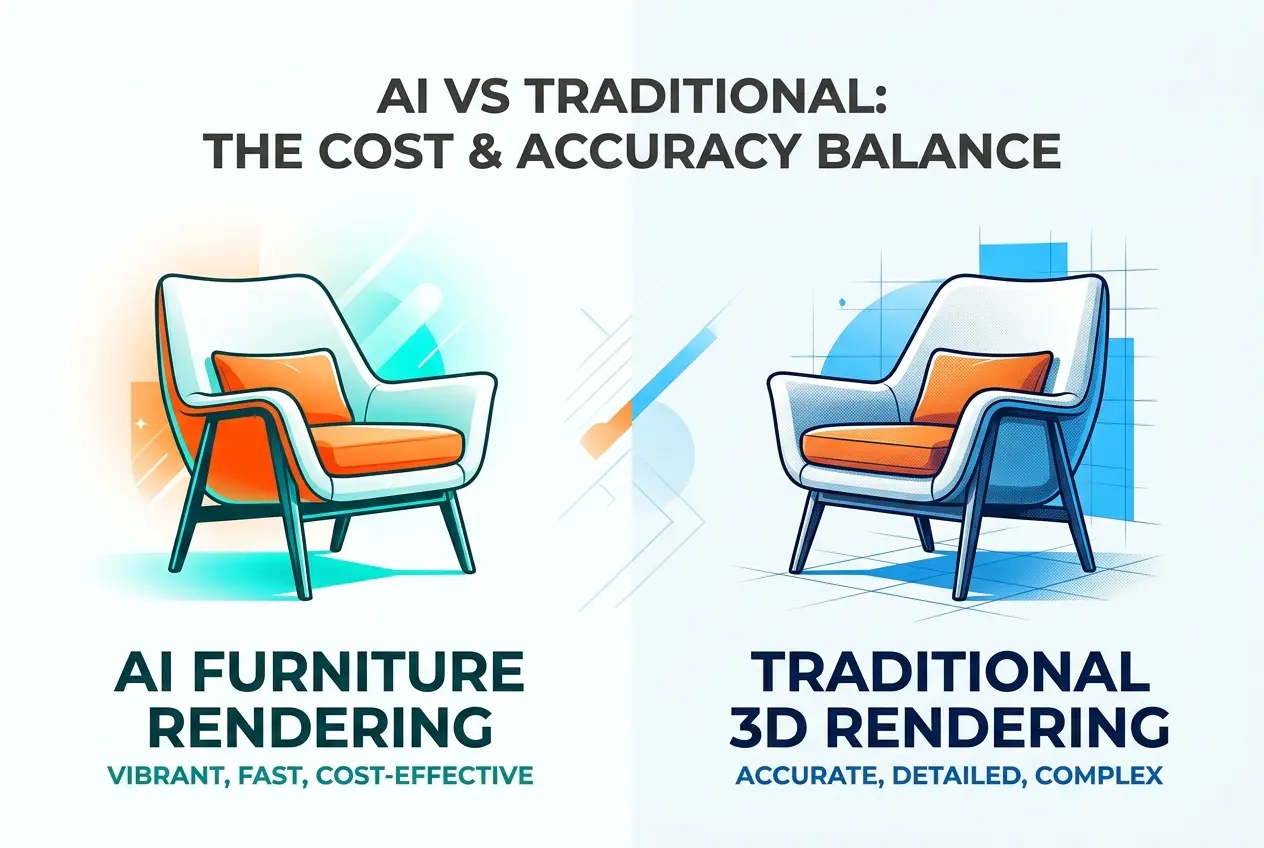
If you’ve been shopping for furniture visuals lately, you’ve probably noticed the pitch: type a prompt, get a sofa in a sunlit living room in thirty seconds. It’s tempting. The honest answer to AI Furniture Rendering vs Traditional 3D Rendering: Where AI Saves Money and Where It Costs You Accuracy is that both statements in that title are true, and which one matters depends entirely on what the image is for.
In our studio we use AI tools every week, and we also turn down jobs where they’d hurt the client. The trick is knowing where the line sits. A mood board image and a product listing image look similar on a screen, but they carry completely different risks. Get that wrong and you pay for it in returns, rework, or a manufacturer who can’t build what you showed.
What AI Furniture Rendering Actually Does
Generative AI doesn’t build a scene. It predicts pixels. When you ask for a walnut dining chair, the model doesn’t know your chair has a 45 mm tapered leg and a 12 mm radius on the seat edge. It produces something that statistically resembles a walnut dining chair. That’s why results can look polished at thumbnail size and fall apart when you zoom in.
Traditional 3D rendering works the opposite way. We model the object from your CAD files, reference photos, or technical drawings, apply measured materials, place physically based lights, and calculate how light behaves. The geometry is yours. The result is repeatable, and it can be changed one parameter at a time.
That difference, prediction versus construction, explains nearly every pro and con below.
Where AI Genuinely Saves Money
Early concepts and mood exploration
When a designer is deciding between a Scandinavian palette and a warm mid-century direction, nobody needs exact stitching. AI is excellent for fast visual brainstorming. You can test ten directions in an afternoon and bring only the strongest one to production. That’s real savings, because you avoid paying for modeling on ideas that die in the first meeting.
Background and styling ideas
AI is useful for generating inspiration for room styling: curtains, props, wall colors, plant placement. We often use it to explore composition before building the final scene properly.
Internal pitches and social content
If an image will live on a story for 24 hours or sit in an internal deck, small inaccuracies rarely cost you anything. Speed and volume win here.
Quick retouching tasks
Extending a canvas, cleaning a messy photo background, or swapping a wall color in a lifestyle photo are tasks where AI-assisted tools save real hours, provided the furniture itself isn’t being redrawn.
Where AI Costs You Accuracy
Proportions and construction details
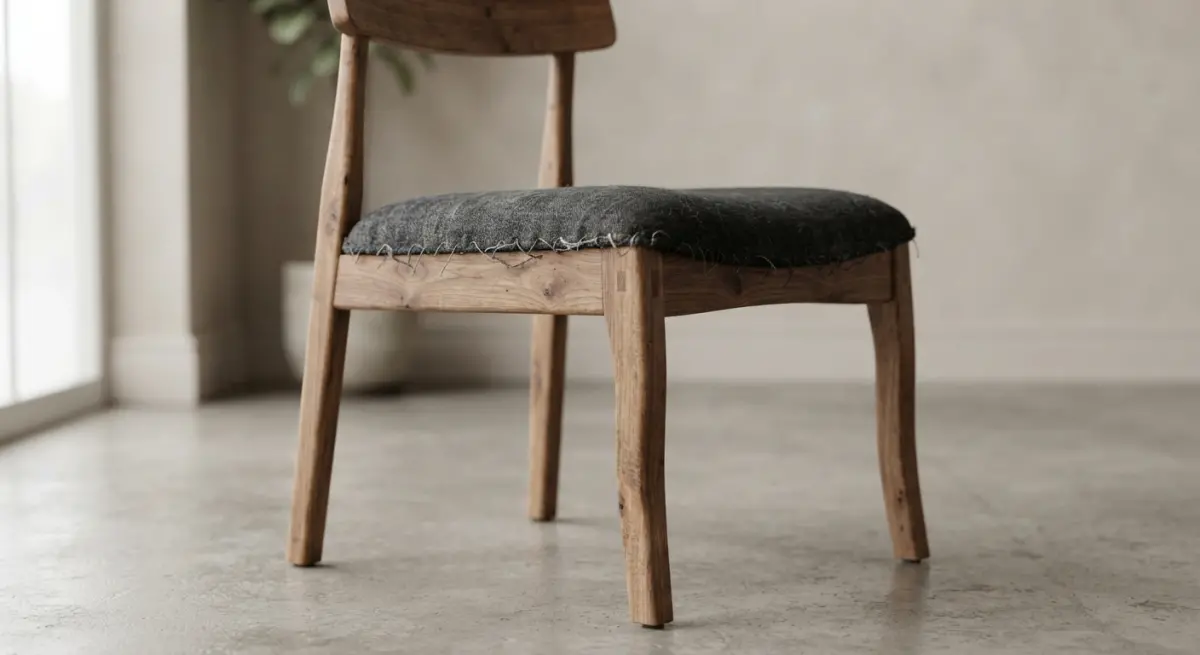
AI drifts. A chair with four legs in one generation may have a slightly wider back in the next. Armrest height shifts. A stitched seam disappears or doubles. For a catalog, those aren’t cosmetic issues, they’re misrepresentations. If a customer receives a product that doesn’t match the image, you absorb the return.
Material truthfulness
Fabric weave, leather grain, wood grain direction, brushed versus polished metal: these respond to light in specific ways. AI tends to produce a generic “nice” surface. We’ve seen boucle fabrics turn into smooth velvet and oak veneer become something closer to painted plywood. A buyer choosing a finish from a screen needs the real finish.
Consistency across a range
Selling a sofa in six colors, or a collection of twelve pieces? AI struggles to keep the same product identical across images. With 3D, the model is one asset, and swapping a material is a controlled change. Lighting, camera angle, and scale stay locked, so the whole catalog looks like it came from one shoot.
Scale and spatial logic
Ask an AI for a room and you may get a sofa that’s too deep for the space, a table that wouldn’t clear the doorway, or a rug that floats. Architects and interior designers rely on renders to judge fit. A 3D scene built to real dimensions answers that question; an AI image only imitates an answer.
Technical and legal exposure
AI output can resemble existing copyrighted designs without anyone intending it. Manufacturers also can’t produce from an image that has no underlying geometry. If your image might go to a factory, a retailer’s compliance team, or a client who’ll sign off on a purchase, you need a traceable source.
Side-by-Side Comparison
| Factor | AI Furniture Rendering | Traditional 3D Rendering |
|---|---|---|
| Speed to first image | Very fast | Slower, needs modeling |
| Dimensional accuracy | Unreliable | Exact to your specs |
| Material fidelity | Approximate | Matched to real samples |
| Consistency across variants | Weak | Strong, one model reused |
| Reusability of assets | Low, each image stands alone | High: stills, 360 views, AR, animation |
| Revisions | Unpredictable, re-rolls the image | Targeted, change only what’s needed |
| Best use | Concepts, mood, social | Product pages, catalogs, approvals |
The Hidden Cost: Revisions
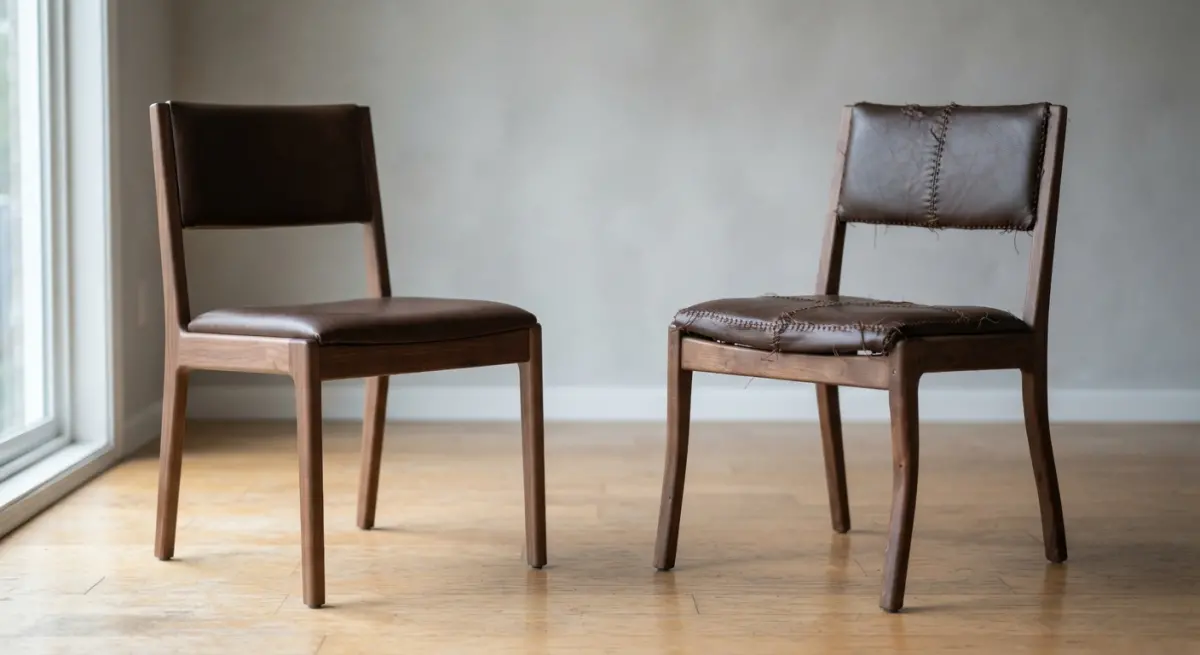
This is the part clients rarely see until they’ve tried it. With AI, “make the cushion slightly lower and keep everything else” usually means the whole image regenerates. You fix the cushion and the lamp changes. You chase the result for an hour and eventually accept something close.
With a 3D scene, that cushion edit takes minutes, and nothing else moves. Over a full product line, the cost of unpredictable revisions can erase the savings from the cheap first image. A fast wrong image is still a wrong image.
What We See Working in Practice
The studios and brands getting the best results aren’t picking a side. They’re splitting the workflow:
- Concept stage: use AI to explore styles, color stories, and room moods quickly.
- Selection stage: lock the design, then build accurate 3D models from drawings or samples.
- Production stage: render final stills, variants, and lifestyle scenes from those models.
- Polish stage: use AI-assisted tools sparingly for cleanup, never to redraw the product.
A mistake we see often: sellers generate AI furniture images, put them on a marketplace listing, and then wonder why returns climb or why the listing gets flagged for not matching the product. Another is brands using AI images for a prototype presentation, then discovering the manufacturer has nothing measurable to work from. A third is assuming that because an AI image looks photoreal, it’s a legitimate substitute for a photo. Photorealism and accuracy are not the same thing.
One more habit worth dropping: judging by the full-screen preview. Zoom to 100 percent and look at joins, leg tips, stitching, and shadow contact points. That’s where AI usually gives itself away, and where customers looking at a premium piece will look too.
How to Decide Which Route to Take
Ask four questions before you commission anything:
- Will a customer buy based on this image? If yes, it must be accurate.
- Will anyone build, manufacture, or install from it? If yes, you need real geometry.
- Do you need the same product in many finishes or angles? If yes, 3D pays back quickly.
- Is this just to explore an idea? If yes, AI is a sensible, cheap starting point.
If most of your answers lean toward the first three, traditional rendering is the safer investment. And since the 3D model becomes a reusable asset for web, print, AR, and animation, the upfront cost spreads across everything you do with it afterward.
Final Thoughts
AI is a useful sketchpad and a poor substitute for a product model. Use it where speed matters more than precision, and use 3D where the image has to stand behind a sale, a sign-off, or a production run. That’s the practical answer to the whole AI-versus-traditional question.
If you’re building a catalog or listing and want images that match the real product down to the stitching, our team at 360render can walk you through the right approach for your project. Send us your drawings or reference photos and we’ll tell you honestly where AI can help and where it can’t.
Frequently Asked Questions
How much cheaper is AI furniture rendering than traditional 3D rendering?
AI rendering typically costs a fraction of traditional 3D work, often a few dollars per image versus $50 to $300 or more per photorealistic product shot from a 3D studio. The biggest savings come from skipping 3D modeling, texturing, and lighting setup, which can take hours per piece. Traditional rendering can still be more cost-effective at scale if you already own accurate CAD models that can be reused across many scenes and colorways.
Is AI furniture rendering accurate enough for product listings and e-commerce?
AI is often accurate enough for mood imagery, lifestyle scenes, and early concept visuals, but it can alter proportions, legs, stitching, or hardware details. For product detail pages where customers expect the image to match what they receive, this can cause returns and complaints. Many brands use AI for backgrounds and styling while keeping verified photos or CAD-based renders for the actual product.
Can AI rendering show exact fabric, wood grain, and color options for custom furniture?
Not reliably. AI tends to approximate materials, so a specific fabric weave, finish, or Pantone-matched color may shift between generations. Traditional 3D rendering lets you apply exact texture maps and calibrated materials, making it the better choice for custom configurators and trade samples where fidelity matters.
When should I use AI rendering instead of traditional 3D rendering for furniture design?
Use AI for rapid concept exploration, client mood boards, room styling variations, and social media content where speed and volume matter more than precision. Choose traditional 3D rendering for manufacturing-ready visuals, dimensionally accurate catalog images, and anything requiring consistent angles or technical approval. A hybrid workflow, with AI for ideation and 3D for final assets, often balances cost and accuracy best.
What are the biggest accuracy risks of AI furniture rendering?
Common issues include distorted proportions, inconsistent scale relative to the room, warped details like legs or tufting, and unrealistic shadows or reflections. AI may also invent features that your product does not have, and results can be hard to reproduce consistently across a collection. Reviewing outputs against product specs and using reference-image or inpainting tools can reduce these errors, but human QA is still necessary.