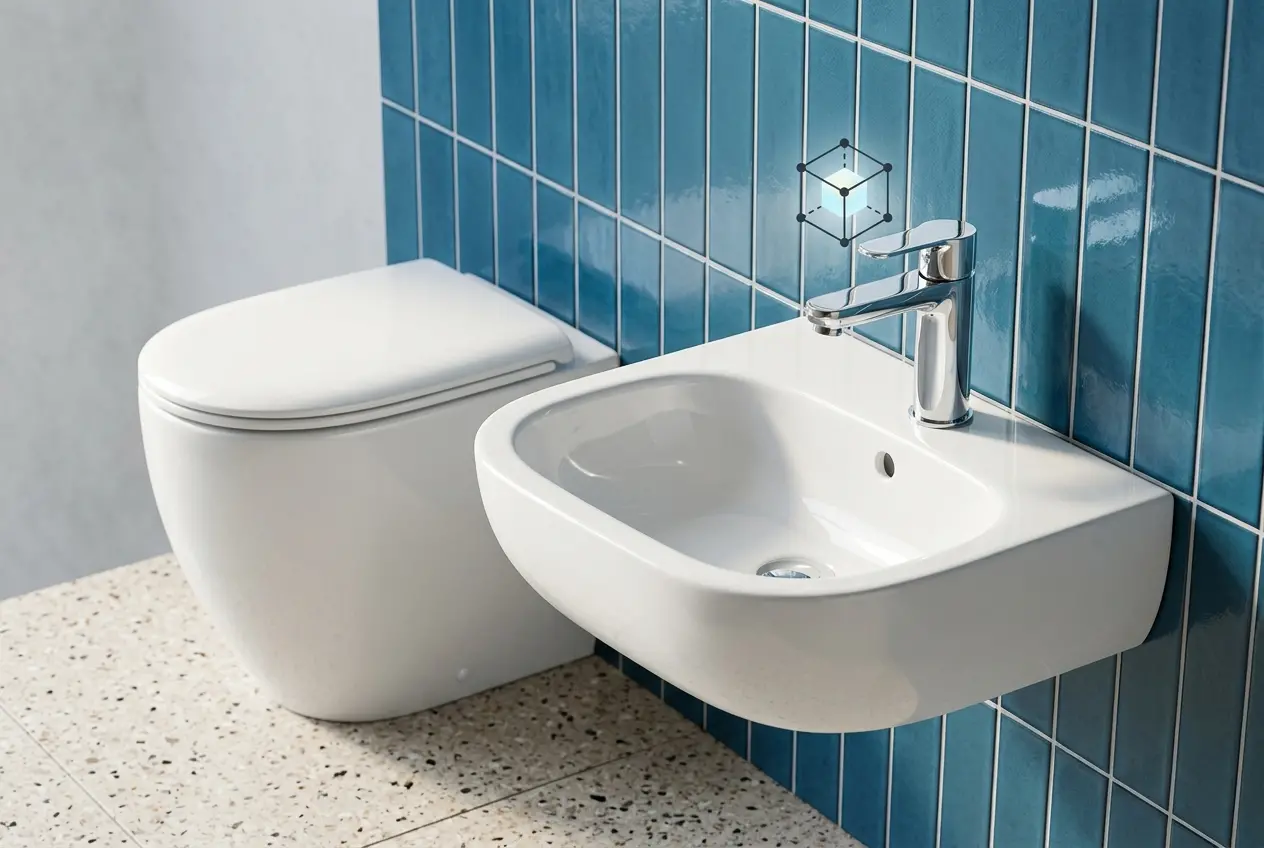
If you sell toilets, basins, taps or tiles, you already know the problem: the product looks great in the showroom and flat everywhere else. A glossy white basin photographed under a single softbox turns into a grey blob. A chrome mixer reflects the photographer, the tripod and half the warehouse. This is where 3D Bathroom Product Rendering for Sanitaryware and Fixture Brands: How to Show Ceramic, Chrome and Tile Finishes Without a Showroom becomes a practical answer rather than a nice-to-have. You can show every finish, in every setting, without building a single set or shipping a single sample.
But bathroom products are some of the hardest things we render. Ceramic glaze, polished chrome and tile grout each behave differently under light, and the mistakes are easy to spot. Customers may not know why a render feels off, but they sense it immediately.
Here’s how we approach each material, where the common mistakes happen, and what you should ask for when you brief a rendering studio.
Why Bathroom Products Are Difficult to Photograph and Render
Bathroom products combine the three most reflective, least forgiving surface types in product visualisation: glazed ceramic, mirror-polished metal and glossy tile. Each one mirrors its surroundings. In a physical photo shoot, that means you spend hours hiding the studio from the product. Flags, diffusion panels, polarising filters and retouching all exist to fight reflections you didn’t want.
In 3D, we control the reflections instead of fighting them. The environment around the product is designed on purpose. That is the biggest advantage of rendering for this category, and it is also why bad renders happen when the lighting setup is treated as an afterthought.
Rendering Ceramic: Getting Glaze Right
Ceramic is not just “white and shiny.” Vitreous china has a glaze layer sitting over a slightly porous body, and that glaze behaves like a clear coat. It has a sharp specular reflection on the surface and a soft, almost milky response underneath where light scatters a little before coming back out.
What we actually build in the material
- A layered shader. A diffuse base with subtle subsurface scattering, topped with a clear coat reflection. Skip the scattering and the ceramic looks like plastic.
- Roughness variation. Real glaze is never perfectly uniform. A very slight variation in roughness breaks up reflections just enough to feel physical, especially on large curved surfaces like a freestanding bath.
- Correct whites. Pure white (full 100% albedo) does not exist in nature. Setting the base colour slightly below white keeps the highlights from clipping, so the form still reads in the brightest areas.
- Edge definition. Ceramic edges are rounded, never razor sharp. We add small bevels to every edge, because that tiny highlight along the rim is what tells the eye it’s a real object.
Lighting matters just as much. Large soft area lights, placed so they wrap the curve of a basin or pan, produce the long gradient highlights that make ceramic look expensive. Small hard lights produce hotspots and make a product look cheap.
Rendering Chrome and Metal Finishes
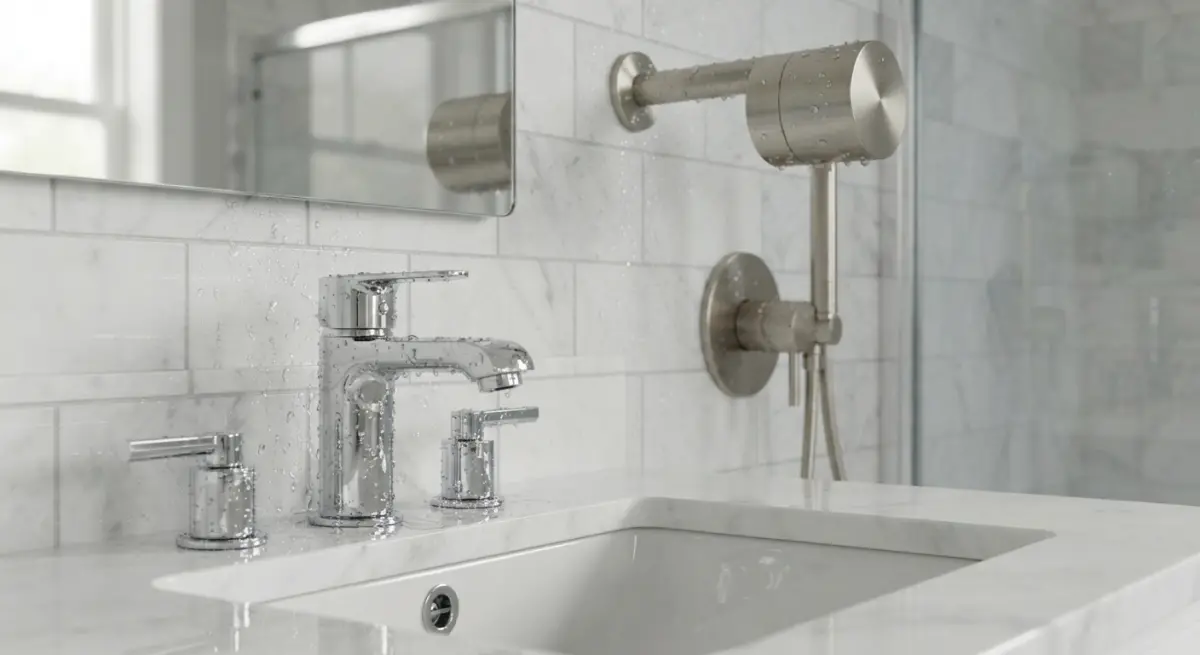
Chrome is a trap. A perfect mirror material in an empty scene renders as a black or grey shape, because there is nothing for it to reflect. This is why beginner chrome renders look dull and why they look fake when someone drops in a random HDRI.
Chrome is defined by what’s around it. We build a proper reflection environment: light panels, a window shape, a dark gradient to give contrast, and some neutral coloured surfaces. The tap then picks up clean, deliberate reflections that define its shape.
Beyond chrome: brushed brass, matte black, gunmetal
Fixture ranges now come in a wide set of finishes, and this is where 3D saves the most money. Photographing every tap in six finishes means six sample sets. In 3D, the geometry stays the same and we swap the material. A few notes on each:
- Brushed finishes need anisotropic reflections, which stretch along the direction of the brush marks. Get the direction wrong on a cylindrical spout and it looks wrong at once.
- Matte black is harder than it sounds. It must hold some reflection and a soft sheen, or it turns into a flat silhouette with no detail.
- Brass and gold tones depend on accurate metal colour values. Metals tint their reflections, so a gold tap needs gold-tinted highlights, not white ones.
- Finger marks and water spots are optional but useful for lifestyle shots, where a tiny amount of imperfection adds realism.
Showing Tile Finishes Accurately
Tiles are where clients often get frustrated with 3D, and it’s usually because of how the source material was supplied. A tile is a surface that depends on scale, pattern, grout and sheen, all at once.
For good results we need the actual tile data: high-resolution scans or flat-lay photos, the real dimensions, and the grout colour and width. We then build a physically scaled material with a height or normal map so that glaze texture, relief, and edge bevels catch light properly.
- Polished vs matt vs textured: Each needs a different roughness profile and bump response. A stone-effect porcelain with a honed finish should not reflect the ceiling lights like a gloss white metro tile.
- Pattern repetition: Repeating the same texture across a whole wall produces visible tiling. We break it up with variation maps, since real tiles from a batch differ slightly in shade.
- Grout lines: Slightly recessed, slightly rougher than the tile surface. Grout that is too clean and uniform is a giveaway.
- Layouts: Herringbone, stacked, offset, large format. In 3D you can show all of them on the same wall in minutes.
Building the Showroom You Don’t Have
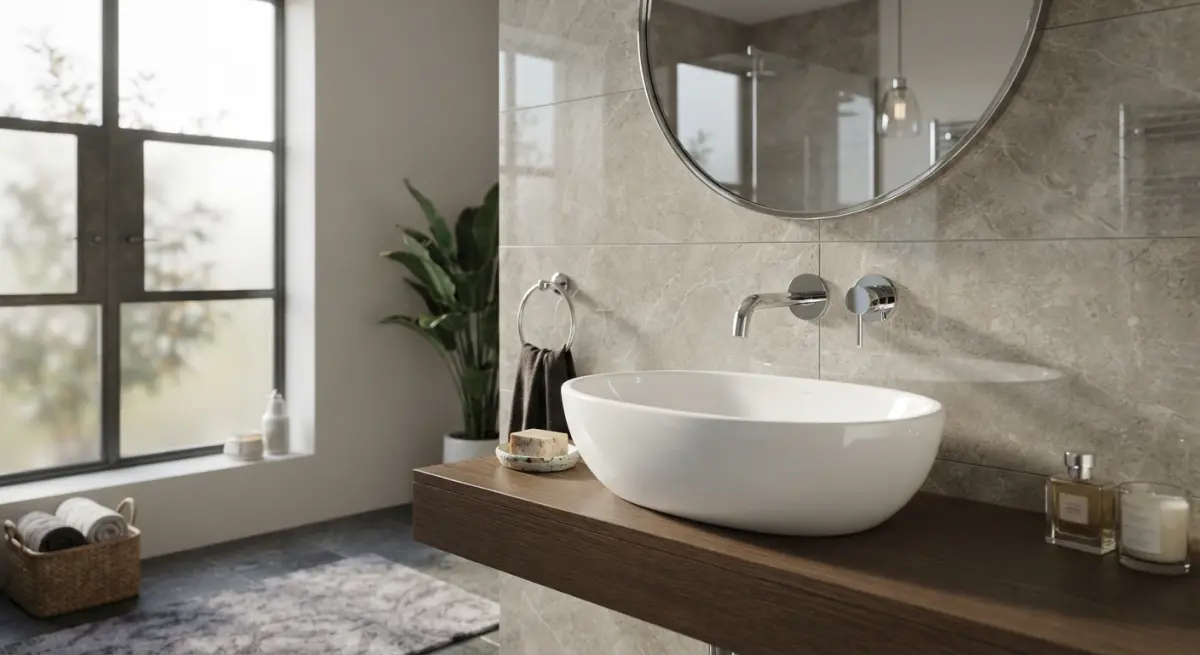
The real payoff of 3D Bathroom Product Rendering for Sanitaryware and Fixture Brands: How to Show Ceramic, Chrome and Tile Finishes Without a Showroom comes when you combine the materials into complete scenes. One basin model can sit in a compact urban apartment, a spa-style master bath, and a minimalist hotel suite. Same product, different buyers.
For catalogue and marketplace listings, clean white-background renders work best. For websites and campaigns, lifestyle scenes sell the idea. If you need to show a product in context, our product rendering services cover both approaches, and for full room scenes, interior rendering brings in the surrounding architecture, lighting and styling.
| Use case | Best render type | What to prioritise |
|---|---|---|
| Online store listings | White background, multiple angles | Consistent lighting, accurate colour |
| Finish comparisons | Same shot, swapped materials | Matching camera and light across variants |
| Brochures and campaigns | Lifestyle bathroom scenes | Styling, atmosphere, material realism |
| Pre-launch marketing | Renders from CAD files | Showing products before samples exist |
| Trade and dealer decks | Collection-wide scenes | Range consistency |
What Clients Commonly Get Wrong
After years of doing this work, the same issues come up again and again.
- Sending only a marketing image as reference. Retouched photos hide the real material behaviour. Send CAD files, glaze samples, tile swatches or finish codes (RAL, Pantone, or manufacturer names) wherever you can.
- Using over-simplified CAD. Engineering models often have sharp edges, missing fillets and hidden internal faces. They need cleanup before they render well. Plan for this in your timeline.
- Asking for “realistic” without defining it. Do you want showroom-perfect, or lived-in? Both are valid, but they are different briefs.
- Ignoring scale cues. A basin without a tap, towel or tile behind it can look like any size. Small contextual objects help the buyer judge proportion.
- Approving on a phone. Check chrome and glaze details on a large monitor. Edge highlights and reflection quality don’t show up on a small screen.
- Mismatched lighting across a range. If each product in a catalogue is lit differently, the collection looks unrelated. Fix one lighting rig and reuse it.
A Practical Workflow That Works
In our studio, a typical bathroom product project moves through a few clear stages:
- Asset review. We check CAD files, finish references and any physical samples or photos.
- Model cleanup and detailing. Bevels, fillets, drain holes, screw heads, seams.
- Material development. Glaze, chrome, tile and any special finishes are built and tested on a neutral setup first.
- Lighting and camera approval. We share a low-resolution preview so you can sign off on angle and mood before final rendering.
- Final render and post-production. Subtle colour grading, shadow tuning and background work.
Once the materials are built, new finishes and new products in the same range are much quicker, which is why brands with large catalogues benefit most from setting this up once, properly.
Ready to Show Your Range Without a Showroom?
Ceramic, chrome and tile are demanding materials, but when the shaders, lighting and reference data are right, a render can carry a product through the whole sales chain, from dealer deck to checkout page. If you have a sanitaryware or fixture range that needs to look right before the samples exist, or without building another set, take a look at our 3D product rendering services and send us your CAD files and finish references. We’ll tell you honestly what’s needed to get the results you’re after.
SEO_DESC: Learn how 3D rendering shows ceramic glaze, chrome and tile finishes accurately for sanitaryware and fixture brands, no physical showroom needed.
Frequently Asked Questions
How do you make 3D renders of white ceramic toilets and basins look realistic instead of plastic?
Realistic ceramic depends on a layered glaze shader: a bright, slightly off-white base, a sharp clearcoat reflection, and subtle surface variation to break up perfect uniformity. Soft area lighting, such as large softboxes in an HDRI studio setup, produces the gentle gradient highlights seen on real glazed porcelain. Rounded edges with a small bevel are also essential, because they catch light and make the product look manufactured rather than computer-generated.
What is the best way to render polished chrome taps and fixtures without distorted or black reflections?
Chrome is almost entirely reflection, so it needs a detailed environment such as a high-resolution HDRI or a modeled bathroom with light cards and contrasting panels to give the metal something to mirror. Use a physically based metal shader with near-100% metallic and low roughness, and add a touch of roughness variation to avoid flat or black areas. Raise ray bounce limits and use enough samples so that curved spouts and handles show clean, accurate reflections.
How can sanitaryware brands show different tile finishes like matte, gloss, and textured in 3D without a physical showroom?
Each finish is built with PBR texture maps: gloss tiles use low roughness and strong reflections, matte tiles use higher roughness, and textured tiles add normal or displacement maps for relief. Scanned or photographed tile samples can be turned into seamless materials, with accurate grout lines and scale. Rendering the same bathroom scene with swappable materials lets customers compare finishes, colors, and layouts without any showroom displays.
How much does 3D bathroom product rendering cost compared to traditional product photography and showroom displays?
Once a product's 3D model is built, each additional image, color variant, or room setting is typically far cheaper than organizing a new photo shoot or constructing another showroom set. Costs depend on model complexity, image count, and whether the scenes are product-only or full lifestyle bathrooms. Brands usually save most when they reuse one model for catalogs, websites, configurators, and AR, rather than reshooting for each channel.
What file formats and technical data do I need to provide a studio to render my bathroom products in 3D?
The best starting point is CAD data such as STEP, IGES, or DWG files, along with technical drawings showing exact dimensions. Supplying finish references, such as RAL or Pantone codes, glaze samples, chrome swatches, and tile photos, helps the studio match materials accurately. If CAD files are not available, detailed photos and measurements can be used, though the modeling process may take longer and be less exact.