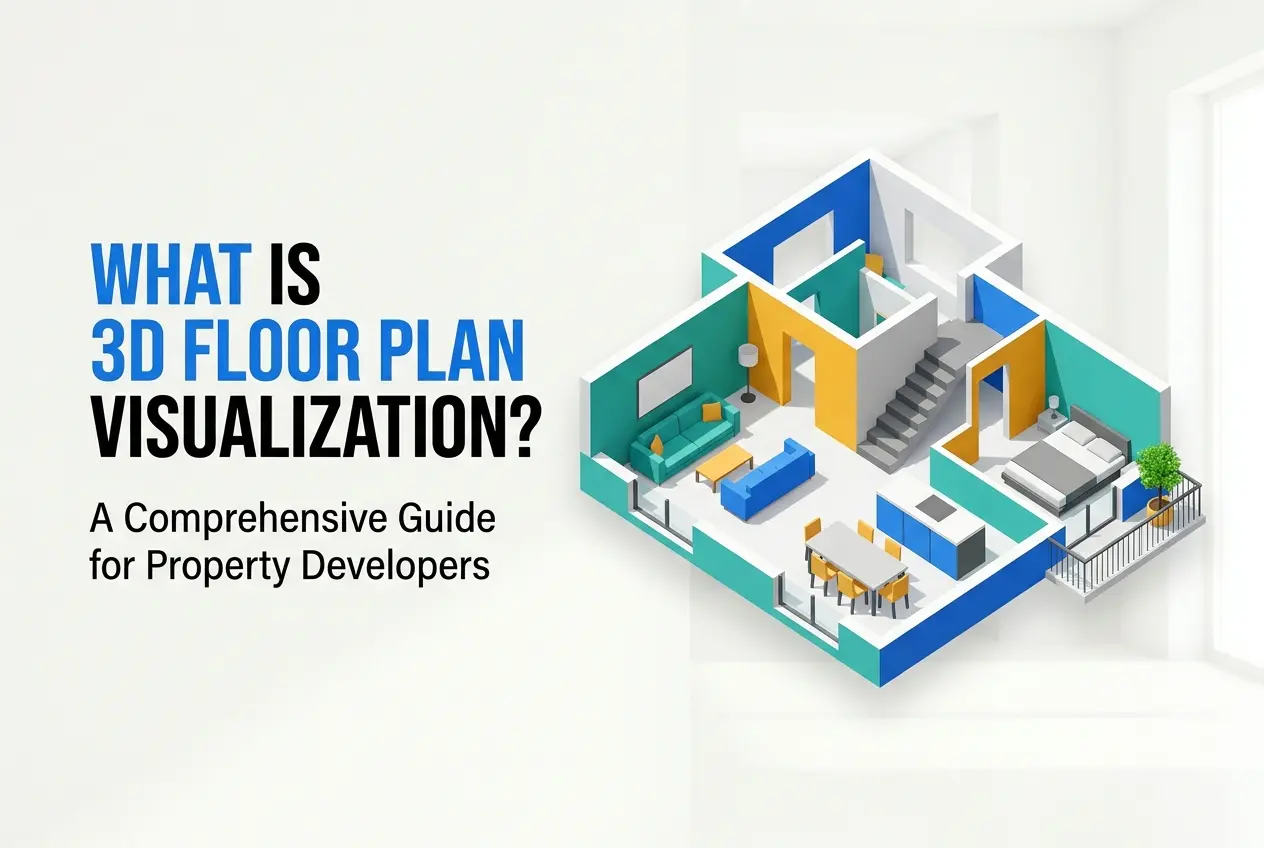
When a prospective buyer stares at a standard architectural blueprint, what they usually see is a maze of thin lines, hatching patterns, dimension strings, and drafting symbols that mean absolutely nothing to them. Architects read those DWG files fluently. Buyers do not. They want to know whether their corner sofa fits without blocking the kitchen walkway, whether the secondary bedroom is large enough to double as a home office, and whether the balcony is a real outdoor space or just a shallow ledge. This is the exact communication gap that 3D floor plan visualization was built to close — turning raw architectural data into a furnished, readable layout that anyone can understand within seconds of looking at it. For property developers launching residential towers, gated communities, or commercial builds, this format has moved from a nice-to-have extra to a core pre-sales asset.
In our studio at 360render.com, we work with developers who arrive with beautifully designed projects but whose sales teams are spending far too much time in the display suite explaining drawing conventions instead of discussing finishes and closing units. Buyers ask what the dashed lines mean, which direction the doors swing, and whether the hallway is wide enough to walk past a console table. That kind of confusion stalls decisions. When a buyer hesitates, the sales cycle lengthens, and a unit that should have been sold in a single visit sits unsold through multiple follow-ups. A proper volumetric layout removes that friction entirely.
As we move deeper into 2025 and 2026, real estate marketing is running on interactive digital portals, large touchscreen displays in sales galleries, and PDF brochures that buyers review on their phones at night. In every one of those contexts, you have only a few seconds to communicate value. A well-built top-down 3D layout answers spatial questions instantly. This guide covers how we actually build these assets, the technical decisions involved, and exactly how to brief your rendering team to get results that work in a competitive sales environment.
Why 2D Blueprints Fail at the Point of Sale

A compact bedroom can look perfectly proportionate on a flat plan while feeling genuinely awkward in real life. The 2D view hides everything that matters to a buyer — door swing conflicts, wardrobe clearance, the visual weight of the bed against the window wall, and how a walking path cuts through the usable floor area. A volumetric layout makes all of that immediately apparent without asking the viewer to do any mental translation.
This problem is even more pronounced in open-concept living areas. Without physical walls separating zones, buyers struggle to understand where the living room ends and the dining area begins on a flat plan. Show the same space with scaled furniture — a sofa, a coffee table, a dining set — and the circulation becomes obvious. They can see that pulling out a dining chair does not block the hallway, and that two people can work in the kitchen at the same time without bumping into each other.
Developers launching multi-variant projects face another specific challenge. When a floor plan range includes an ‘A’ layout and a ‘B’ layout that differ only in entrance position, kitchen length, or balcony shape, those differences are nearly impossible to spot in a flat brochure. In a 3D top-down view, the same differences are immediately visible. Buyers can make real comparisons without needing a trained eye. If you want a closer look at this specific comparison, the post on 3D floor plan visualization vs traditional blueprints which sells properties faster covers the distinction in practical sales terms.
The Technical Build: From CAD Input to 3D Floor Plan Visualization

Good results in this format come from disciplined geometry and accurate source data — not from applying a decorative overlay to a 2D plan. We have seen basic rendering engines produce sharp, legible work when the setup is solid, and expensive software produce muddy outputs when the fundamentals were rushed. This is not a stylized version of a blueprint. It is a fully separate communication layer built from the ground up using the same architectural information as the original drawings.
Before any modeling begins, we review the input files thoroughly. Architectural plans, interior furniture layouts, reflected ceiling plans, and marketing drawings frequently contain small contradictions across revisions. A kitchen island that appears in the DWG might disappear from the sales PDF. Door swings sometimes conflict between plan versions. These are normal project occurrences, but every discrepancy must be resolved before the build starts. We isolate the relevant CAD layers — walls, doors, glazing, slab edges — and strip away electrical symbols, grid lines, and drafting notations that clutter the base geometry. Understanding the exact technical steps involved in moving from flat lines to volumetric space is covered in detail in our guide on how to convert 2d floor plan to 3d model.
Once the source data is clean, walls, slab edges, window openings, door frames, balcony lines, steps, and thresholds are modeled to exact real-world dimensions along the Z-axis. In a top-down view, proportion errors are impossible to hide because the entire unit is visible at once. A corridor modeled slightly too wide, or a bathroom squeezed a few centimeters too tight, will feel wrong to any viewer even if they cannot explain why. We pay close attention to window sill heights and door header positions. Even though the roof is removed so the camera can look down into the space, the remaining vertical geometry must be accurate to cast correct shadows across the floor plane.
Multi-level townhouses and duplex apartments add another layer of complexity. Staircases must be modeled accurately to show how vertical circulation consumes usable floor area on each level. We typically produce a staggered cutaway view or a separate top-down render per floor, ensuring buyers understand exactly how the levels connect without the visual reading becoming confusing.
Camera Projection: Orthographic vs. Perspective
Every top-down floor plan render starts with a camera choice: orthographic or perspective. Each approach has a specific use case, and the wrong choice undermines the entire output.
| Projection Type | Best For | Trade-off |
|---|---|---|
| Orthographic | Strict dimensional accuracy, technical sales sheets, unit comparison grids | Feels flat; lacks depth and spatial warmth |
| Perspective (high, narrow FOV) | Sales galleries, digital brochures, interactive portals | Minor dimensional distortion at the frame edges |
In practice, we default to a high-angle perspective camera with a narrow field of view for most marketing-focused outputs. This lets the viewer see slightly down the interior face of the walls, giving a genuine sense of ceiling height, texture, and depth. The space feels like a home rather than a technical schematic. For projects where unit comparison accuracy is the priority — such as side-by-side layout sheets for investor packs — we switch to orthographic to ensure every unit is measured against the same visual baseline.
Lighting a Space With No Roof
Lighting a roofless interior for a top-down view is one of the most misunderstood parts of this format. The instinct for many people is to light everything evenly and call it done. Flat lighting is actually the worst outcome here — it merges walls into floors, kills the sense of depth, and makes the image exhausting to read at a glance.
The opposite extreme is equally damaging. Dramatic cinematic lighting looks impressive on an eye-level render but hides critical layout information in deep shadows when viewed from above. The goal is tonal separation — enough contrast between vertical surfaces, horizontal surfaces, and furniture to make every element immediately readable without sacrificing corner legibility.
Our standard approach uses an HDRI environment that mimics soft, overcast daylight. This provides gentle directional shadows that give the walls physical presence without casting heavy darkness into room corners. A technical step we use consistently is placing invisible ceiling planes above the model. These planes bounce light realistically back down into the space and are completely invisible to the camera looking down from above. For internal rooms — bathrooms, hallways, walk-in wardrobes — that receive no natural window light, we drop subtle invisible fill planes to maintain even legibility across the whole unit.
Material contrast matters just as much as lighting setup. A developer requesting dark timber floors, dark grey walls, and charcoal cabinetry will end up with a top-down render that reads as one undifferentiated dark square. We often advise lightening floor finishes slightly in the 3D model, or brightening area rugs, to ensure furniture and walls pop against the base architecture. This is not dishonest — it is calibrating for a specific camera angle that behaves differently from a standard eye-level view.
Furniture Scaling and What Clients Get Wrong
The most consistent mistake we see from clients briefing this type of work is asking for dishonest furniture scaling. A sofa scaled down by even a small amount can make a compact living room look deceptively generous. An undersized bed makes a modest bedroom look large enough for furniture arrangements that would never work in real life. Buyers who purchase based on that visual will eventually furnish the physical apartment and realize the space does not behave the way the marketing suggested. That kind of post-handover disappointment damages developer reputation far more than any short-term sales benefit gained from inflated layouts.
In our studio, we use accurately scaled 3D assets throughout. A standard dining table needs clearance on all sides for chairs to be pulled out comfortably. A queen bed has a fixed mattress dimension. A kitchen island has a minimum functional width. These dimensions are not negotiable if the visualization is meant to represent reality honestly.
The second common mistake is overcrowding the space. Clients often want to demonstrate maximum utility — fitting a desk, queen bed, two nightstands, a reading chair, and a built-in wardrobe into a secondary bedroom. Even if all of that technically fits in the software, the rendered result looks chaotic. Buyers do not respond well to visual clutter. A well-proportioned, breathing layout communicates liveability far more effectively than a room packed to its dimensional limits.
Outdoor spaces are frequently underdressed. Balconies, terraces, and private courtyards are major selling points for 2025 and 2026 developments, particularly as buyers increasingly prioritize indoor-outdoor living. Leaving a balcony as a bare concrete slab wastes a real sales opportunity. We populate these areas with scaled outdoor furniture, planters, and appropriate decking or tiling materials. This extends the perceived living area and helps buyers visualize how they would actually use the space.
Output Formats and Delivery for Modern Sales Environments
The final output format depends entirely on where the asset will be used. A static high-resolution JPEG works well for printed brochures and PDF downloads. PNG with a transparent background gives the marketing team flexibility to drop the floor plan onto branded backgrounds or color-coded site maps without white box artifacts. For interactive portals and touchscreen displays in sales galleries, we often produce the floor plan as a layered file so different furniture configurations or finish options can be toggled without requiring a full re-render.
Resolution planning matters from the start. A floor plan destined for a large-format print at a sales gallery needs to be produced at a significantly higher resolution than one designed for a mobile-first digital brochure. Getting this detail wrong at the brief stage means either reshooting the whole scene or delivering a print that looks soft at close viewing distance. If you want to understand the hardware side of why high-resolution top-down views are computationally heavy — because the engine must load textures for every room simultaneously rather than just the one the camera faces — the article on gpu vs cpu for 3d modeling and rendering what hardware do you actually need explains how rendering workstations are configured to handle these large scenes efficiently.
How to Brief Your Rendering Team Properly
A poorly written brief is the single most common reason floor plan projects run over time and budget. Here is what a complete brief for this format actually needs to include:
- Clean CAD files — DWG or DXF with clearly labeled layers. Conflicting revisions resolved before submission.
- Furniture layout reference — Either a marked-up plan or a separate interior design document showing intended furniture placement per room.
- Finish specifications — Floor material, wall color, key furniture finishes. Even rough references help avoid unnecessary revision rounds.
- Camera preference — Orthographic for technical comparison sheets, perspective for sales marketing.
- Output dimensions and format — Print resolution, digital resolution, file type, and whether a transparent background is required.
- Delivery timeline — Account for at least one round of revisions. Rushing the revision stage is where most avoidable errors creep in.
If a multi-unit development includes ten or more floor plan variants, batching similar layouts together for modeling and processing them as a grouped scene rather than ten individual files significantly reduces both production time and cost. Raise this with your rendering team at the briefing stage rather than after work has started.
Moving From Flat Plans to Layouts That Actually Sell
The core value of a properly built 3D floor plan is not visual style — it is the removal of buyer confusion. When a prospective buyer can look at a layout and immediately understand where everything is, how large each room genuinely is, and how the spaces connect to each other, they stop asking basic spatial questions and start making purchasing decisions. That shift in the sales conversation is real and it happens consistently across different development types, price points, and buyer demographics.
For developers preparing a new launch in 2025 or 2026, pairing strong volumetric layouts with exterior architectural visuals and interior renders gives buyers a complete picture of what they are committing to before a single brick is laid. Our 3D floor plan visualization service at 360render.com is built specifically to support this kind of pre-sales marketing work — clean geometry, accurate furniture scaling, and output formats calibrated for the environments where developers actually use these assets. If you are preparing for an upcoming launch and want to discuss what a floor plan visualization package would look like for your specific project, contact us and we will walk you through the process from brief to delivery.
Frequently Asked Questions
What are the best libraries and frameworks for implementing 3D floor plan visualization in web applications in 2026?
In 2026, the leading libraries for 3D floor plan visualization include Three.js, Babylon.js, and the newer WebGPU-native frameworks that leverage GPU acceleration for real-time rendering. React Three Fiber has also become a dominant choice for developers building component-based 3D interfaces, offering seamless integration with modern React ecosystems. For enterprise-grade applications, platforms like Matterport SDK and Autodesk Forge provide robust APIs with built-in BIM data support.
How do you convert 2D floor plan data into interactive 3D models programmatically?
Converting 2D floor plan data to 3D involves parsing architectural data formats like DXF, SVG, or JSON, then extruding wall geometries along the vertical axis using libraries such as Three.js ExtrudeGeometry or custom mesh generation algorithms. Most modern pipelines use a combination of automated height inference from metadata and machine learning models trained on architectural datasets to intelligently reconstruct structural elements like doors, windows, and stairs. Tools like floorplan-to-3d open-source converters or commercial APIs like RoomSketcher's developer API can significantly accelerate this conversion process.
What performance optimization techniques should developers use for rendering large-scale 3D floor plans in the browser?
Key performance optimizations include implementing Level of Detail (LOD) rendering, where lower-polygon meshes are displayed at greater zoom distances, and using geometry instancing for repetitive elements like furniture and fixtures. Frustum culling, texture atlasing, and WebGPU-based compute shaders have become standard practices in 2026 for maintaining 60fps performance even on complex multi-story buildings. Additionally, progressive loading strategies that stream geometry data in chunks prevent memory bottlenecks and dramatically improve initial load times for large commercial floor plans.
How can developers integrate real-time collaboration features into 3D floor plan visualization tools?
Real-time collaboration in 3D floor plan tools is typically achieved by combining WebSocket or WebRTC connections with a CRDT (Conflict-free Replicated Data Type) data model to synchronize user interactions like object placement, camera positions, and annotation updates without conflicts. State management libraries like Yjs or Automerge have become the industry standard for handling concurrent edits across distributed users in architectural visualization platforms. Pairing these with a shared scene graph architecture ensures that all connected clients maintain a consistent 3D state while minimizing network payload through delta-based updates.
What file formats and data standards should developers support for professional 3D floor plan applications in 2026?
Professional 3D floor plan applications in 2026 should prioritize support for IFC (Industry Foundation Classes) as the universal BIM standard, alongside glTF 2.0 and its binary variant GLB for efficient 3D asset delivery on the web. DXF and DWG formats remain critical for interoperability with AutoCAD-based workflows, while the emerging USD (Universal Scene Description) format from Pixar is gaining traction for complex multi-layer architectural scenes. Supporting JSON-based custom schemas for lightweight room metadata alongside these formats ensures flexibility for both enterprise BIM pipelines and consumer-facing property visualization platforms.
Also read: GLTF vs USDZ: The Best 3D Model Formats for E-Commerce AR and VR