
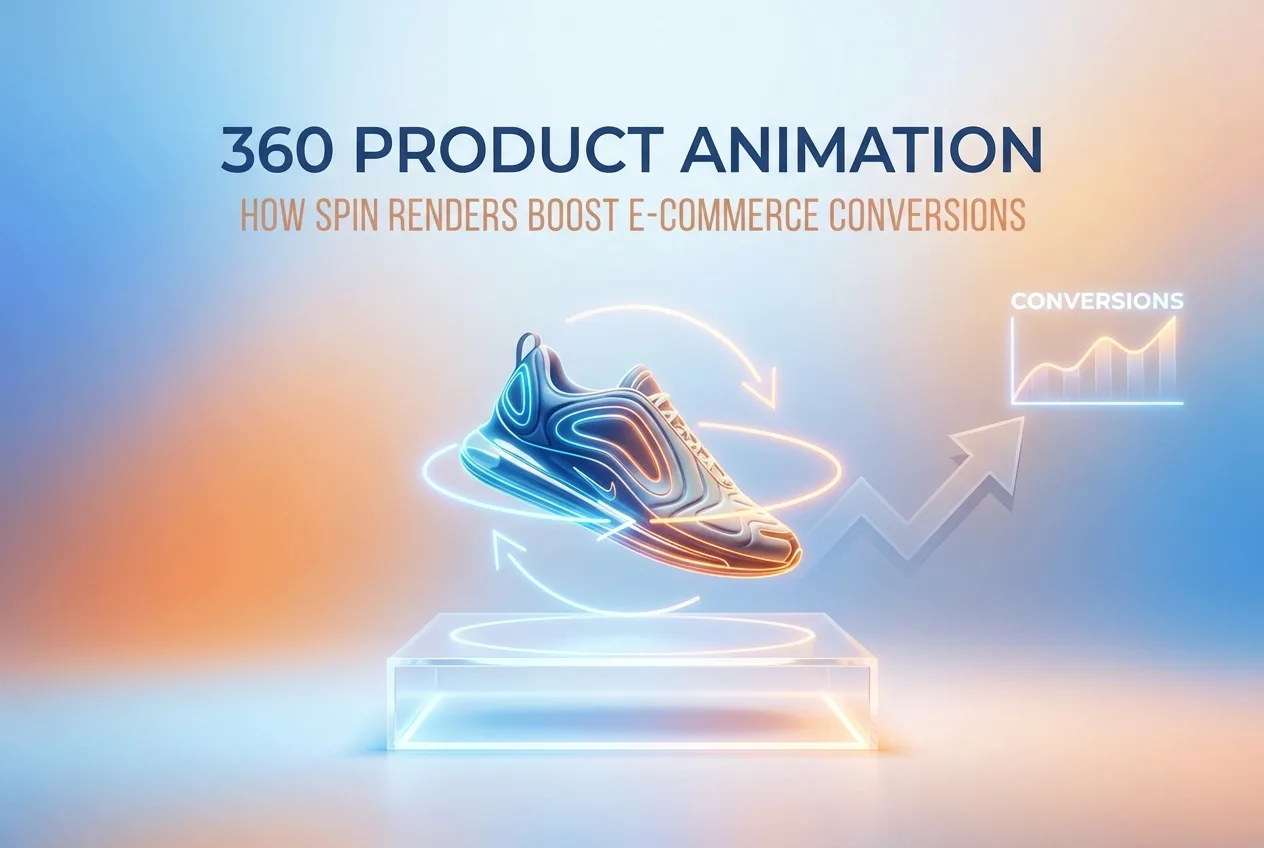
If you’ve ever abandoned an online shopping cart because you couldn’t get a good look at a product, you’re not alone. Millions of shoppers do it every day. The inability to physically pick something up and turn it around in your hands is one of the biggest friction points in e-commerce — and it’s costing retailers serious money. That’s exactly why 360 Product Animation: How Spin Renders Boost E-Commerce Conversions has become such a hot topic among brands that sell anything from sneakers and electronics to furniture and jewelry. Spin renders give shoppers the closest thing to a real, hands-on experience without ever leaving their couch.
The numbers back this up. Studies have consistently shown that interactive product visuals — particularly 360-degree spin animations — can increase conversion rates anywhere from 20% to over 40% depending on the product category. When a shopper can rotate a product, zoom into a detail, or watch it move from every angle, their confidence in the purchase skyrockets. Doubt disappears. Returns drop. And the brand looks polished and trustworthy in a way that flat photography simply can’t match.
So what exactly goes into creating a 360 spin render, how does it work technically, and what should you think about before commissioning one? Let’s break it all down in plain language.
What Is a 360 Product Animation, Exactly?
A 360 product animation — often called a spin render — is a sequence of rendered images or a continuous looping video that shows a product rotating through a full circle (or a specific arc). When these frames are stitched together and embedded on a product page, users can drag to spin the object themselves, or they can sit back and watch it auto-rotate like a showroom turntable.
There are two main approaches:
- Interactive spin (draggable): The user controls the rotation using a mouse or touchscreen swipe. This is the most engaging format because it puts the shopper in the driver’s seat.
- Automated looping animation: The product rotates on its own, typically embedded as a video or GIF. This is easier to implement across platforms and works well in ads, social media, and email campaigns.
The renders themselves are created using 3D modeling software — the same tools used in film and architecture. A digital model of the product is built (or provided by the manufacturer as a CAD file), placed in a virtual environment with carefully designed lighting, and then rendered frame by frame at various angles. A typical 360 spin uses anywhere from 24 to 72 frames to create smooth, fluid rotation.
The Psychology Behind Why Spin Renders Work
There’s a reason physical retail stores have survived despite the convenience of online shopping. People are tactile. We want to touch things, examine seams, check proportions, and understand how something actually looks in three dimensions. Traditional product photography — even beautifully styled, well-lit photography — is still fundamentally a flat representation of a 3D object.
When a shopper can spin a product themselves, something interesting happens psychologically. The sense of agency — the feeling of control — creates a stronger connection to the object. It starts to feel more real. Research in consumer behavior has labeled this the “endowment effect,” where people assign higher value to things they interact with. A 360 spin is the closest thing to picking a product up without actually doing it.
Beyond psychology, spin renders also answer questions before the customer thinks to ask them. What does the back of this bag look like? Does this shoe have a zipper on the side? What’s the texture on that watch band? Every angle answered is a support ticket avoided and a return prevented.
360 Product Animation: How Spin Renders Boost E-Commerce Conversions in Different Industries
Spin renders aren’t one-size-fits-all. Their impact varies by product type, and some categories benefit dramatically more than others. Here’s a practical look at where they tend to move the needle most.
Footwear and Apparel
Shoes are one of the highest-performing categories for 360 spin renders. Every angle of a shoe tells a story — the sole material, the heel height, the stitching detail, the silhouette from the front versus the side. Brands that have implemented 360 spins in footwear consistently report lower return rates and higher time-on-page metrics. The same applies to bags, hats, and accessories where construction details matter.
Consumer Electronics
Electronics shoppers are often highly research-driven. They want to see ports, buttons, vents, and form factor from multiple angles before committing to a purchase. A spin render of a laptop, speaker, or gaming controller addresses these concerns instantly. It also signals that the brand has confidence in its product design — a subtle but powerful trust signal.
Furniture and Home Décor
Furniture is one of the most challenging categories for e-commerce because scale and proportion are so hard to communicate in static images. Spin renders, especially when combined with professional 3D product rendering, allow shoppers to examine a sofa’s leg style, the depth of a shelf, or the texture of upholstery from every direction. This dramatically reduces the “will it look right in my space?” anxiety that causes cart abandonment.
Jewelry and Luxury Goods
High-ticket items demand high-quality visuals. A diamond ring viewed from above tells a completely different story than the same ring viewed from the side. Luxury buyers are discerning, and they expect the brand experience to match the price point. A smooth, beautifully lit 360 spin render communicates craftsmanship in a way that a single hero image never could.
How the Production Process Actually Works
If you’ve never commissioned a spin render before, you might be wondering what the process looks like from the client’s side. It’s simpler than most people expect.
Step 1 — Asset gathering: Your 3D rendering partner will need either an existing 3D model (often available from manufacturers as a CAD or OBJ file) or physical product dimensions, materials references, and photographic references so they can build the model from scratch.
Step 2 — Modeling and texturing: If a model doesn’t already exist, one is built digitally. Materials like leather, metal, fabric, and glass are recreated using shader networks that simulate how light interacts with different surfaces. This is where photorealism is established.
Step 3 — Lighting and scene setup: The model is placed in a virtual studio environment. Lighting is carefully designed to highlight form, texture, and detail — typically using HDRI environments and custom light rigs.
Step 4 — Rendering frames: The camera rotates around the product at fixed intervals, capturing individual frames. For a 36-frame spin, the camera moves 10 degrees between each shot.
Step 5 — Post-production and delivery: Frames are composited, color-graded, and assembled into the final deliverable — whether that’s a draggable web viewer, an MP4 loop, or a GIF for social media.
The timeline for a quality spin render typically runs one to two weeks depending on product complexity. Turnaround can be faster for simpler objects or if accurate 3D models are provided upfront. Working with a team that specializes in 3D product visualization ensures that the photorealism and output quality are consistent with your brand standards.
Practical Tips for Getting the Most Out of Your Spin Renders
Commissioning great spin renders is one thing. Making sure they actually drive conversions is another. Here’s what experienced e-commerce teams do to maximize results.
Place Spin Renders Above the Fold
If a shopper has to scroll to find your 360 viewer, most of them won’t bother. The spin render should be the first or second image in your product gallery — ideally the first thing visible on desktop and mobile. Treat it like your most powerful visual asset, because it is.
Add a Subtle Animation Cue
Many users don’t realize they can interact with a 360 viewer unless they’re prompted. A small animated icon or a brief auto-spin on page load (one or two rotations) signals interactivity without being intrusive. This simple UX detail can significantly increase engagement rates.
Pair Spins With Lifestyle Imagery
Spin renders answer the “what does this look like?” question brilliantly. But shoppers also need lifestyle context — images that show the product in use, in a real environment, worn by a real person (or a high-quality 3D character). Use spin renders for technical examination and lifestyle imagery for emotional connection. They work better together than either does alone.
Optimize for Mobile
More than half of all e-commerce traffic comes from mobile devices, and touch-based 360 spins are genuinely satisfying on smartphones. Make sure your implementation is touch-optimized, loads quickly, and doesn’t cause layout issues on smaller screens. Lazy loading the frames is usually a smart approach for performance.
Test Frame Count vs. File Size
More frames mean smoother rotation but larger file sizes. Depending on your audience’s connection speeds and your server capabilities, 36 frames often hits the sweet spot between smoothness and performance. For very large or highly detailed products, 72 frames may be warranted. A/B testing different setups on your actual product pages is always worth doing.
Don’t Forget the Background
A clean, neutral studio background (white, light gray, or transparent) works for most e-commerce contexts because it keeps focus on the product and integrates cleanly with your site design. But for premium or lifestyle-oriented brands, a rendered environment background can add significant visual appeal. Either way, consistency across your product catalog makes the overall brand feel cohesive and professional.
Measuring the Impact on Conversions
Once your spin renders are live, how do you know they’re working? The metrics to watch include:
- Conversion rate (CVR): The most direct indicator. Compare conversion rates on product pages before and after adding spin renders, controlling for traffic source and seasonality.
- Time on page: Longer time on page generally correlates with higher purchase intent. If shoppers are spending more time with the spin viewer, that’s a good sign.
- Return rate: This one takes longer to measure but is incredibly telling. Customers who have a better visual understanding of what they’re buying before purchase tend to return products less often.
- Add-to-cart rate: Sometimes a visitor converts but not immediately — they add to cart and come back. A higher add-to-cart rate post-spin implementation shows increased purchase intent even if the final conversion happens later.
Many brands run a simple A/B test — half their traffic sees the standard photo gallery, the other half sees the spin render as the lead visual — and measure the delta in these metrics over 30 to 60 days. The results often make a very compelling internal business case for rolling spin renders out across the full product catalog.
Ready to See What Spin Renders Can Do for Your Store?
Understanding 360 Product Animation: How Spin Renders Boost E-Commerce Conversions is one thing — putting that knowledge into practice is where the real gains happen. Shoppers today have high expectations, short attention spans, and more choices than ever. The brands winning in e-commerce are the ones that remove friction, build trust visually, and create experiences that feel premium from the first click.
Whether you’re selling ten products or ten thousand, spin renders are a practical, scalable investment that pays back in conversion rate improvement, reduced returns, and stronger brand perception. The technology is more accessible than most people think, and the production process doesn’t need to be complicated when you’re working with specialists who do this every day.
If you’re ready to explore what spin renders could look like for your products specifically, the team at 360render.com would love to walk you through the options. Get in touch with us today and let’s talk about your product line, your goals, and what’s actually possible.
Frequently Asked Questions
What is 360 product animation and how does it work for e-commerce?
360 product animation is a interactive visual technique that displays a product from every angle by stitching together a sequence of images or rendered frames taken at equal intervals around the object, creating a seamless spin effect. Shoppers can drag or swipe to rotate the product in real time, simulating the experience of physically holding and examining an item. Most implementations use between 24 and 72 frames to achieve smooth rotation, and they can be delivered as JavaScript-powered viewers, GIFs, or video files embedded directly on product pages.
How much can 360 spin renders increase e-commerce conversion rates?
Multiple industry studies and A/B tests have shown that 360 product spin viewers can increase conversion rates by 20 to 40 percent compared to standard static product images alone. Brands like Skullcandy and various Shopify merchants have reported double-digit lifts in add-to-cart rates after implementing interactive spin views. The increase is largely attributed to reduced purchase uncertainty, since shoppers feel more confident buying a product they can fully inspect without visiting a physical store.
What is the difference between 360 product photography and 360 CGI product animation?
360 product photography involves placing a physical product on a rotating turntable and capturing dozens of real photographs with a camera, which is ideal for existing manufactured goods that need accurate, photorealistic representation. 360 CGI product animation, by contrast, uses 3D modeling and rendering software to generate each frame digitally, making it possible to showcase products that are still in development, offer color or configuration variants without re-shooting, and achieve studio-perfect lighting every time. CGI is generally more scalable and cost-effective long-term for brands with large or frequently updated catalogs, while photography may be preferred when tactile material detail is critical.
How do 360 product spin renders affect page load speed and SEO?
Unoptimized 360 spin viewers can significantly slow page load times because they require loading multiple image frames, which can collectively total several megabytes and hurt Core Web Vitals scores that Google uses as ranking signals. Best practices include using lazy loading so frames only download when the viewer enters the viewport, compressing images with modern formats like WebP, and limiting frame counts to the minimum needed for a smooth experience. When properly optimized, 360 viewers can coexist with fast page speeds, and the increased engagement metrics such as longer time on page and lower bounce rates can indirectly benefit SEO performance.
Which e-commerce platforms and product types benefit most from 360 spin animation?
360 spin animation integrates easily with major platforms like Shopify, WooCommerce, Magento, and BigCommerce through dedicated apps or custom JavaScript embeds, making it accessible for businesses of almost any size. Product categories that see the greatest conversion impact include footwear, consumer electronics, furniture, automotive parts, watches, and jewelry, because customers in these niches heavily scrutinize design details, material finish, and fit before purchasing. Products that are commoditized or simple in shape tend to see smaller gains, so brands should prioritize 360 views for hero SKUs with high traffic and high return rates first to maximize return on investment.
Also read: 360 Product Animation Explained: How 360 Renderings Increase Conversions for Ecommerce Brands
1 comment