If you’re selling pet products online — whether it’s a designer dog bed, a cat tree, a slow feeder bowl, or a travel carrier — your images are doing the heavy lifting. Shoppers can’t touch the product. They can’t smell the fabric or test the zipper. All they have is what you show them. That’s exactly why 3D lifestyle images for pet products: how to stage scenes that convert on Amazon and DTC stores has become such a critical skill set. It’s not just about making something look pretty. It’s about building trust fast, showing scale, communicating quality, and making a buyer feel like the product already belongs in their home — with their specific kind of pet in it.
We work with a range of product brands at 360render.com, and pet product sellers are among the most nuanced clients we encounter. The challenge isn’t just technical. It’s psychological. A parent buying a stroller wants clean lines and safety cues. A pet owner buying a bed for their golden retriever wants warmth, softness, and a dog that looks like theirs curled up on it. The emotional triggers are different. The scene-building logic has to match.
This post breaks down what actually works — how to build scenes, choose the right environment, handle the pet element, and avoid the common mistakes that cause otherwise good renders to underperform.
Why Lifestyle Context Converts Better Than White-Background Shots Alone
White-background images are mandatory on Amazon. You need them. But they don’t do the emotional work. A dog bed photographed flat on white tells you dimensions. A dog bed shown in a sunlit living room corner, slightly rumpled, with a border collie mix sleeping in it — that tells a story. It tells the buyer “this fits a real home, with a real dog, and it looks good doing it.”
The science of it is pretty straightforward: lifestyle context answers questions the buyer didn’t even know they had. Will this fit in my apartment? Will it clash with my hardwood floors? Does it look cheap next to actual furniture? A well-staged 3D lifestyle render answers all of those without a single word of copy.
What’s interesting about the pet product category specifically is that buyers are often buying for a third party — the pet. They’re projecting their own taste and their affection for their animal onto the product simultaneously. That dual audience (the buyer’s aesthetic sensibility + their emotional connection to their pet) is what your staging needs to speak to.
3D Lifestyle Images for Pet Products: How to Stage Scenes That Convert — The Core Principles
1. Match the Environment to the Target Buyer, Not Just the Product
This is where most brands go wrong. They think “dog bed = living room” and stop there. But which living room? A minimalist Scandinavian apartment with white walls and a linen sofa tells a completely different brand story than a warm, rustic American home with wood paneling and a plaid throw. Both are valid — but only one is right for your specific customer.
Before we model a single polygon, we ask clients to describe their ideal buyer’s home. Not the product. The home. Because the product needs to live inside that world, not the other way around. A premium orthopedic dog bed targeted at health-conscious pet owners in urban markets looks very different staged in a bright, modern kitchen nook versus a suburban den. Same product. Completely different conversion signal.
2. Scale and Proportion Are Non-Negotiable
One of the biggest practical advantages of 3D renders over photography is precision in scale. If you’re selling a cat tree that’s 160 cm tall, you need the scene to communicate that clearly — ideally by showing it next to a sofa of known height, or with a cat on it whose size a buyer can intuitively gauge.
Poor scale communication is a conversion killer in pet products. A dog owner looking at a crate render wants to know immediately: will my Labrador fit? A cat owner looking at a window perch wants to see where it mounts relative to a standard window frame. In our studio, we always include at least one reference element — a piece of furniture, a door frame, or an identifiable household object — that anchors the product in real-world proportion.
3. The Pet Element: Real vs. Stylized
This is the most-asked question we get from pet product clients. Should we include a 3D rendered animal in the scene? The short answer: yes, almost always. But it requires skill and restraint.
A poorly rendered dog or cat immediately breaks believability. Stiff fur, dead eyes, or anatomically awkward poses pull the viewer out of the scene faster than a blank background would. When we use 3D pet models, we prioritize natural, passive poses — sleeping, resting, sniffing — rather than action poses, which are much harder to make convincing without motion context.
For some brands, especially those selling to a premium or design-forward market, a scene without a pet but with implied pet presence works well. Think: a bowl with kibble still in it, a leash hanging on a hook by the door, a toy tucked under the product. It suggests the pet without requiring a photorealistic animal render. Cleaner. Safer. Sometimes more effective.
If your budget allows and the product warrants it — like a featured hero image for a major product launch — a high-quality fur-simulated pet render is absolutely worth the investment. For secondary gallery images, implied presence often does the job more efficiently.
Amazon vs. DTC: The Staging Logic Is Different
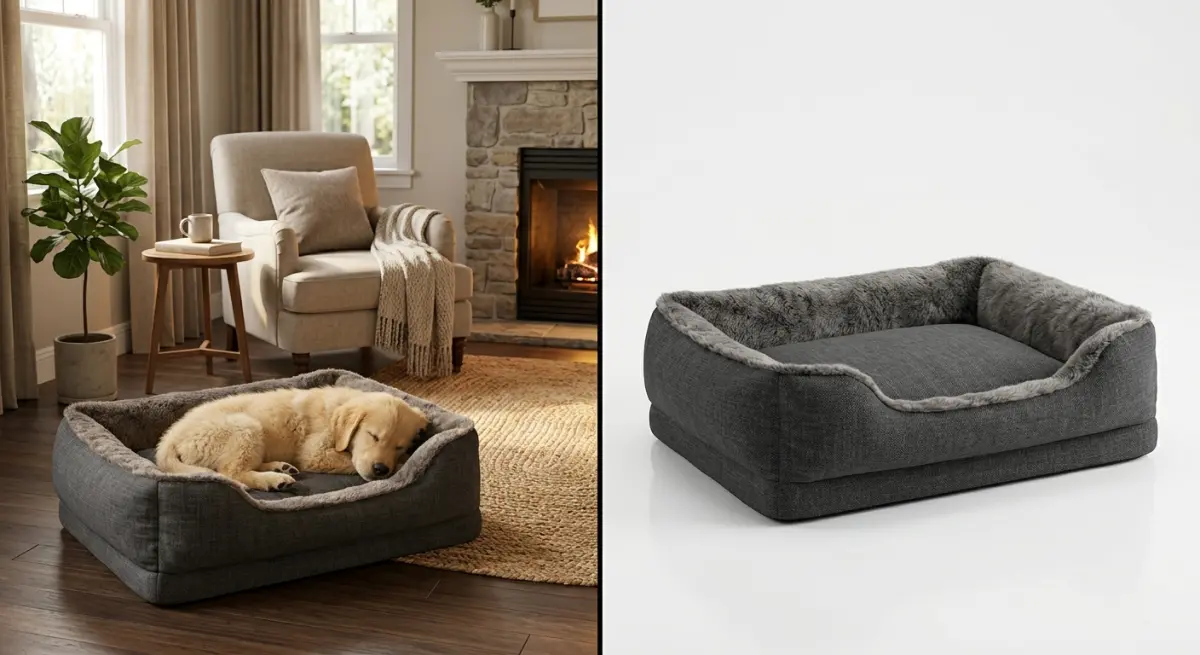
Amazon buyers scroll fast. They’re comparison shopping. Your lifestyle image needs to communicate value and fit within about two seconds of attention. That means clean compositions, strong foreground focus, and minimal clutter. On Amazon, a lifestyle image that’s trying to tell too rich a story will just read as busy. Simplicity with warmth wins.
DTC stores are a different conversation. On your own site, you have more real estate — hero banners, image carousels, editorial-style sections. Here you can afford more atmospheric scenes: moodier lighting, a fuller room setting, lifestyle vignettes that feel more like interior photography than product shots. The buyer on your DTC site is typically further along in brand awareness. They came to you specifically. You can reward that with richer visual storytelling.
| Factor | Amazon Lifestyle Images | DTC Store Lifestyle Images |
|---|---|---|
| Composition | Simple, product-forward | Atmospheric, editorial-style |
| Background complexity | Low to medium | Medium to high |
| Pet inclusion | Passive, simple pose | Can be more expressive |
| Lighting mood | Bright, clear, trust-building | Can be warmer, moodier |
| Primary goal | Convert fast in comparison shopping | Build brand desire and loyalty |
Lighting, Material Accuracy, and What Makes Pet Products Look Premium
Pet products often involve tactile materials — fleece, canvas, memory foam, neoprene, woven wicker, powder-coated metal. The quality of your render lives or dies on how accurately these materials are reproduced. A plush dog bed that looks slightly plasticky in render will signal “cheap” to a buyer even if they can’t articulate why. The brain reads surface texture as a proxy for quality.
In practice, this means investing time in material calibration. We use PBR (Physically Based Rendering) workflows to match real-world material behavior — how fleece diffuses light, how a stainless steel bowl reflects its environment, how canvas holds subtle wrinkles. These details are what create the tactile trust that a flat photograph sometimes actually struggles to achieve, especially under poor lighting conditions.
Lighting for pet product lifestyle scenes typically works best with soft, naturalistic sources — a large window with diffused daylight, supplemented by a gentle fill light to avoid harsh shadows under the product. Avoid dramatic overhead lighting or stark single-source setups. They read as “catalog” rather than “home.”
Common Mistakes We See (And How to Avoid Them)
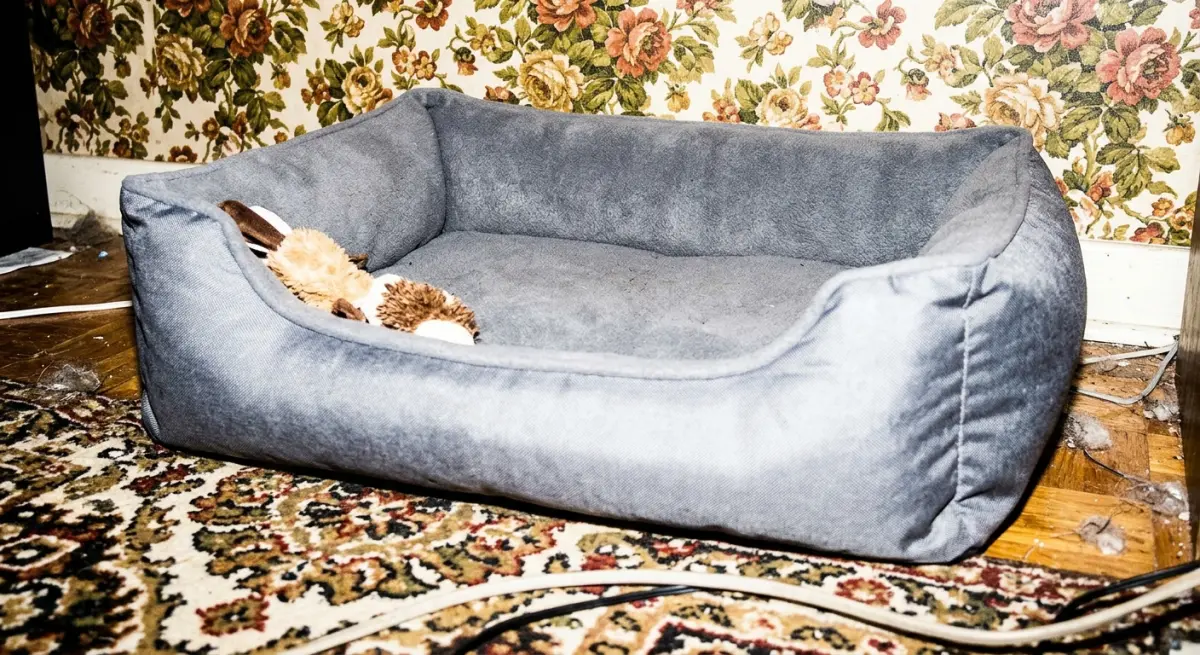
Staging for the wrong room type. Putting a rugged outdoor dog product in a pristine luxury interior creates a mismatch that buyers feel even if they can’t name it. Match the room’s “vibe” to the product’s positioning.
Ignoring the floor plane. Products that appear to float slightly above the floor, or where the shadow isn’t grounded correctly, look immediately fake. Ground shadows and contact shadows are essential — especially for products that sit on the floor, like beds, crates, and feeders.
Overcrowding the scene. More props don’t equal more realism. A coffee table with eight props creates clutter that competes with the product. Two or three thoughtfully chosen accessories that reinforce the brand story are more than enough.
Using generic pet models without breed consideration. A cat tree designed for large cats staged with a tiny kitten model sends mixed size signals. Think about your target buyer’s most common pet size and match accordingly.
Forgetting mobile viewing. A large portion of Amazon and DTC traffic views images on mobile. Compositions that look balanced on a 27-inch monitor can become hard to read on a phone screen. Keep the product large in frame and avoid relying on fine details that compress out at small sizes.
How 3D Rendering Gives Pet Product Brands a Real Competitive Edge
Photography is expensive, especially once you factor in a location, a set stylist, a photographer, and — for pet products — an animal handler and trained animal talent. A single lifestyle shoot can easily cost more than a full suite of 3D renders. And photography is done once. If your product colorway changes, you’re shooting again.
3D renders are reusable assets. Change the colorway and re-render. Test a different background environment without rebuilding the whole scene. Produce six variations of a scene for A/B testing in a fraction of the time and cost of re-shooting. This is especially useful for pet product brands launching multiple SKUs or seasonal colorways.
We’ve worked with product brands who needed twelve lifestyle variations across three colorways and two room environments — a scope that would have been prohibitively expensive in photography. In 3D, once the core scene is built, variations are incremental. The economics make sense.
If you’re a pet product brand preparing for an Amazon launch, refreshing your DTC store, or scaling up your SKU library and want renders that actually work in market, we’d love to take a look at your project. Reach out to our team at 360render.com and let’s talk through what your product line needs.
Frequently Asked Questions
What makes a 3D lifestyle image for pet products convert better than a standard product photo on Amazon?
3D lifestyle images outperform standard product photos because they place the item in a relatable, emotionally engaging scene that helps pet owners visualize real-world use, such as a dog bed staged in a cozy living room setting. Amazon's algorithm also favors listings with higher click-through and conversion rates, and lifestyle imagery consistently drives both by reducing purchase hesitation. Unlike flat product shots, 3D scenes can be tweaked for seasonal promotions or different breeds without costly reshoots.
How do you stage a 3D lifestyle scene for pet products to appeal to Amazon shoppers specifically?
Staging for Amazon requires placing the hero product prominently within the first third of the frame, using natural lighting simulations and warm color palettes that signal comfort and trust, which align with the buying psychology of pet owners. Including a photorealistic pet model interacting naturally with the product, such as a cat curled inside a bed or a dog chewing a treat, significantly increases emotional connection and dwell time on the listing. It is also critical to keep backgrounds uncluttered and brand-consistent so the product remains the visual focus while still telling a lifestyle story.
What 3D rendering software is best for creating lifestyle images for pet product listings on DTC stores?
Blender, KeyShot, and Cinema 4D are the most widely used tools among e-commerce studios producing pet product lifestyle imagery, each offering photorealistic rendering engines capable of simulating fur textures, fabric softness, and natural light. For DTC brands needing faster turnaround, cloud-based platforms like Chaos Corona or even Canva's 3D integration tools can produce high-quality scenes without a steep learning curve. The best choice depends on your budget, the complexity of the scene, and whether your team needs real-time rendering for rapid A/B testing of different staging concepts.
How many 3D lifestyle images should a pet product listing include on Amazon to maximize conversion?
Amazon allows up to nine images per listing, and high-performing pet product listings typically use at least three to four of those slots for lifestyle scenes showing the product in different environments, such as indoors, outdoors, and in use by different pet sizes or breeds. Pairing lifestyle images with an infographic and a close-up detail shot creates a comprehensive visual story that addresses buyer objections before they arise. Studies on Amazon listing optimization consistently show that listings with seven or more high-quality images see measurably higher conversion rates than those with fewer than five.
Can 3D lifestyle images replace real photography entirely for pet product listings on Amazon and DTC stores?
Yes, for most non-consumable pet products such as beds, carriers, toys, and feeders, 3D lifestyle imagery can fully replace traditional photography and often produces more consistent, scalable results at a lower long-term cost. Amazon explicitly permits CGI and rendered images in product listings as long as they accurately represent the product, so there are no policy barriers to going fully digital. DTC brands benefit even more because 3D assets can be repurposed across web banners, social ads, and email campaigns without additional licensing or reshoot fees.