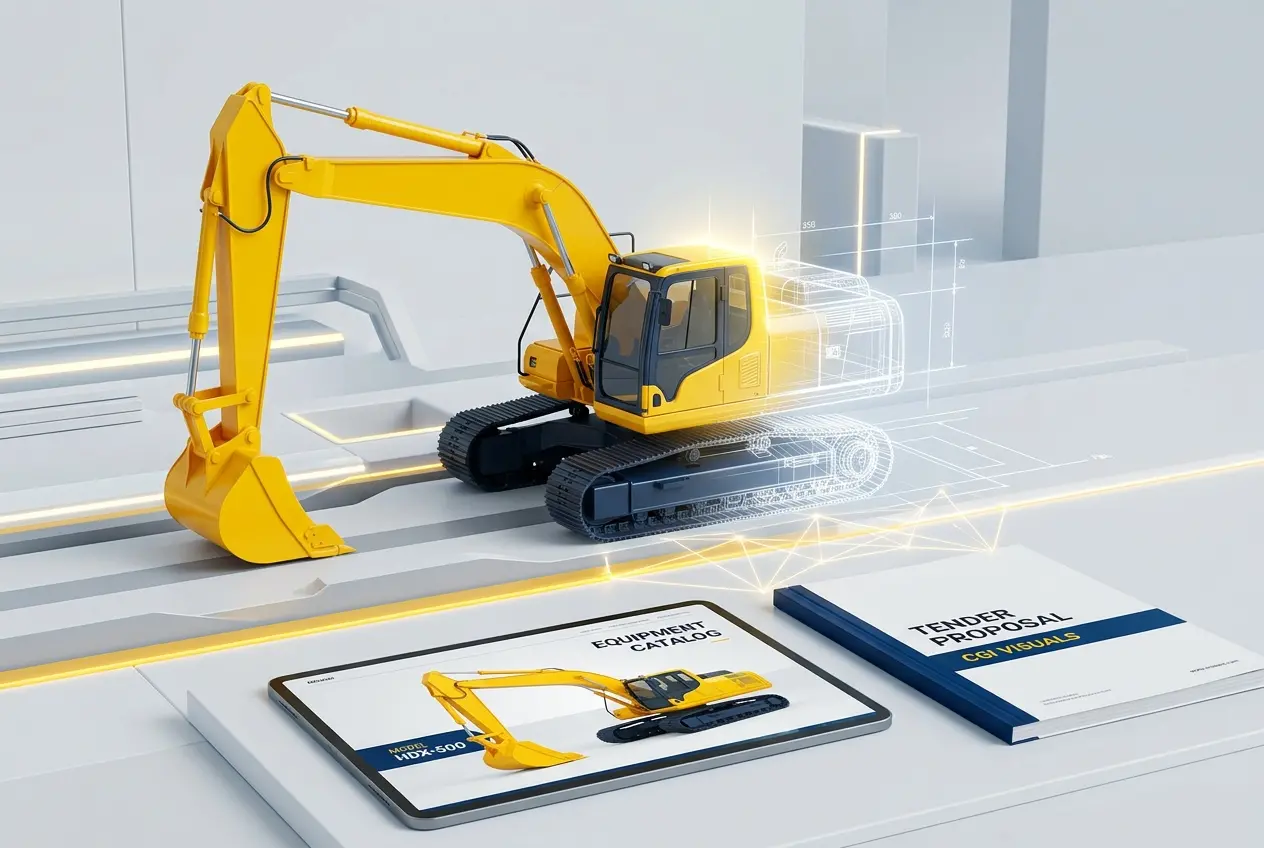
If you’ve ever tried to photograph a 50-tonne excavator for a product catalogue, you already know the problem. The machine is either on a job site covered in mud, locked inside a storage yard with terrible light, or halfway through a production run that can’t be paused. 3D Industrial Rendering for Heavy Equipment: How CGI Replaces On-Site Photography for Catalogues and Tenders isn’t a niche topic anymore — it’s become a practical necessity for manufacturers, OEMs, and heavy equipment dealers who need clean, consistent, professional-grade visuals without the logistical nightmare of on-site shoots. We work with clients across construction equipment, mining machinery, agricultural implements, and industrial automation, and the shift away from photography in this sector has been steady, deliberate, and driven entirely by real-world constraints.
The fundamental issue with photographing heavy equipment is that the product rarely cooperates. A crawler crane doesn’t exist in a vacuum. It’s attached to a job, sitting in variable weather, or still on the factory floor surrounded by scaffolding and safety tape. Even when you do get access, you’re fighting hard shadows, reflective metal surfaces that blow out under direct light, and equipment that simply can’t be repositioned for a better angle without a full crew. CGI removes every single one of those constraints. The geometry is built once, materials are applied with physical accuracy, and you can light the scene any way you need — whether that’s a clean studio white for a catalogue page or a dramatic environmental shot for a tender presentation.
In our studio, we’ve handled everything from skid steer loaders to full tunnel boring machine assemblies. The process is always the same: we get the CAD data or engineering drawings, build or refine the 3D geometry, apply physically-based materials, and render to whatever specification the client needs. What changes is the application — and for heavy equipment specifically, the applications are very particular.
Why On-Site Photography Fails Heavy Equipment Manufacturers
Let’s be specific about what goes wrong. Heavy equipment photography requires a specialist photographer who understands industrial subjects, a location with controlled access, the right time of day for natural light, and ideally a clean or neutral background. None of those things are easy to arrange when the machine in question is a working asset. Many manufacturers don’t even have a demo unit sitting idle — their stock moves directly from production to the customer.
There’s also the issue of variants. A single excavator model might come in a dozen configurations — different arm lengths, bucket attachments, cab options, colour schemes for different markets. Photographing each variant means physically configuring each machine and arranging a separate shoot. That’s not scalable. With CGI, you build the base model once and swap configurations in the scene file. You can produce thirty variant renders in the time it would take to arrange one photoshoot.
Tenders add another layer of complexity. When a mining company or infrastructure firm is evaluating equipment bids, they want to see the machine in context — operating in an environment similar to their actual site. You can’t photograph that before the sale. A rendered environment showing the equipment operating in a cut-and-fill mine or a highway construction scenario is something photography simply cannot provide before the contract is signed.
What 3D Industrial Rendering for Heavy Equipment Actually Involves
The technical process is worth understanding because it directly affects what you need to provide as a client and what kind of output you can expect. Heavy equipment rendering usually starts with CAD data — STEP files, IGES, or proprietary formats like Catia or SolidWorks. This isn’t the same as getting a clean mesh; CAD data is built for engineering tolerances, not rendering. We typically spend significant time converting and optimising that geometry, removing internal components that won’t be visible, and fixing topology that would cause render artifacts.
Material assignment is where industrial rendering gets interesting. Heavy equipment has a very specific material vocabulary — painted steel with chipped edges and wear marks, brushed aluminium hydraulic lines, rubber tracks with tread patterns, polycarbonate cab windows with internal reflections, matte black engine components. Each of these behaves differently under light. Getting them right is what separates a convincing industrial render from something that looks like a video game asset. We use physically-based rendering workflows — in our case typically V-Ray or Arnold depending on the project — that simulate how light actually interacts with these surfaces.
Lighting is the third major factor. For catalogue use, you generally want neutral, even lighting that shows the machine clearly without dramatic shadows obscuring mechanical detail. For tender imagery, you want environmental lighting that places the machine in a believable context. We build HDRI-based lighting rigs for outdoor scenes and custom photographic-style setups for studio presentations. The key is matching the lighting to the intended output — a render destined for a printed catalogue page has different requirements than one going into a digital tender PDF or a trade show display.
Catalogues vs. Tender Documents: Different Goals, Different Outputs

These two use cases look similar on the surface but they require quite different approaches. Catalogue imagery is about consistency and clarity. You need multiple machines rendered in the same style, with the same camera angles, the same lighting logic, so the catalogue reads as a unified document. The imagery needs to survive print reproduction — meaning high resolution, accurate colour, and enough detail that a buyer can read the product clearly at a glance.
Tender documents are more about persuasion and context. The buying committee looking at a tender pack wants to visualise the equipment in their environment, understand the scale, see how it integrates with the operational workflow. We often produce multi-angle renders, detail callouts showing key mechanical features, and environment shots that place the machine on a realistic site. Some clients also request exploded view renders or cutaway visuals that show internal systems — hydraulic routing, engine placement, structural frame — which are completely impossible with photography and straightforward with CGI.
| Requirement | Catalogue Rendering | Tender Rendering |
|---|---|---|
| Background | Neutral / white / gradient | Contextual environment |
| Lighting | Even, product-focused | Environmental, dramatic |
| Camera angles | Standardised per model | Hero shots + operational views |
| Detail callouts | Optional | Often required |
| Variants shown | All available configurations | Specified configuration only |
| Resolution | Print-ready (300 DPI+) | Screen and print mixed |
Common Mistakes Clients Make When Commissioning Industrial CGI
This is the practical section, and it matters. The most frequent problem we encounter is clients who come to us with CAD data alone and assume that’s enough to start rendering immediately. CAD geometry and render-ready geometry are not the same thing. Engineering files are built to describe function and dimension — they often have overlapping surfaces, unnecessary internal detail, and no UV mapping. Preparation time is real and it needs to be factored into the project schedule.
The second mistake is underspecifying the output. “We need renders for our catalogue” is not a brief. How many machines? How many angles per machine? What size does the final image need to be? Is it for print or screen? Are there branding guidelines for backgrounds and colour treatment? We ask all of this upfront because ambiguity mid-project is expensive. A render that needs to be rebuilt because the camera angle doesn’t match the layout template wastes everyone’s time.
Third — and this is something specific to industrial work — clients sometimes resist providing full CAD data for IP reasons. This is understandable, but it creates problems. We can work from engineering drawings, reference photographs, and dimensional specifications, but the output won’t be as accurate as working from native CAD. If IP protection is a concern, there are practical solutions: NDAs, restricted file handling, watermarked intermediary files. Most professional studios already have these protocols in place. Don’t sacrifice accuracy to avoid a conversation about data security.
Finally, some clients treat 3D industrial rendering as a pure cost comparison against photography. The comparison should include the full cost of a photoshoot — location access, photographer fees, equipment mobilisation, retouching, the cost of the machine’s downtime, and crucially, the inability to produce variants without a new shoot. When you account for all of that, CGI typically becomes cost-effective well before you hit the volume where it would look obviously superior on a spreadsheet.
Animations and Interactive Formats: Beyond the Still Image
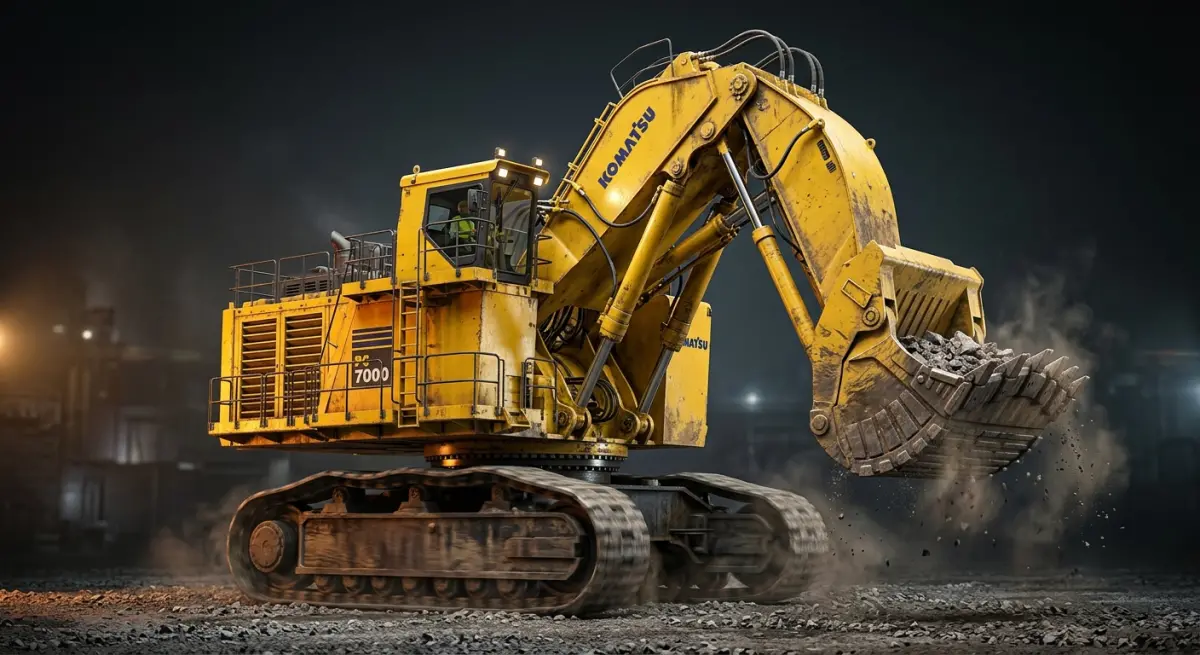
The same 3D asset built for still renders can be used to produce animated content — product walkarounds, mechanism animations showing hydraulic operation or folding sequences, and interactive 3D viewers that let customers rotate the machine in a browser. We’ve seen increasing demand for this in the heavy equipment space, particularly for trade shows and digital tender submissions. The investment in building a high-quality 3D model pays back across multiple output types. A client who commissions catalogue renders can often extend to an animation at a fraction of the cost of commissioning one from scratch, because the asset already exists.
Some manufacturers are also building these assets into their product rendering workflows as a long-term resource — updating the model as the machine goes through revisions, maintaining a library of render-ready assets that sales and marketing can draw on without returning to the 3D team for every new piece of content.
Getting the Most From Your Industrial Rendering Project
Provide clean, complete CAD data or detailed engineering drawings. Write a proper brief that specifies output format, resolution, intended use, and number of variants. Be clear about your brand guidelines — paint colours in RAL or Pantone, logo placement, preferred environments. Give feedback during the process rather than waiting for final files. And allow realistic time — a complex piece of heavy equipment with multiple variants is not a two-day job.
The output quality of 3D industrial rendering for heavy equipment is now genuinely difficult to distinguish from photography when done well. Buyers reviewing tender documents, dealers browsing product catalogues, and procurement teams comparing specifications are looking at CGI every day without knowing it. That’s not because the imagery is deceptive — it’s because it’s accurate. The machine looks the way the machine looks, rendered under controlled conditions that photography rarely achieves.
If you’re a manufacturer, equipment dealer, or engineering firm looking to replace or supplement on-site photography with professional CGI, we’d be glad to talk through what your specific project needs. Reach out through our 3D rendering services enquiry page and we can start with your CAD data, your brief, or simply a conversation about what’s possible.
Frequently Asked Questions
What is 3D industrial rendering for heavy equipment and how does it work?
3D industrial rendering for heavy equipment is the process of creating photorealistic digital images of machinery, construction equipment, or industrial vehicles using CGI software, without the need to physically photograph the actual product. Artists build detailed 3D models based on CAD files or technical drawings, then apply materials, lighting, and environments to produce images indistinguishable from real photography. The result is a fully controllable visual asset that can be updated, reposed, or repurposed at any time without scheduling a physical shoot.
Why are companies replacing on-site photography with CGI for heavy equipment catalogues?
On-site photography of heavy equipment involves enormous logistical challenges including transporting machines to locations, managing weather conditions, coordinating crews, and dealing with safety regulations on industrial sites, all of which drive up costs and timelines significantly. CGI eliminates these obstacles entirely, allowing manufacturers to produce catalogue-ready imagery of equipment that may not even be built yet, directly from engineering data. Companies also benefit from consistent visual quality across entire product lines without the variability that comes with different photographers, lighting conditions, or shoot locations.
How much does 3D industrial rendering cost compared to traditional photography for equipment catalogues?
While initial 3D modeling costs for complex heavy equipment can range from a few thousand to tens of thousands of dollars depending on detail level, the long-term cost advantage over traditional photography is substantial since assets can be reused indefinitely across catalogues, tenders, websites, and marketing materials. Traditional on-site photography for a single heavy equipment shoot can cost $20,000 to $100,000 or more when factoring in logistics, crew, location fees, and post-processing. Once a 3D model exists, generating new angles, color variants, or background environments costs a fraction of organizing an entirely new photography session.
Can 3D CGI renderings of heavy equipment be used in tenders and official procurement documents?
Yes, photorealistic 3D renderings are now widely accepted in tenders, bid submissions, and procurement documents across construction, mining, and energy sectors because they can accurately represent equipment specifications, configurations, and capabilities to a level of detail that rivals or exceeds traditional photography. CGI allows companies to showcase custom configurations or variants tailored to a specific tender requirement without needing to manufacture or modify an actual machine for a photo shoot. Many procurement teams actually prefer CGI visuals because they can illustrate cutaway views, component callouts, and technical details that would be impossible to capture through standard on-site photography.
How long does it take to produce 3D industrial renderings of heavy equipment for a catalogue project?
The timeline for producing 3D industrial renderings of heavy equipment typically ranges from two to eight weeks per machine depending on the complexity of the asset, the level of photorealistic detail required, and the number of final images needed. Simple attachments or components may be modeled and rendered within days, while full-scale excavators, mining trucks, or cranes with intricate mechanical details can take several weeks to build accurately from CAD data. Once the master 3D model is approved, generating additional views, environments, or color configurations can be turned around in a matter of hours, making CGI far faster than rescheduling on-site photography sessions.