If you’re selling on Amazon in 2025, your images are doing the heavy lifting. Before a single word of your product description gets read, a shopper has already formed an opinion based on what they see. That’s just how the human brain works. And yet, so many sellers are still relying on rushed photography, inconsistent backgrounds, and lifestyle images that don’t actually show what the product does. This is exactly where 3D Product Rendering for Amazon Sellers comes in — and why this complete 2025 guide exists. Whether you’re launching a new product or refreshing an existing listing, understanding what CGI can do for your Amazon presence is genuinely useful knowledge.
Traditional product photography has served sellers well for years. But it comes with real limitations. You need physical samples, a photographer, a studio, props, and a lot of back-and-forth before you get images you can actually use. If your product gets updated — even slightly — you’re starting over. 3D rendering flips this model entirely. You build a photorealistic digital version of your product once, and then you can generate as many variations, angles, and environments as you need.
This guide covers everything: what 3D rendering actually involves, why it matters specifically for Amazon listings, what makes a great render, and how to work with a studio to get results that convert. Let’s get into it.
What Is 3D Product Rendering and How Does It Work?
At its core, 3D product rendering is the process of creating a photorealistic image of a product using computer software — without ever taking a physical photograph. A 3D artist builds a digital model of your product, applies realistic textures and materials, sets up lighting, and then “renders” the final image, which is a calculated simulation of how light would interact with that object in the real world.
The result? An image that looks like a professional photograph. Often, it looks better than a photograph, because every element — lighting, shadow, reflection, environment — is fully controlled.
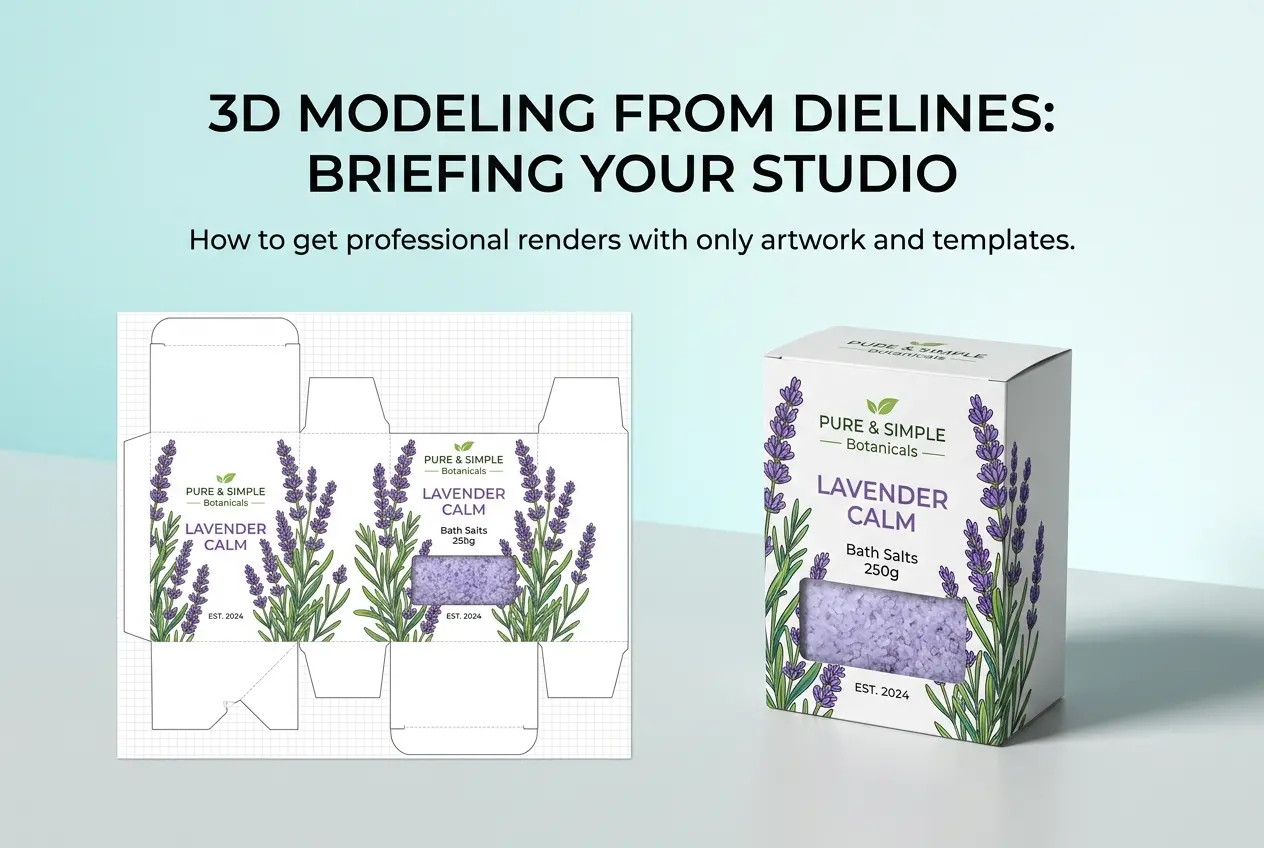
For Amazon sellers, this process typically starts with your product files. If you have CAD drawings, technical specs, packaging files, or even just a physical sample that can be photographed from multiple angles, a studio has what it needs to begin modeling. From there, the process moves through modeling, texturing, lighting, and final rendering. Good studios will also do post-processing to make sure the output meets Amazon’s image requirements.
If you want to understand this process in more depth, the team at 360render.com offers a full breakdown of their 3D product rendering services and how they approach each project from brief to delivery.
Why Amazon Sellers Are Moving to CGI in 2025
The practical reasons are compelling. Speed is one of them. A product launch doesn’t have to wait for physical samples to be manufactured, shipped, and photographed. With 3D rendering, you can have listing-ready images in production while your inventory is still being made. For sellers who want to launch on day one with a strong presence, this timing advantage is significant.
Cost is another factor — but it’s more nuanced than “rendering is cheaper than photography.” For a single product with one colorway, high-quality photography might be comparable in cost. But once you need multiple colorways, lifestyle variations, exploded views, infographics, and 360-degree spins, the math shifts. With a 3D model, you’ve already done the hard work. Additional views and variations are incremental costs, not entirely new shoots.
Then there’s control. Amazon’s main image requirements are strict — white background, product filling most of the frame, no props in the hero shot. But the secondary images? That’s where you tell your product’s story. 3D rendering gives you precise control over every environmental element in those lifestyle and infographic images. You can show your product in a kitchen, a gym, or an outdoor setting without ever leaving a studio.
Amazon also allows 3D spin content in some categories, and that’s an area where CGI really shines. A 360 product rendering allows shoppers to rotate the product themselves, which addresses one of the biggest hesitations in online shopping — not being able to physically inspect an item.
The Anatomy of a High-Converting Amazon Product Image Set
Understanding what your image set needs to accomplish helps you brief a rendering studio properly. Here’s how to think about it:
The Hero Image
This is your main listing image. It needs to be clean, accurate, and detailed. The product should be well-lit with no distracting shadows, and it must meet Amazon’s white background standard. A 3D render on white is often sharper and more consistent than a photographic equivalent because you can control every light source.
Lifestyle and Context Images
These are your storytelling images. They show the product in use, in a relevant environment, or next to objects that give scale and context. For a kitchen product, this might be a marble countertop setting. For a supplement, it might be a clean, minimal gym backdrop. The goal is to help the shopper visualize owning and using the product.
Infographic Images
These are images that combine visuals with text to highlight specific features, dimensions, materials, or benefits. They’re particularly effective for products where differentiation isn’t obvious from a photo alone — think a pillow with a specific fill type, or a bag with multiple internal pockets. 3D renders are excellent base images for infographics because they can be positioned and lit specifically for text overlays.
Detail and Close-Up Shots
A close-up of stitching, a texture detail, a connector interface, a fabric weave — these images build trust. They say, implicitly, “look how well-made this is.” With CGI, you can zoom in on any part of the product without diffraction, lens distortion, or blur. The detail is as sharp as the model itself.
Common Mistakes Amazon Sellers Make with Product Images
Knowing what not to do is just as valuable. Here are the patterns that consistently hurt conversion rates:
Using manufacturer stock images. If every seller in a category is using the same manufacturer-supplied images, differentiation becomes nearly impossible. Worse, those images often show a generic version of the product that doesn’t match your specific variant.
Inconsistent lighting across the image set. When some images look warm and others look cool, or when the product color appears slightly different across the set, shoppers notice — even if they can’t articulate why. It creates subconscious doubt about product quality. CGI can standardize the lighting profile across every image so the set feels cohesive.
Skipping the secondary images. Some sellers put all their effort into the hero and neglect the rest of the image carousel. This is a mistake. Shoppers who are genuinely considering a purchase will swipe through every image. A weak secondary set loses sales that the hero image already won.
Not optimizing for mobile. Most Amazon shoppers are on mobile. Small text on infographics, crowded compositions, and subtle details that are visible on a desktop monitor can be completely lost on a phone screen. Good rendering studios will account for this in composition.
How to Work with a 3D Rendering Studio: Practical Tips
Getting great results from a rendering studio is a collaborative process. Here’s what experienced Amazon sellers know that first-timers often learn the hard way:
Brief in detail, then trust the professionals. The more specific you can be about what you want — angles, environments, color tones, competitor references, brand guidelines — the better your first round of proofs will be. But once you’ve given that brief, let the artists do their work. Micro-managing mid-process typically slows things down and fragments the creative direction.
Provide the best possible reference materials. If you have CAD files, provide them. If you have physical samples, photograph them clearly from multiple angles in good lighting. The higher the quality of your inputs, the more accurate your renders will be. Vague references lead to approximations, which lead to revision rounds.
Plan your full image set before you start. Don’t think about images one at a time. Plan the entire carousel — how many images, what each one needs to communicate, which ones need infographic text treatment, which ones are pure lifestyle. When a studio builds your 3D model once and can generate all variations from it, you save time and money by planning upfront rather than requesting additions piecemeal.
Ask about file ownership and future use. Make sure you own or have full usage rights to both the rendered images and the underlying 3D model files. Owning the model means future updates — a new colorway, an updated package design, a product refresh — cost far less because the model only needs to be modified rather than rebuilt from scratch.
If you’re selling products that require assembly or have a technical component, 3D product animation can also be a powerful addition to your Amazon A+ content or brand store, showing exactly how a product works in a short, clear motion sequence.
Is 3D Rendering Right for Your Product Category?
The honest answer is: it works well for most physical product categories, and exceptionally well for some. Electronics, home goods, furniture, kitchen accessories, beauty tools, outdoor and sporting goods, supplements and health products — these categories benefit enormously from high-quality CGI because shoppers are making considered purchases where visual confidence matters.
For very low-cost impulse items, the investment may not justify itself on a per-SKU basis — though if you have a catalog of related products that can share model assets, the economics change. For fashion and apparel, rendering is increasingly capable but still works best as a complement to photography rather than a replacement, particularly where fabric drape and real-world fit are central to the purchase decision.
If you sell furniture or large home items, there’s a particularly strong case. Photography of large furniture is expensive and logistically complex. A furniture 3D rendering can show your piece in multiple room settings, colorways, and configurations without a single photoshoot — and the images can be indistinguishable from the real thing.
Conclusion: Where to Go From Here
Amazon is a visual marketplace. It always has been, and in 2025 that’s more true than ever. Shoppers have more choices, higher expectations, and less patience for listings that look amateurish or incomplete. Strong product imagery isn’t a nice-to-have — it’s the baseline for competing effectively.
This guide on 3D Product Rendering for Amazon Sellers has covered the core concepts, the practical benefits, what a complete image set looks like, the mistakes to avoid, and how to work with a studio effectively. The next step is taking that knowledge and putting it to work for your specific products and listings.
If you’re ready to explore what professional 3D rendering can do for your Amazon presence, the team at 360render.com works with sellers across categories to deliver listing-ready images that are accurate, compelling, and built to perform. Get in touch with the team and let’s talk about what your product needs.
Frequently Asked Questions
How much does 3D product rendering cost for Amazon sellers in 2025?
3D product rendering for Amazon sellers typically costs between $50 to $500 per image depending on complexity, with full product packages ranging from $300 to $2,000. Simpler products like electronics accessories or small household items fall on the lower end, while complex products with intricate details or lifestyle scenes cost more. Many sellers find that investing in professional 3D rendering pays for itself quickly through higher conversion rates and reduced photography costs.
Is 3D product rendering allowed by Amazon’s image guidelines in 2025?
Yes, Amazon explicitly allows 3D rendered images as long as they meet their standard image requirements, including a pure white background for main images and accurate product representation. Rendered images must not mislead customers about the product’s appearance, size, or features, and the main image must show the actual product without props or additional text. When done correctly, high-quality 3D renders are indistinguishable from traditional photography and fully compliant with Amazon’s terms of service.
How long does it take to create 3D product renders for an Amazon listing?
The turnaround time for 3D product rendering typically ranges from 3 to 7 business days for standard projects, though rush orders can sometimes be completed within 24 to 48 hours at an additional cost. The timeline depends on product complexity, the number of images needed, and how many revision rounds are required. Having accurate product dimensions, material references, and clear creative briefs ready before starting will significantly speed up the process.
What are the biggest advantages of 3D rendering over traditional product photography for Amazon sellers?
3D rendering offers Amazon sellers key advantages including unlimited scalability, since the same 3D model can generate dozens of images showing different angles, colors, and lifestyle scenes without reshooting. It also eliminates the need for physical prototypes, making it ideal for pre-launch listings, and allows for instant updates if product details or branding changes. Sellers also report cost savings of up to 60% compared to traditional photography when managing large catalogs or multiple product variations.
What product information do I need to provide to get accurate 3D renders made for my Amazon listing?
To ensure accurate and realistic 3D product renders, you should provide exact product dimensions, high-resolution images from multiple angles, material and texture specifications such as matte, glossy, or fabric type, and any official brand colors with Pantone or HEX codes. Packaging files, logo assets, and any label artwork in vector format are also extremely helpful for the 3D artist to work with. The more detailed references you provide upfront, the fewer revision rounds will be needed and the closer the final render will match your actual product.
Also read: 3D Machine Rendering: How Industrial Manufacturers Use CGI for Product Launches