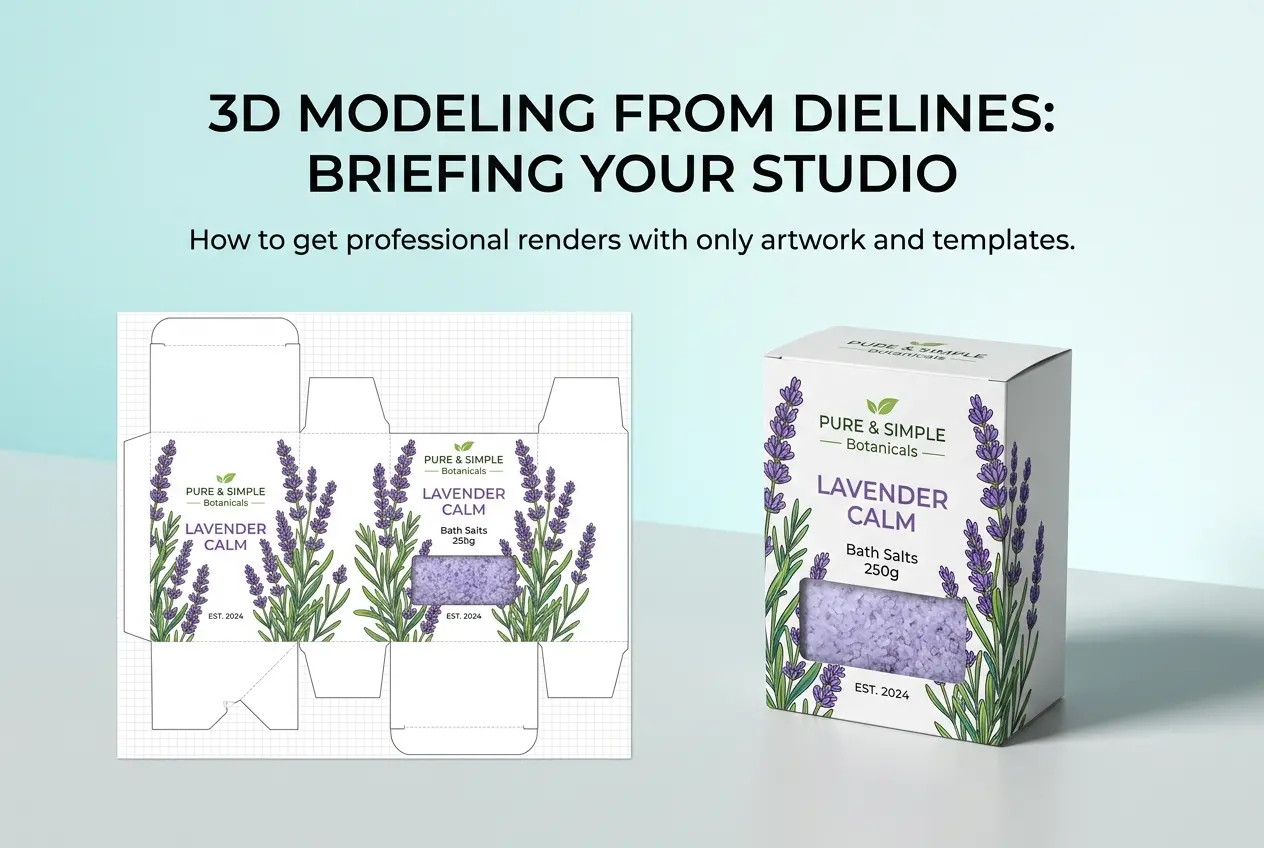
If you’ve ever sent a rendering studio a product image, a vague description, and the words “make it look premium,” you already know what happens next — rounds of revisions, missed expectations, and a final image that’s technically correct but somehow not what you pictured. Knowing how to write the perfect brief for a 3D product rendering studio (with template) is one of those skills that looks simple on paper but makes an enormous difference in the quality, speed, and cost of what you get back. At 360render.com, we work with e-commerce brands, product designers, packaging companies, and manufacturers — and without exception, the projects that run smoothly are the ones where the client came prepared.
A brief isn’t just a checklist. It’s a communication tool. It tells us what you want, yes, but more importantly it tells us how you think about your product, who you’re selling to, and what feeling you’re trying to create. When we receive a well-structured brief, we can move straight into creative decisions. When we don’t, the first week of a project is spent asking questions that should have been answered before work started.
This post walks you through every element that belongs in a solid brief, explains why each one matters from a technical and creative standpoint, and ends with a practical template you can copy and fill in before your next project.
Why Most Briefs Fail Before the Rendering Starts
The most common issue we see isn’t a lack of information — it’s information given in the wrong form. A client will send a mood board of finished lifestyle photographs and say “like this,” without realizing those images are combining product design, photography lighting, set styling, and post-production work into one visual. We need to know which part of “like this” you’re actually referring to.
Similarly, product dimensions are often missing or approximate. In 3D rendering, dimensions are not optional. If you tell us a bottle is “around 250ml,” we’ll model something that looks proportionally close — but the shoulder curve, label placement, and cap height will all shift depending on the exact measurements. A centimetre off in real life is a centimetre off in the render. That matters when your label artwork is being placed to spec.
The other failure mode is leaving the purpose of the render undefined. A render for an Amazon listing, a render for a pitch deck, and a render for a print catalogue are technically different deliverables. Resolution, aspect ratio, background treatment, and depth of field all change depending on where the image is going. Tell us the destination.
How to Write the Perfect Brief for a 3D Product Rendering Studio (With Template)

Here’s what a complete brief contains, broken down section by section. Use this as your structural guide.
1. Project Overview
Start with two or three sentences that explain what the product is, who makes it, and what the renders will be used for. Keep it factual. “We make a stainless steel insulated travel mug targeting outdoor enthusiasts. We need renders for our Shopify product page and a social media campaign launching in six weeks.” That’s enough context for us to immediately start thinking about material treatments, lighting moods, and aspect ratios.
2. Product Information
This is the most technically critical section. Include:
| Information Type | What to Provide | Why It Matters |
|---|---|---|
| Dimensions | Exact measurements in mm or cm (H × W × D) | Determines accurate scale and proportions in the 3D model |
| CAD or 3D files | .STEP, .OBJ, .FBX, .STL, or native CAD format | Saves modelling time and ensures geometry accuracy |
| Physical samples or photos | Multi-angle photography from at least 6 sides | Reveals surface texture, finish, and form details |
| Materials and finishes | Matte, gloss, brushed metal, soft-touch coating, etc. | Directly affects shader and texture setup in rendering software |
| Colour references | Pantone codes, RAL numbers, or hex values | Eliminates colour guesswork and calibration issues |
| Label/artwork files | High-res PDF or AI files with exact placement guides | Allows precise label wrapping in 3D space |
If you don’t have CAD files, we can build the model from reference photographs and dimensions — but that takes longer and introduces small interpretation risks. The more precise your reference, the more accurate the result.
3. Shot List and Camera Angles
Every render starts with a camera position. If you don’t specify angles, you’ll get whatever the artist considers a reasonable default — which may or may not match your marketing vision. Be specific: “front-facing at eye level,” “45-degree hero shot from slightly above,” “flat lay from directly overhead,” “close-up of the cap mechanism.” If you have existing product photography, we can match those camera positions exactly in 3D space.
Also state how many final images you need. This has a direct effect on cost and timeline. One hero render is a different scope from twelve lifestyle scenes.
4. Background and Environment
This is where many briefs go quiet and they shouldn’t. Options include:
- Pure white or transparent background — standard for e-commerce platforms
- Solid colour background — specify the exact colour
- Studio environment — soft gradient, surface reflection, controlled lighting
- Lifestyle scene — product placed in a contextual environment (kitchen, gym, outdoor)
- Abstract or textured background — marble, concrete, wood, fabric
If you want a lifestyle scene, describe the setting in words and attach reference images. A mood board here is genuinely useful — just make sure you tell us what specifically you’re referencing from each image.
5. Lighting Mood
Lighting is what separates a flat product render from one that makes someone want to pick the product up. We need to know the emotional register. Clinical and bright? Warm and atmospheric? High-contrast dramatic? Cool and technical? Reference images help here more than words, but words help too. “We want it to feel like a premium skincare brand — soft, diffused, clean” gives us a clear creative direction.
If you’re referencing a competitor’s product photography that you like, send it. We’re not copying it — we’re understanding your aesthetic language.
6. Deliverable Specifications
State the final output format and size. This matters more than most clients realise. Rendering at 4K for a billboard is different from rendering at 1500px for a website. Specify:
- Resolution (in pixels or DPI)
- Aspect ratio (square, portrait, landscape)
- File format (PNG with transparency, JPEG, TIFF)
- Colour space (sRGB for web, CMYK for print)
7. Timeline and Revision Policy
Tell us your hard deadline, not just “as soon as possible.” We can work backwards from a launch date and set realistic internal milestones. Also clarify how many revision rounds your budget includes — this saves friction later. Most studios, including ours, include one or two rounds of structural revisions in a standard quote. Knowing this upfront means everyone enters the project with the same expectations.
What Good Mood Boards Actually Look Like

A mood board isn’t a random Pinterest collection. A good one is curated and annotated. Pick three to five images maximum and add a note to each one explaining what you like about it. “I like the lighting angle in this one.” “The colour palette here matches our brand.” “The camera distance in this image is what I want.” That context transforms a reference image from a vague gesture into a useful creative instruction.
We’ve received mood boards containing images from completely different industries — a luxury watch advertisement, a fast food campaign, and a children’s toy — all for the same product. Without annotation, that tells us almost nothing. With annotations, it might tell us a great deal about the client’s thinking.
The Brief Template
Copy this and fill it in before your next project enquiry:
| Section | Your Information |
|---|---|
| Product name and description | |
| Exact dimensions (H × W × D) | |
| Materials and finishes | |
| Colour references (Pantone/RAL/Hex) | |
| Files available (CAD, photos, artwork) | |
| Number of renders required | |
| Camera angles / shot list | |
| Background / environment type | |
| Lighting mood / aesthetic direction | |
| End use (e-commerce, print, social, pitch) | |
| Output format and resolution | |
| Hard deadline | |
| Budget range (optional but helpful) | |
| Mood board / reference images | |
| Any specific concerns or must-avoid elements |
That last row — “must-avoid elements” — is underused. If there’s a competitor whose aesthetic you actively dislike, or a colour that never appears in your brand guidelines, tell us. Negative constraints are just as useful as positive ones.
One Final Thought on Budget
Sharing your budget isn’t weakness — it’s efficiency. When we know the budget, we can tell you honestly what’s achievable within it. A lifestyle scene with a custom-built 3D environment and six camera angles is a different scope from three clean studio renders on a gradient background. Both are valid. The brief helps us recommend the right approach for what you’re actually trying to accomplish.
A complete brief doesn’t just make our job easier — it protects you. It creates a shared document that both parties have agreed on before any work begins, which means there’s no ambiguity about what was asked for and what was delivered.
If you’re ready to start a project and want to put this into practice, get in touch with our team at 360render.com. Send us your filled-in brief and we’ll respond with a clear scope, timeline, and quote — no guesswork on either side.
Frequently Asked Questions
What should I include in a 3D product rendering brief?
A complete brief should include product dimensions, materials, colors, reference images, intended use, camera angles, background preferences, and file format requirements. The more technical detail you provide upfront, the fewer revision rounds you'll need.
How do I communicate material and texture details to a 3D rendering studio?
Provide physical samples, high-resolution photos, or material spec sheets alongside descriptive terms like gloss level, roughness, and transparency. Reference real-world products with similar finishes to give the studio a clear visual target.
How long does it take a 3D rendering studio to complete a product render?
Turnaround time typically ranges from 2 to 7 business days depending on scene complexity, number of angles, and revision cycles. Submitting a detailed brief upfront can significantly reduce overall production time.
Why do 3D product renders come back looking different from what I expected?
Misaligned expectations usually stem from an incomplete or vague brief that lacks reference images, lighting direction, or precise material descriptions. Using a structured brief template ensures the studio interprets your vision correctly from the start.